
Provider errors
Every exact message OpenAI, Google Gemini, Anthropic Claude and OpenRouter failures can show, what causes each one, and how to fix it.
Every feature that calls AI, the six bulk generators, the Product Editor, the product metabox, Content Templates, Automation Jobs and the AI Shop Assistant, goes through the same four provider clients and turns every possible failure into one of a small, fixed set of plain-English messages. Learn this one list and you can read an error from anywhere in the plugin.
The message always names the provider
A failure always reads "{Provider} rejected the saved API key", "{Provider} is limiting requests right now", and so on. If your default provider is Google Gemini, the same underlying problem reads "Gemini..." instead of "OpenAI...". The cause and fix are identical either way.
Before you start
- These messages come from the AI provider itself, or from this plugin's own local checks before a request is even sent. None of them come from a credit or allowance system: the plugin is BYOK and never meters your usage.
- A run-wide failure (an invalid key, no quota, an outage, a firewall block) stops the rest of a batch on purpose, because every remaining item would fail identically. A failure tied to one item (a safety filter, a cut-off answer, an unreadable image) only fails that row; the rest of the batch keeps going.
- The plugin already retries one transient failure automatically, after the provider's own
Retry-Afterheader or about 1.5 seconds by default. If the provider asks for a longer wait than that, up to 10 seconds, the plugin waits once and retries; a wait request longer than 10 seconds skips the retry and shows the error right away instead of holding the request open. You do not need to manually retry a 429 the moment you see it.
Where a key or setup problem shows up
No key saved
If no AI provider has a saved key at all, the page tells you before you even try to generate: an amber AI provider not configured banner appears above the product list, the Provider picker has nothing to select, and Generate Bulk stays disabled.
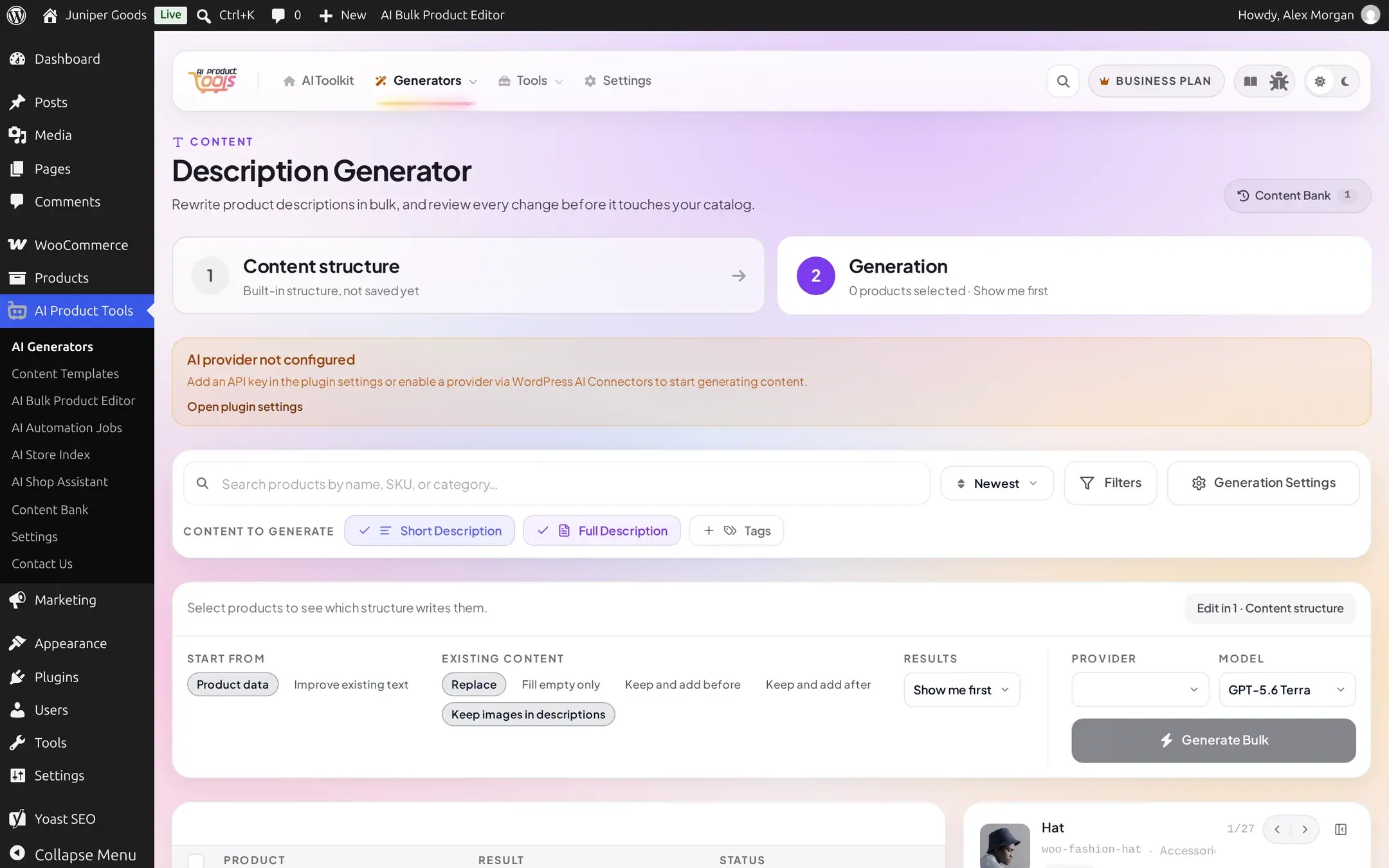
If at least one provider still has a key but the one this screen would use does not, generating anyway (or a scheduled job that names that provider specifically) fails with the named version instead: "No {Provider} API key is saved. Add one in Settings > Connectors or AI Product Tools > API." (see the reference table below).
A key that looks wrong
Typing a key in the wrong shape is caught before the plugin ever contacts the provider: Claude keys must start with sk-ant-, OpenRouter keys must be at least 20 characters. OpenAI and Gemini accept any non-empty string locally and let the provider itself reject a bad one.
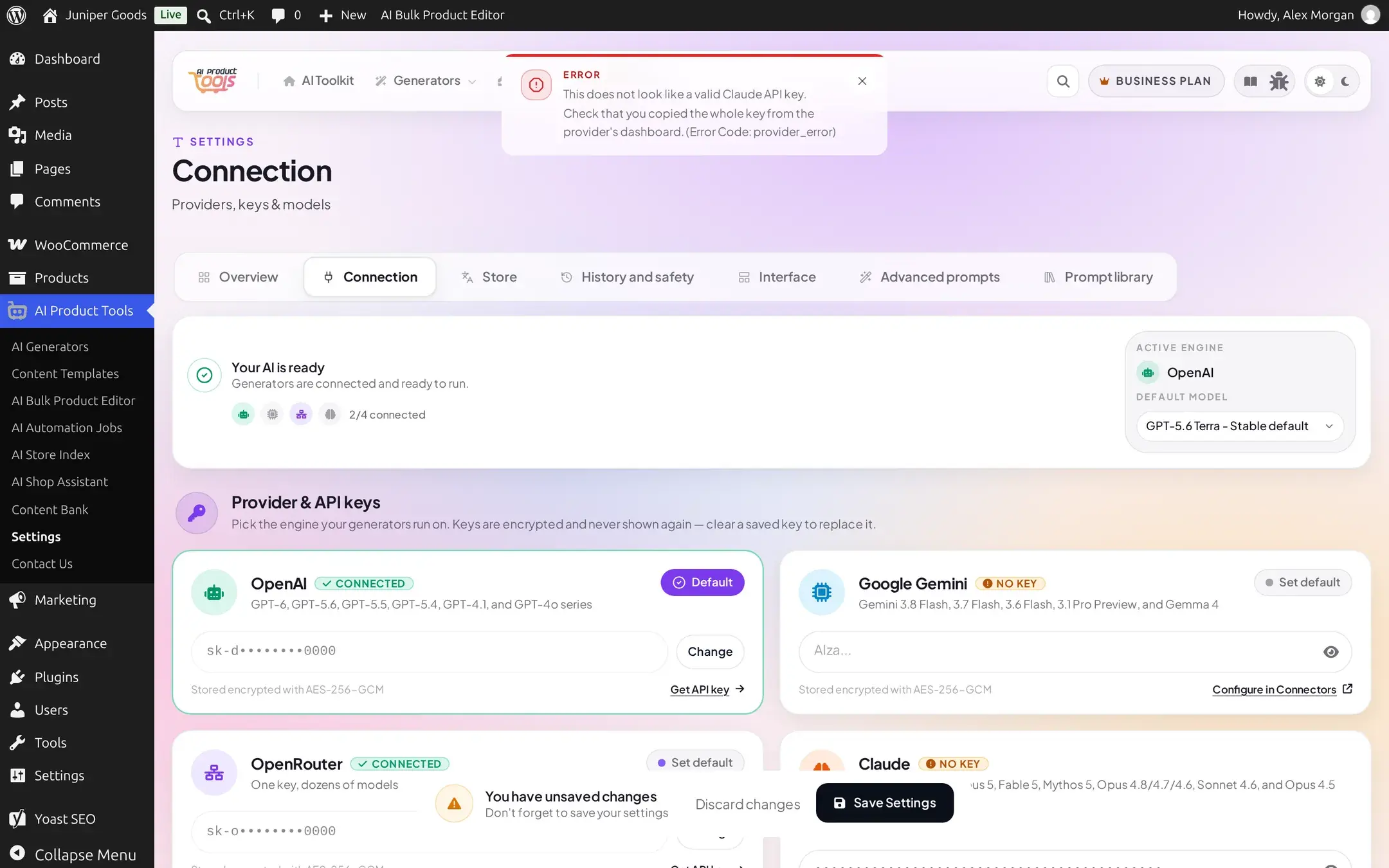
A key the provider rejects
Saving a key that is the right shape but revoked, rotated, or mistyped fails only when you click Save Settings, the plugin re-validates every changed key live:
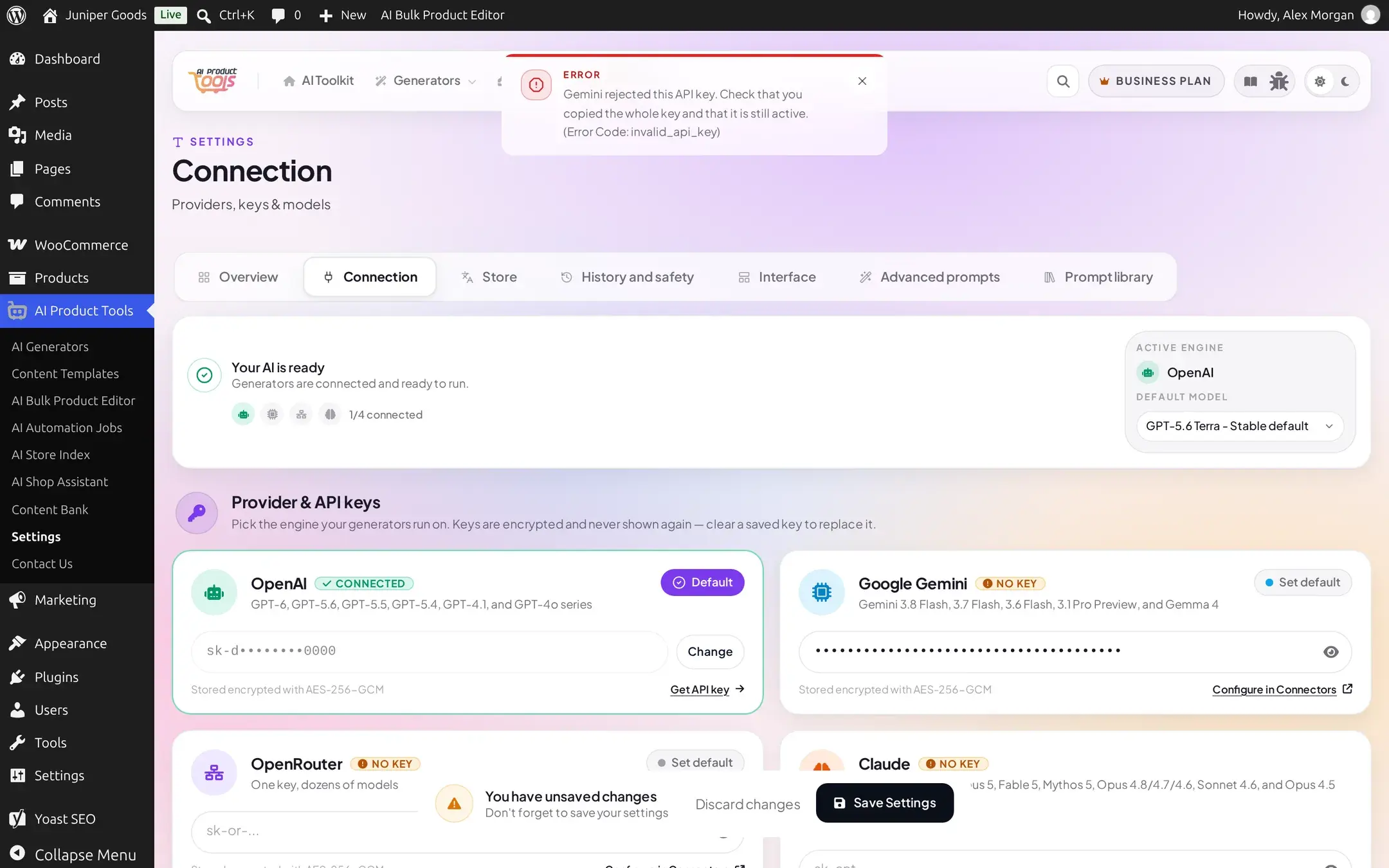
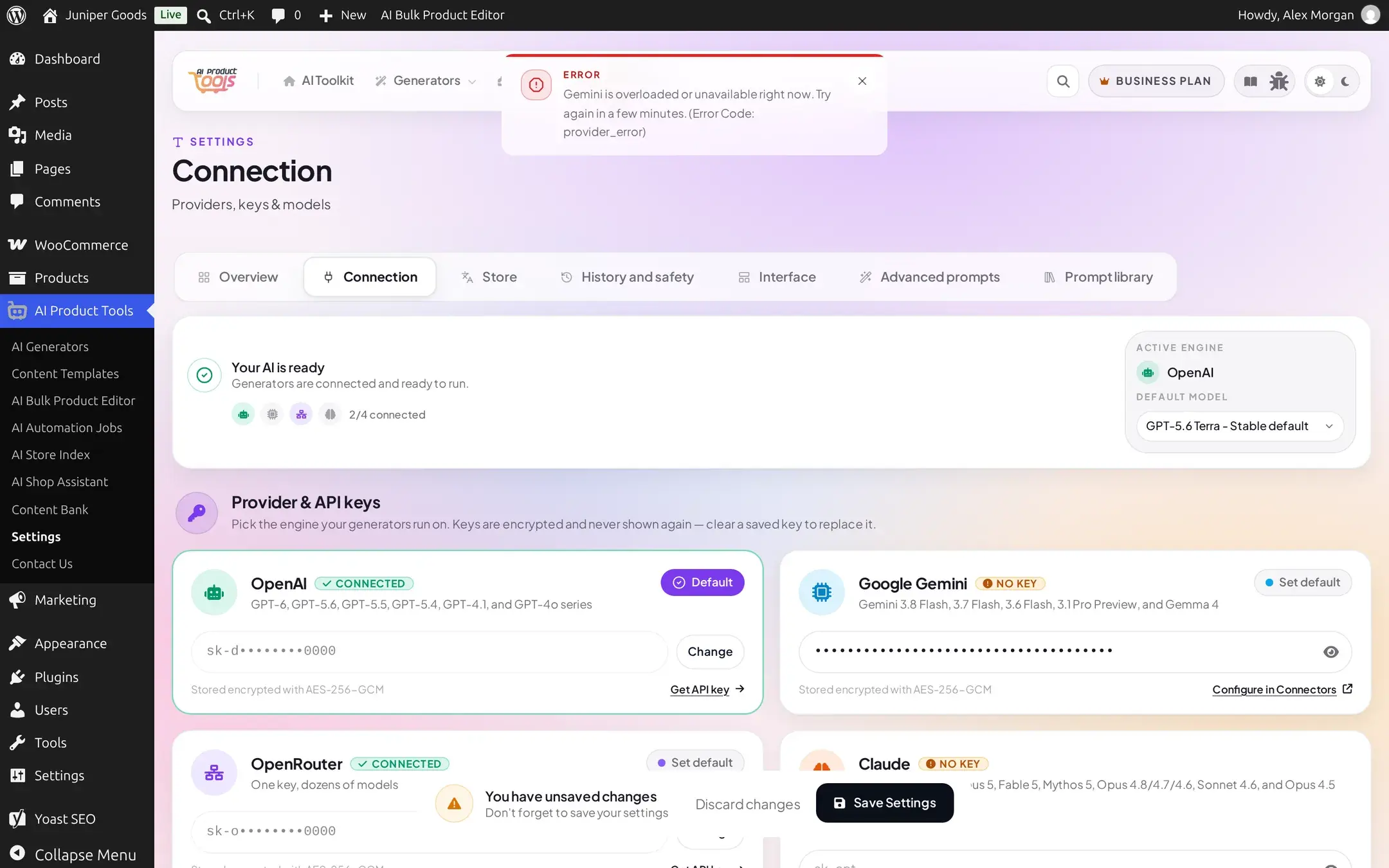
A provider hiccup during save looks different on purpose
If the provider itself is briefly unreachable or overloaded at the exact moment you save a new key, the message says so, it never claims the key is invalid when the real cause is a transient outage:
The full reference
Every reason the plugin's provider layer can produce, in the exact wording it shows (the provider name fills in %s):
| You see | What it means | Fix |
|---|---|---|
"No %s API key is saved. Add one in Settings > Connectors or AI Product Tools > API." | Nothing saved for the provider this screen needs | Connection settings: add a key |
"This does not look like a valid %s API key. Check that you copied the whole key from the provider's dashboard." | Obviously malformed: a truncated paste, or a Claude/OpenRouter key failing the local shape check | Re-copy the full key |
"%s rejected the saved API key. Update it in Local plugin key." (or "...in WordPress Connectors" when that is the key's source) | The provider revoked, rotated, or never recognized this key | Paste a fresh key and save again |
"Your %s API key does not have access to this model or action." | The key is valid but scoped away from the model or endpoint you asked for | Use a key with full access, or pick a model the key can reach |
"%s does not offer the selected model. Choose another model." | The model was retired, renamed, or never existed | Pick a different model from the dropdown |
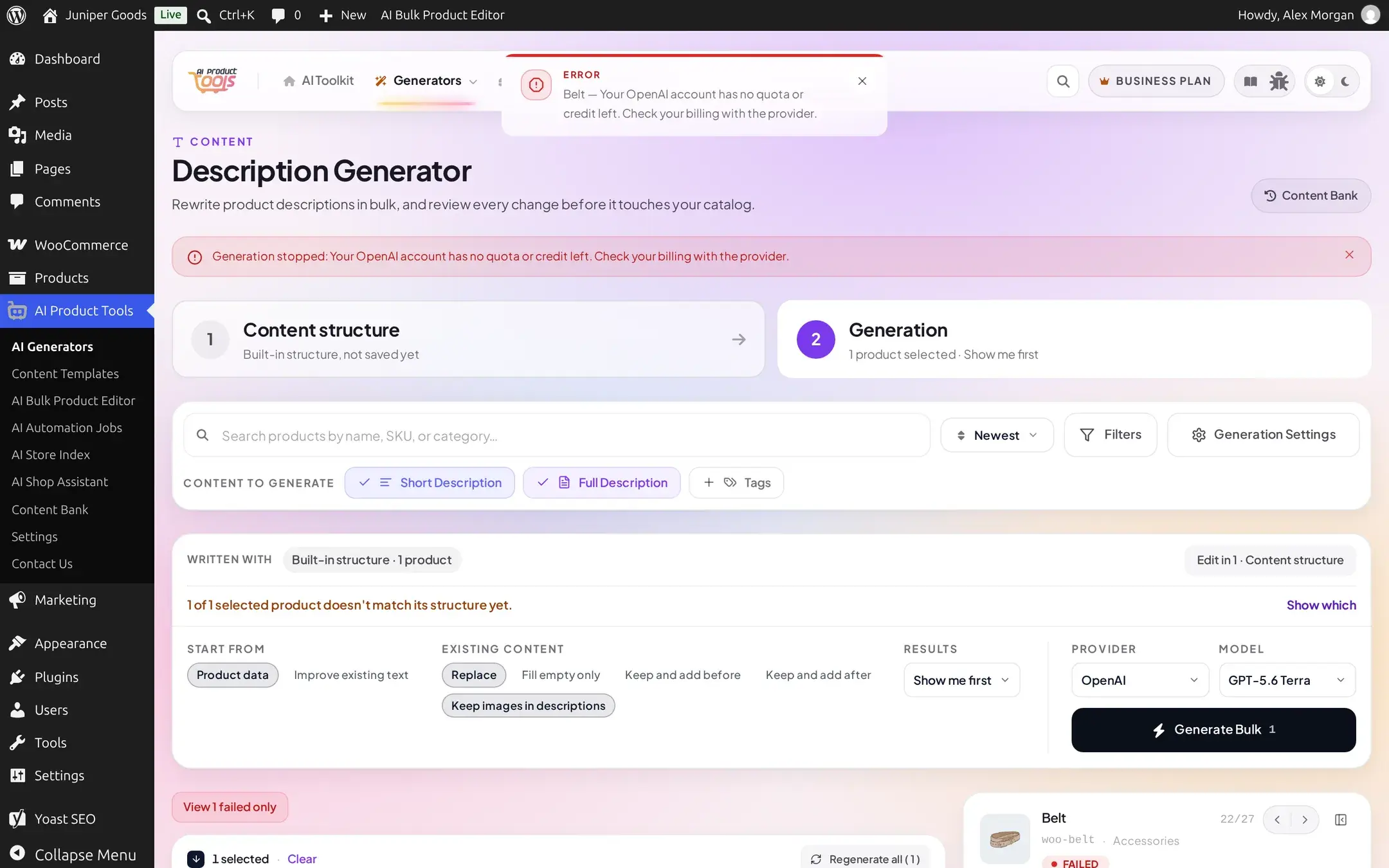
"Your %s account has no quota or credit left. Check your billing with the provider." | No balance, or a plan limit reached, at the provider | Add credit or billing on the provider's own dashboard |
"%s is limiting requests right now. Try again in a minute." | The provider's own per-minute rate limit, separate from this plugin's own internal 700-requests-per-5-minutes cap | Wait, lower Pause between requests in Connection settings, or batch fewer items |
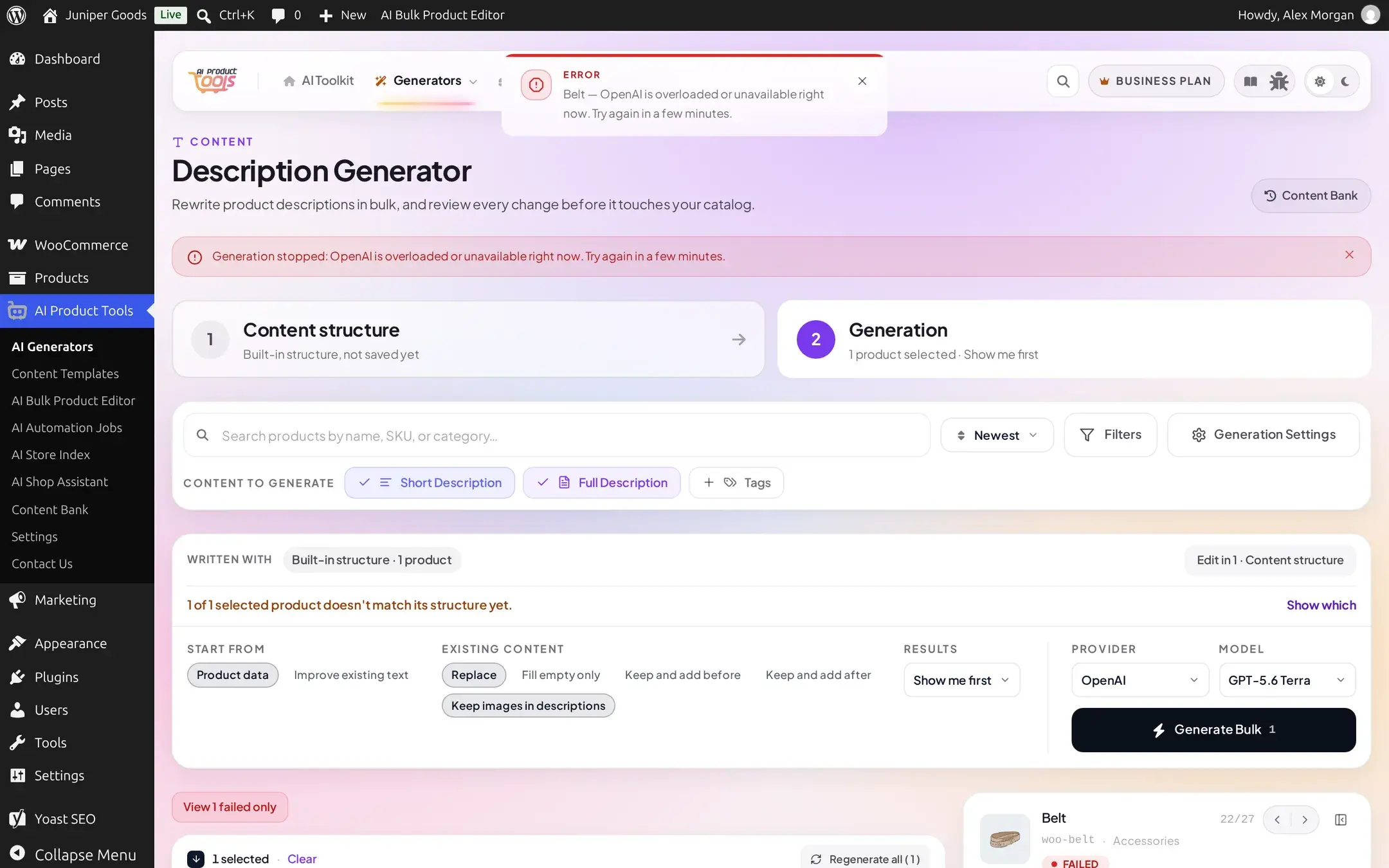
"%s is overloaded or unavailable right now. Try again in a few minutes." | A provider-side outage or capacity problem | Wait and retry; the plugin already retried once automatically |
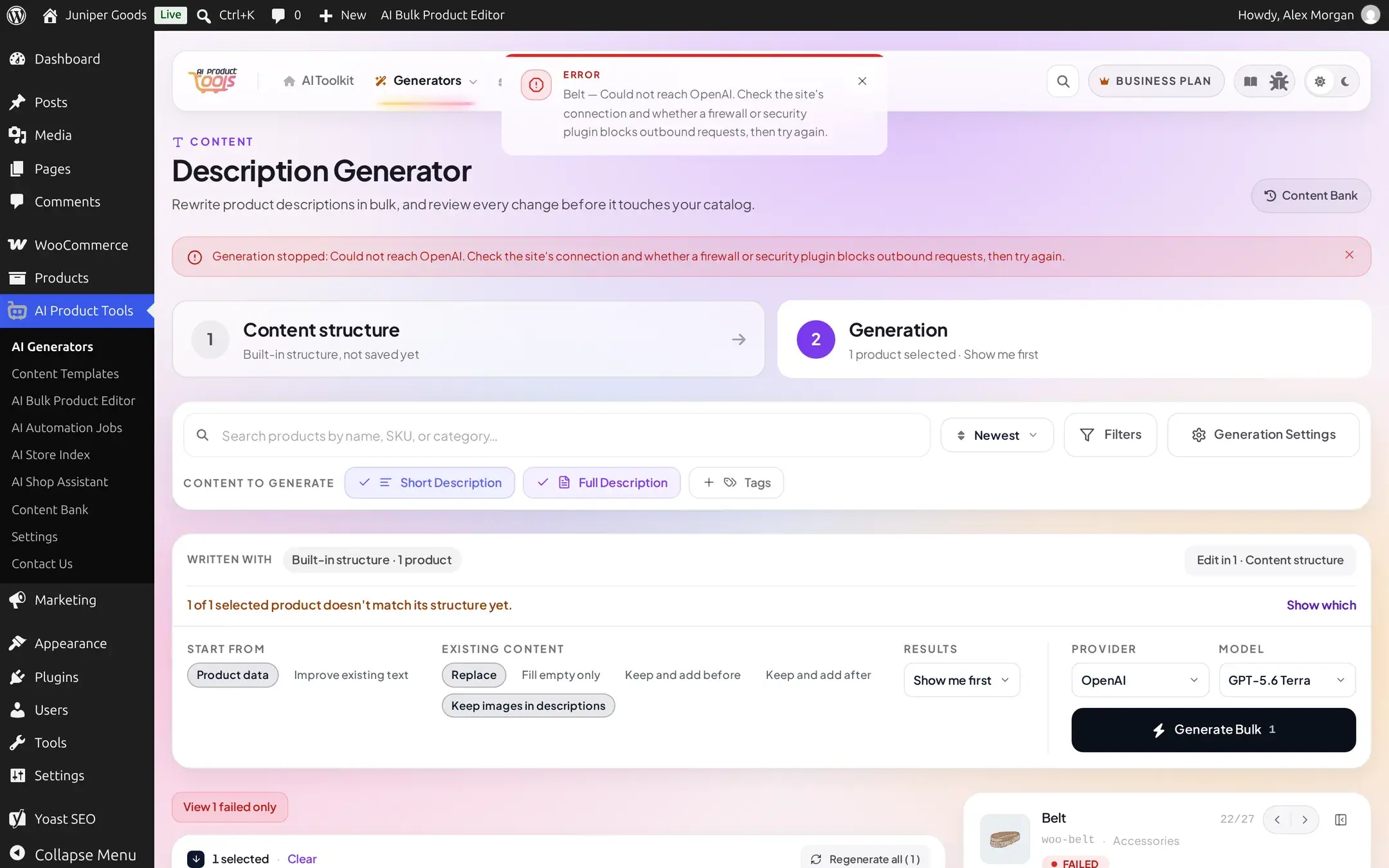
"Could not reach %s. Check the site's connection and whether a firewall or security plugin blocks outbound requests, then try again." | Either a genuine connection timeout, or a DNS failure, a refused connection, or a security plugin returning a block page instead of a real response | Check your host's firewall rules and allow outbound requests to the provider's domain |
"%s declined to answer because of its safety filters." | The provider's own safety system refused the prompt or the product content | Reword the product content or your custom instructions, or try a different model |
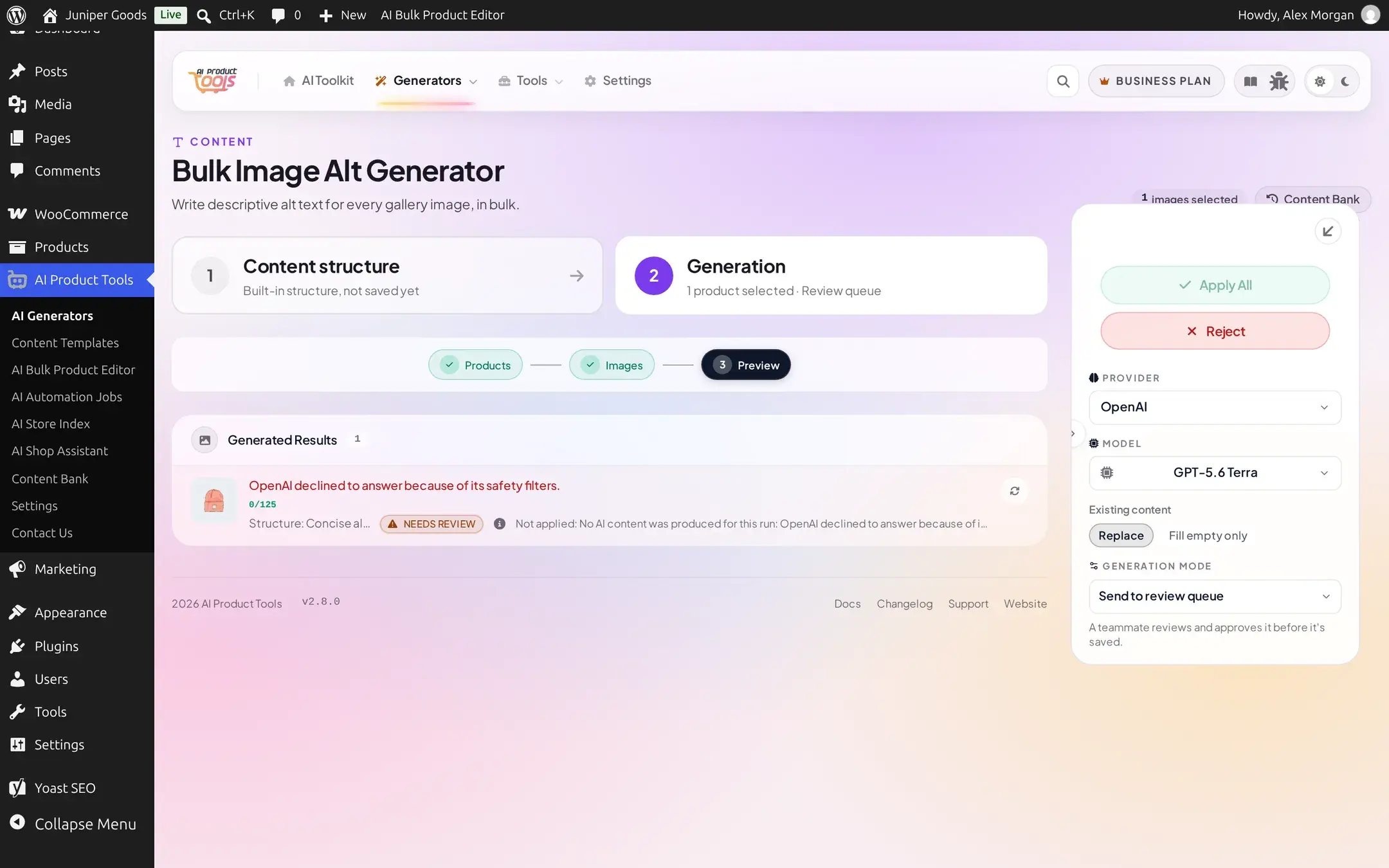
"%s stopped before finishing the answer." | The model hit its output token limit before finishing | Ask for a shorter result, or pick a model with a larger output limit |
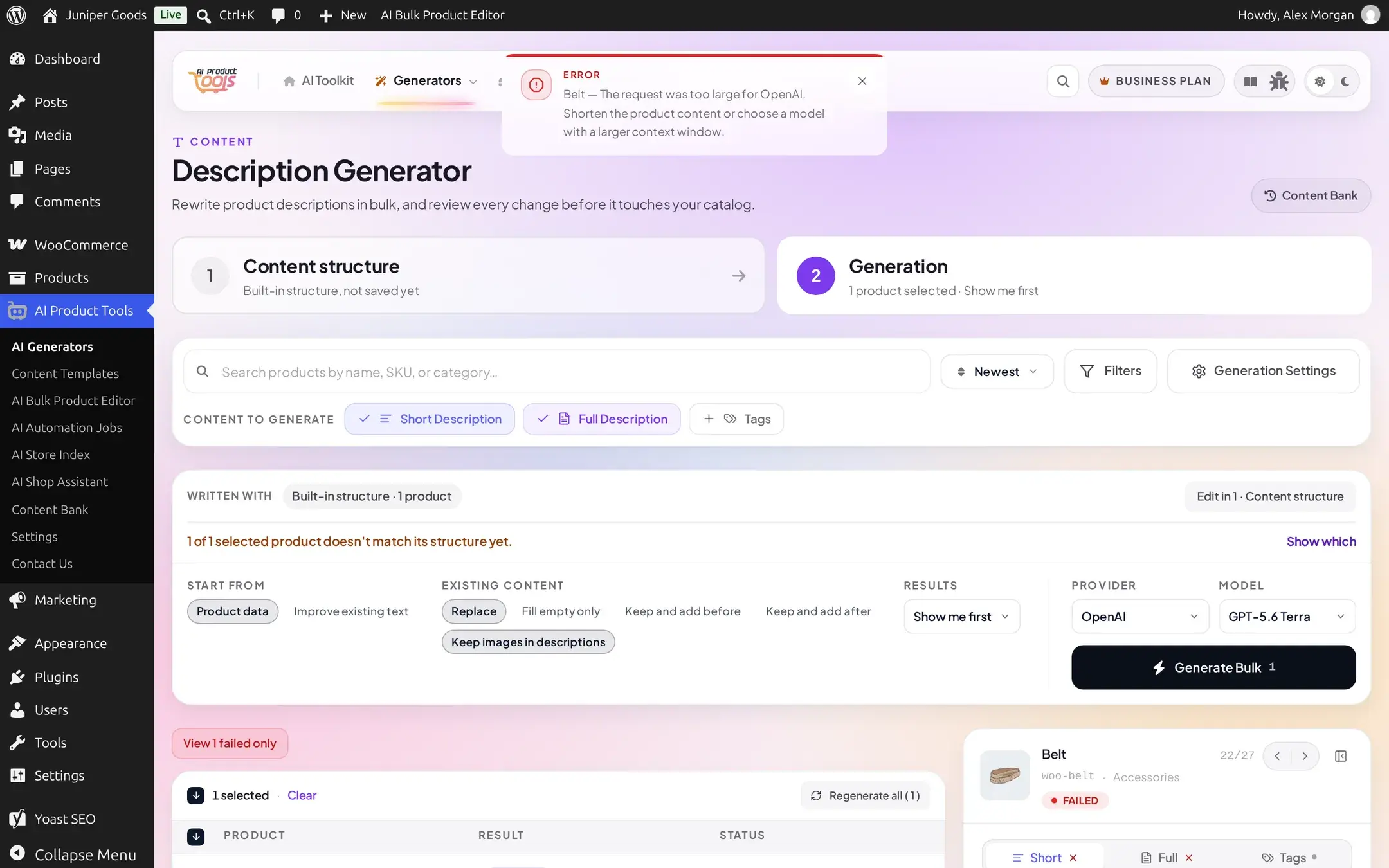
"The request was too large for %s. Shorten the product content or choose a model with a larger context window." | Your prompt plus the product data is bigger than the model's context window | Shorten the product description or attributes being sent, or switch to a bigger-context model |
"The image could not be loaded to send to %s. Check that the file exists and that the site can read it." | The image alt generator's source image is missing, unreadable, over 20 MB, or not a recognized image format | Fix or replace the product image |
"AI features are turned off on this site, so %s cannot be used. Set WP_AI_SUPPORT to true to turn them back on." | WordPress 7.0's own site-wide AI switch (wp_supports_ai()) is off | A developer removes the filter, or sets the WP_AI_SUPPORT constant to true |
"%s is not a supported AI provider. Choose OpenAI, Gemini, Claude or OpenRouter in the settings." | A corrupted or leftover provider value, not reachable from the normal screens | Re-save Settings with a real provider selected |
"%s could not process the request. Details were logged for troubleshooting." | A catch-all: an unrecognized response shape, invalid JSON, or (only on the newer content-structure path) a rejected structured-output request that the plugin already retried once automatically with structured output turned off | Usually transient; retry. Check the PHP error log if it repeats |
A rate limit is not the same as no quota
"Limiting requests right now" means you are sending requests too fast; "no quota or credit left" means your account itself has nothing left to spend. The exact-sounding 429 status from several providers can mean either one, and the plugin reads the provider's own error body to tell them apart so you do not chase the wrong fix.
Every reason, as it actually looks
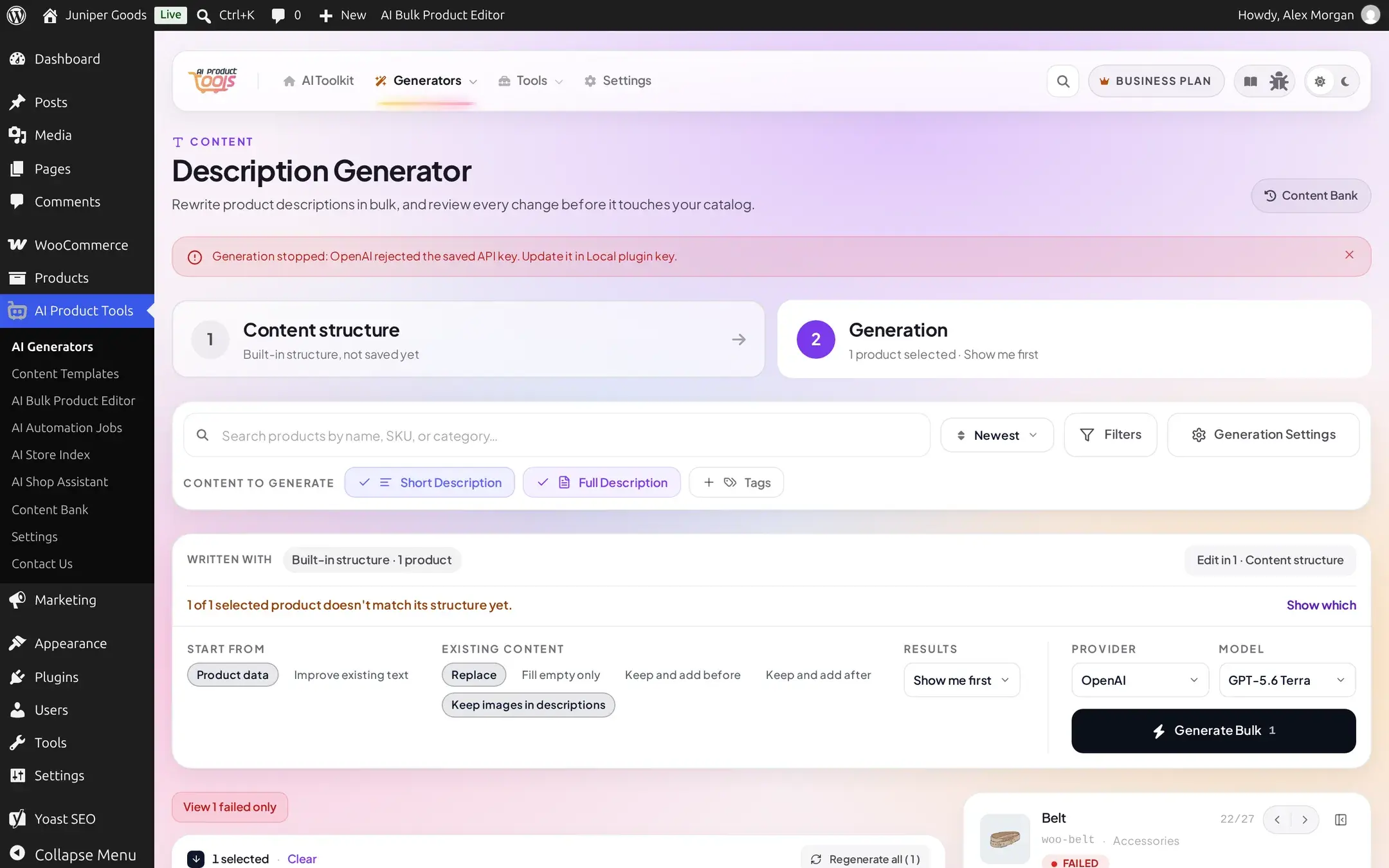
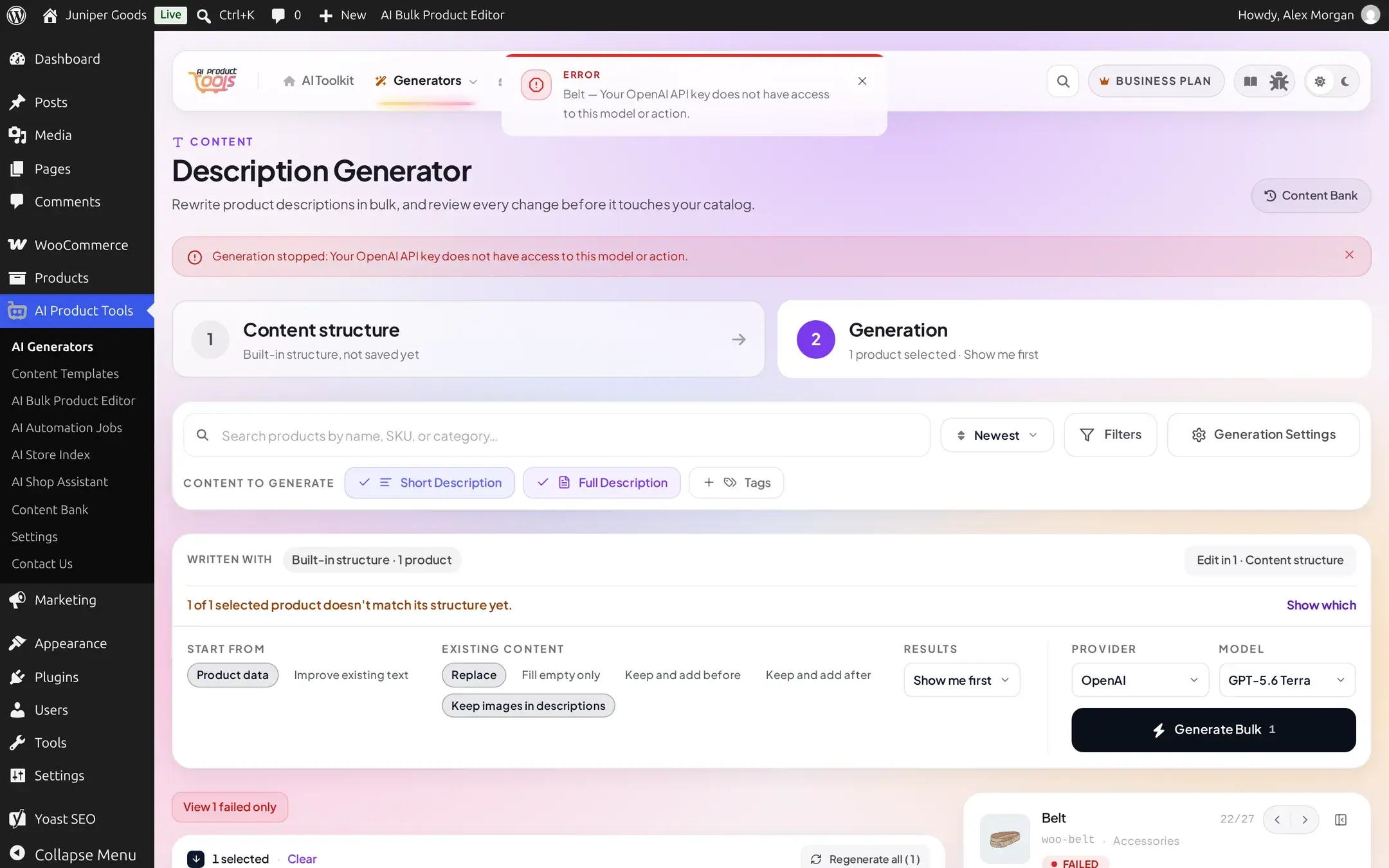
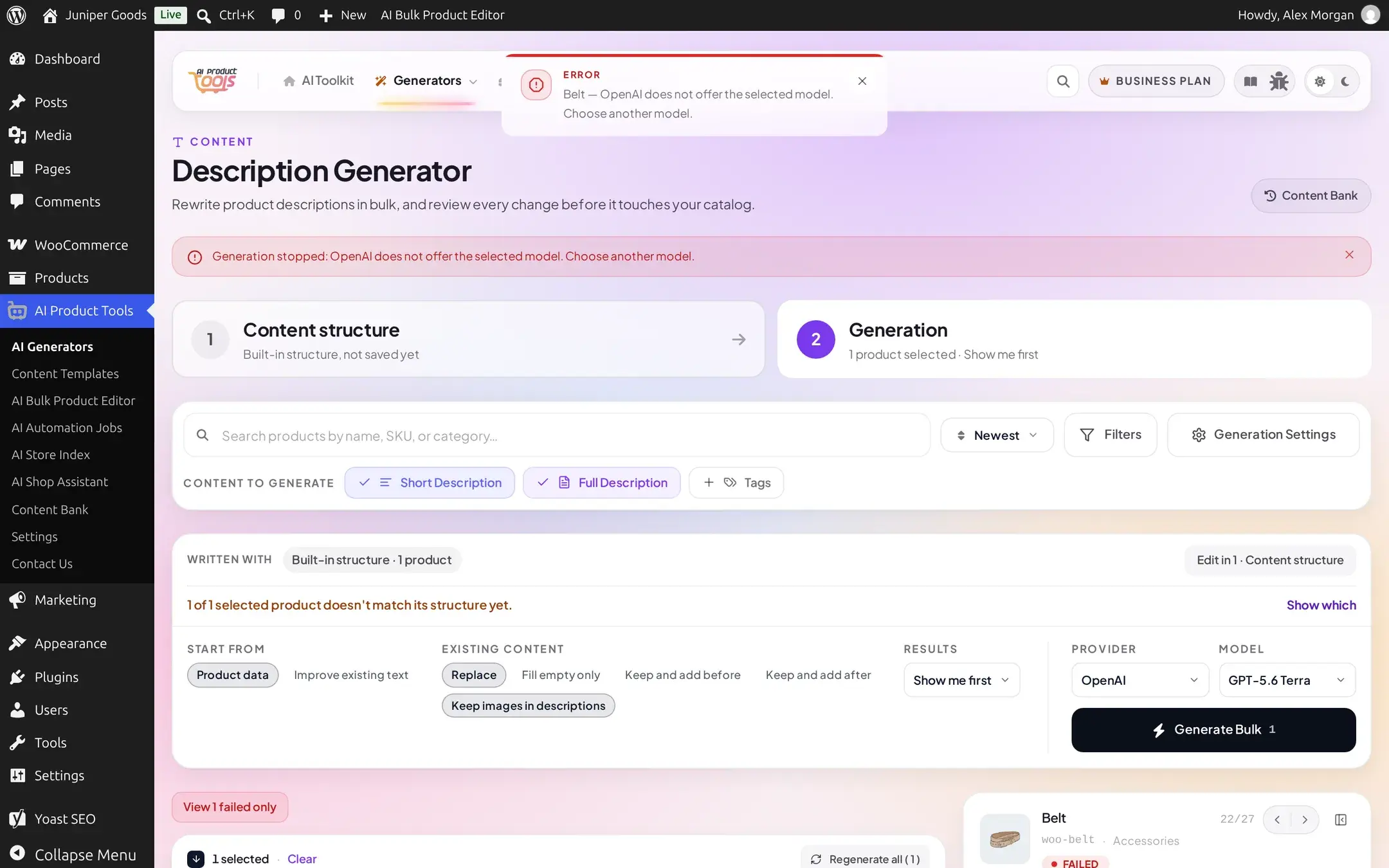
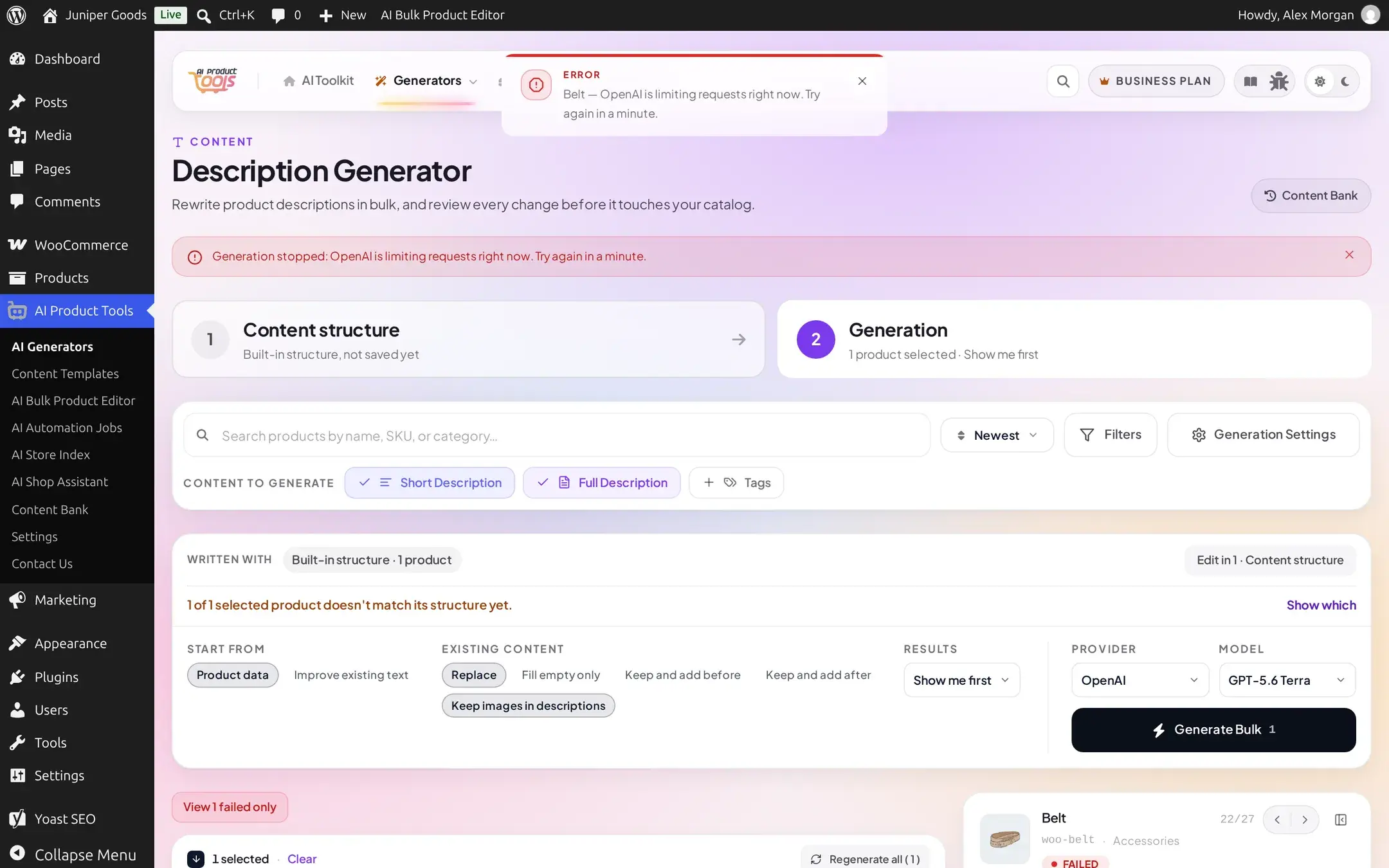
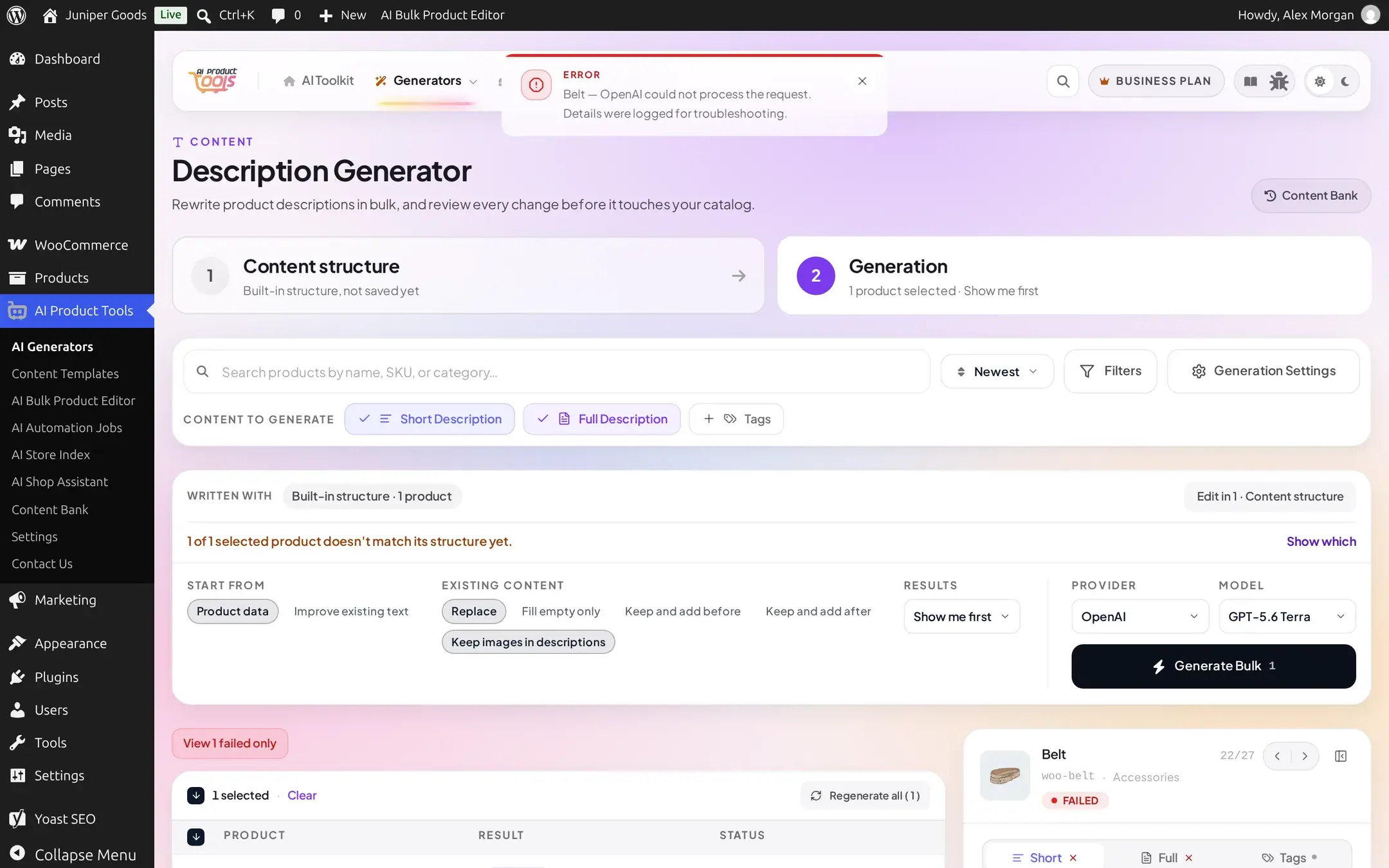
A safety filter or a cut-off answer only stops that one item
Unlike a key or connection problem, a safety refusal or a truncated answer is specific to one product's content or one model's limits, so only that row fails:
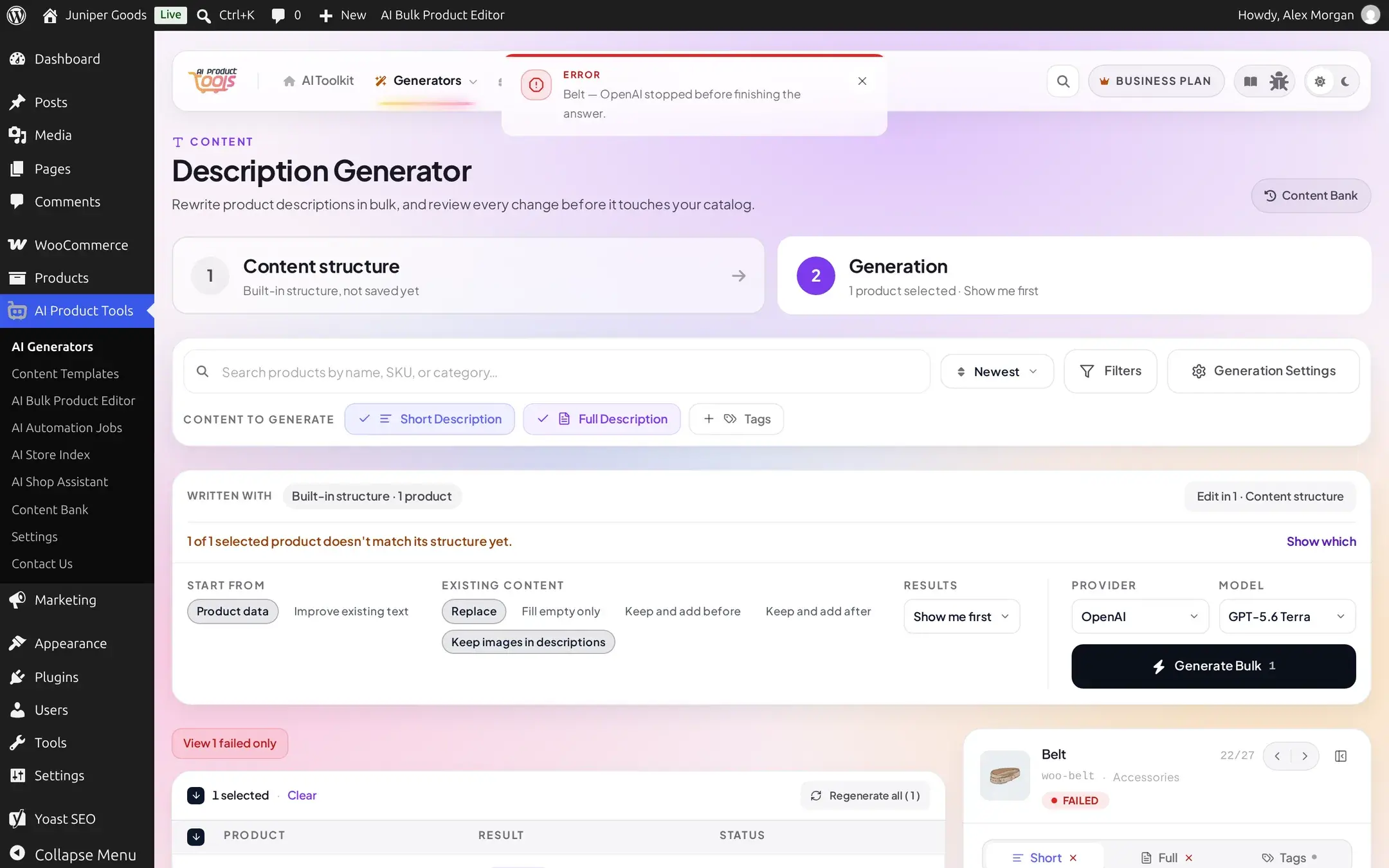
A run-wide failure stops the whole batch
An invalid key, no quota, an outage, or a firewall block will fail identically for every remaining product, so the plugin stops the batch instead of repeating the same failure for each one:
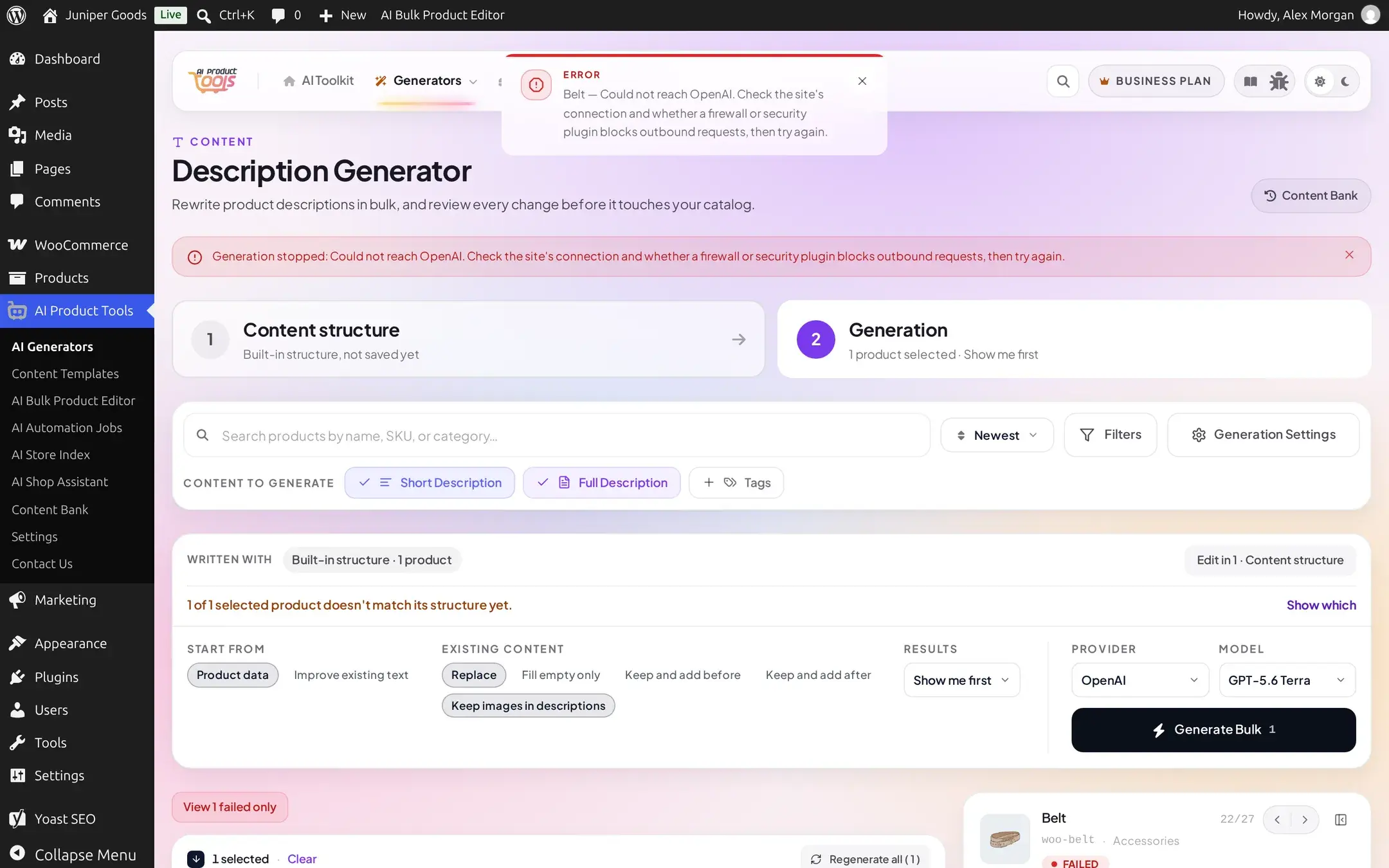
Re-select only the products that did not run and generate again once the underlying problem (the key, the outage, the firewall rule) is fixed. Nothing is lost by not having attempted the skipped items, since they would have failed the same way.
OpenRouter can fail mid-generation even on a successful response
Because OpenRouter proxies other providers, a failure can arrive two ways on the exact same request: a normal error response, or an outer success that hides a failure inside the one answer it chose:
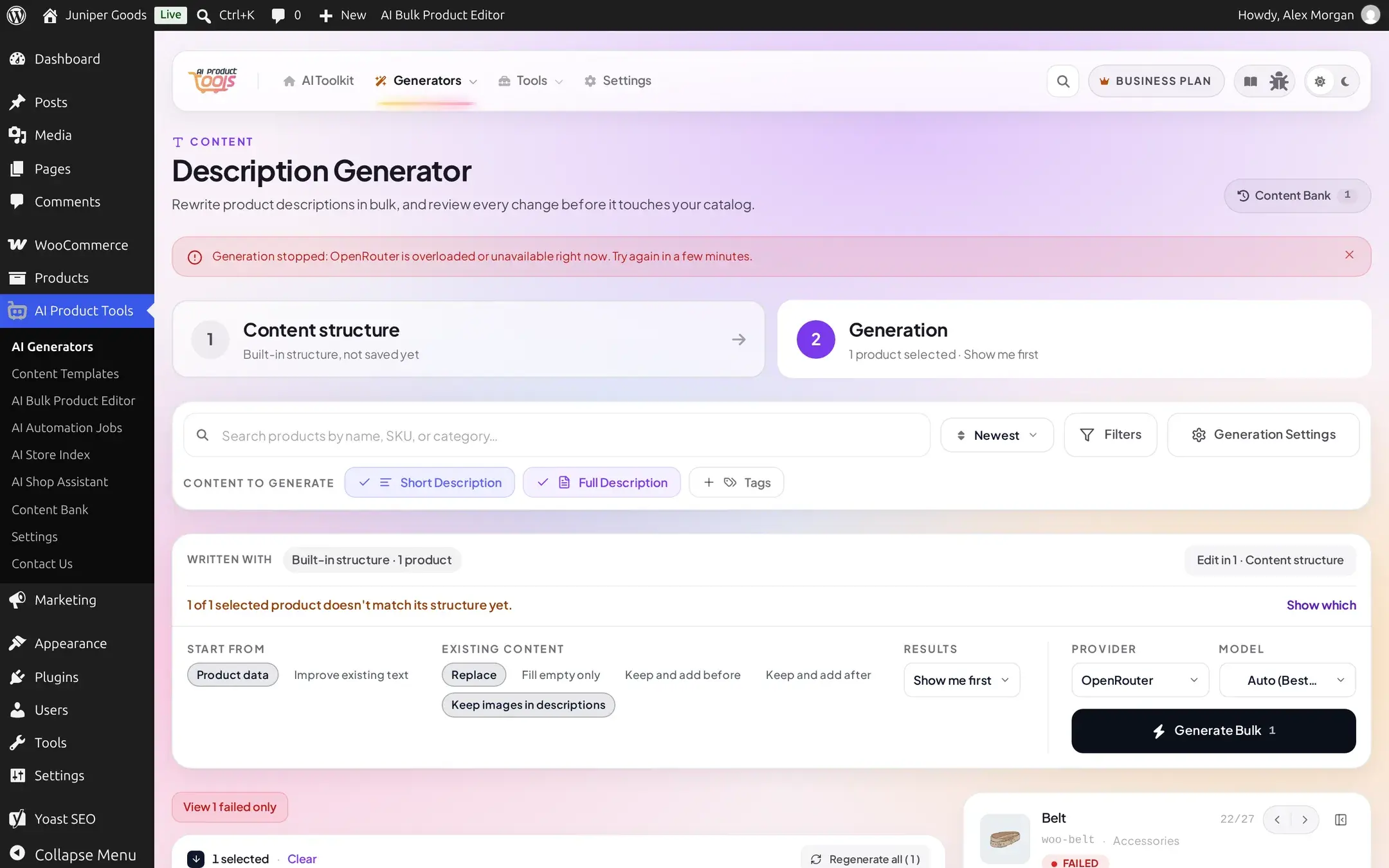
You do not need to tell these two shapes apart yourself: whichever way OpenRouter reports the failure, you still get one of the plain messages from the reference table above.
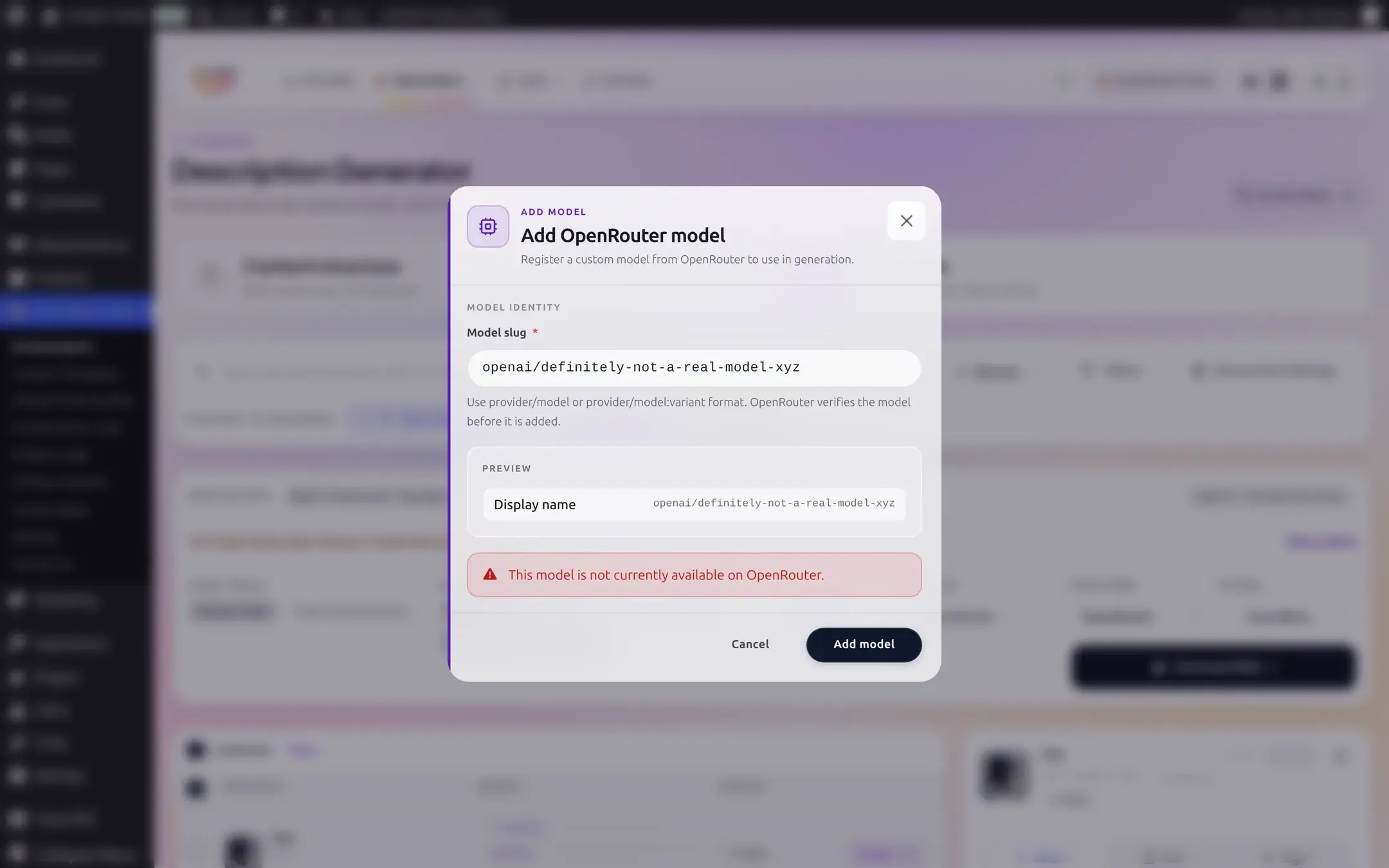
Adding a custom OpenRouter model that does not exist
OpenRouter's Model picker includes an Add Custom Model option for typing a model id OpenRouter does not already list. This check runs the moment you try to add it, before it is ever available to select for a generation, so it is not one of the reasons in the reference table above:
| You see | Cause | Fix |
|---|---|---|
| "This model is not currently available on OpenRouter." | The slug does not match anything in OpenRouter's current model catalog | Check the spelling against OpenRouter's own model list, or pick one of the suggested models instead |
| "OpenRouter model validation is temporarily unavailable. Please try again." | OpenRouter's model catalog itself could not be reached at that moment | Wait a moment and try adding the model again |
Automation Jobs pause instead of burning through every product
A scheduled job behaves the same way a manual run does: a run-wide reason pauses the job rather than letting it fail through every remaining product one at a time.
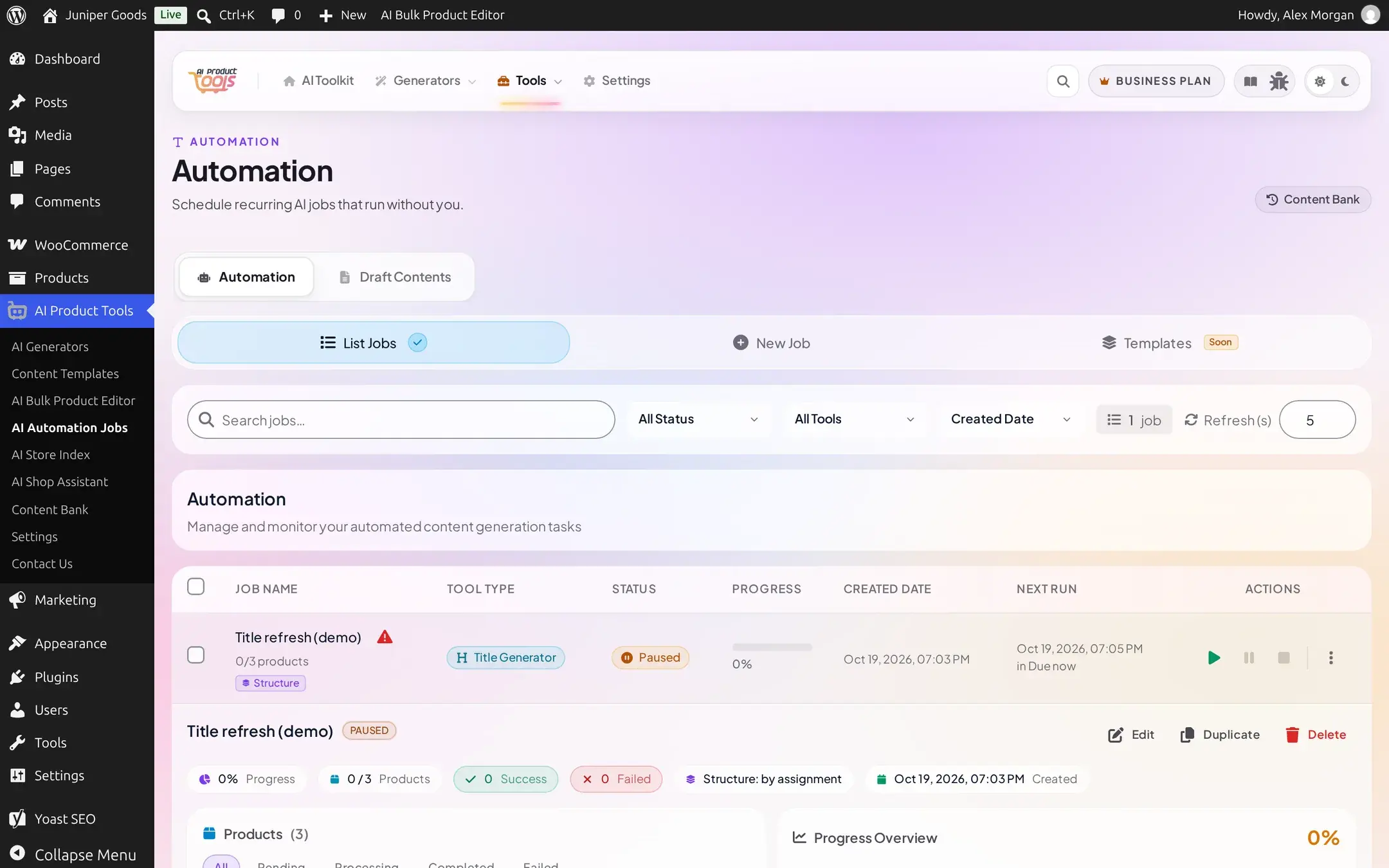
Click the warning icon next to the job's name (or View error logs) to open its log, where the recorded reason appears as a plain-text warning entry:
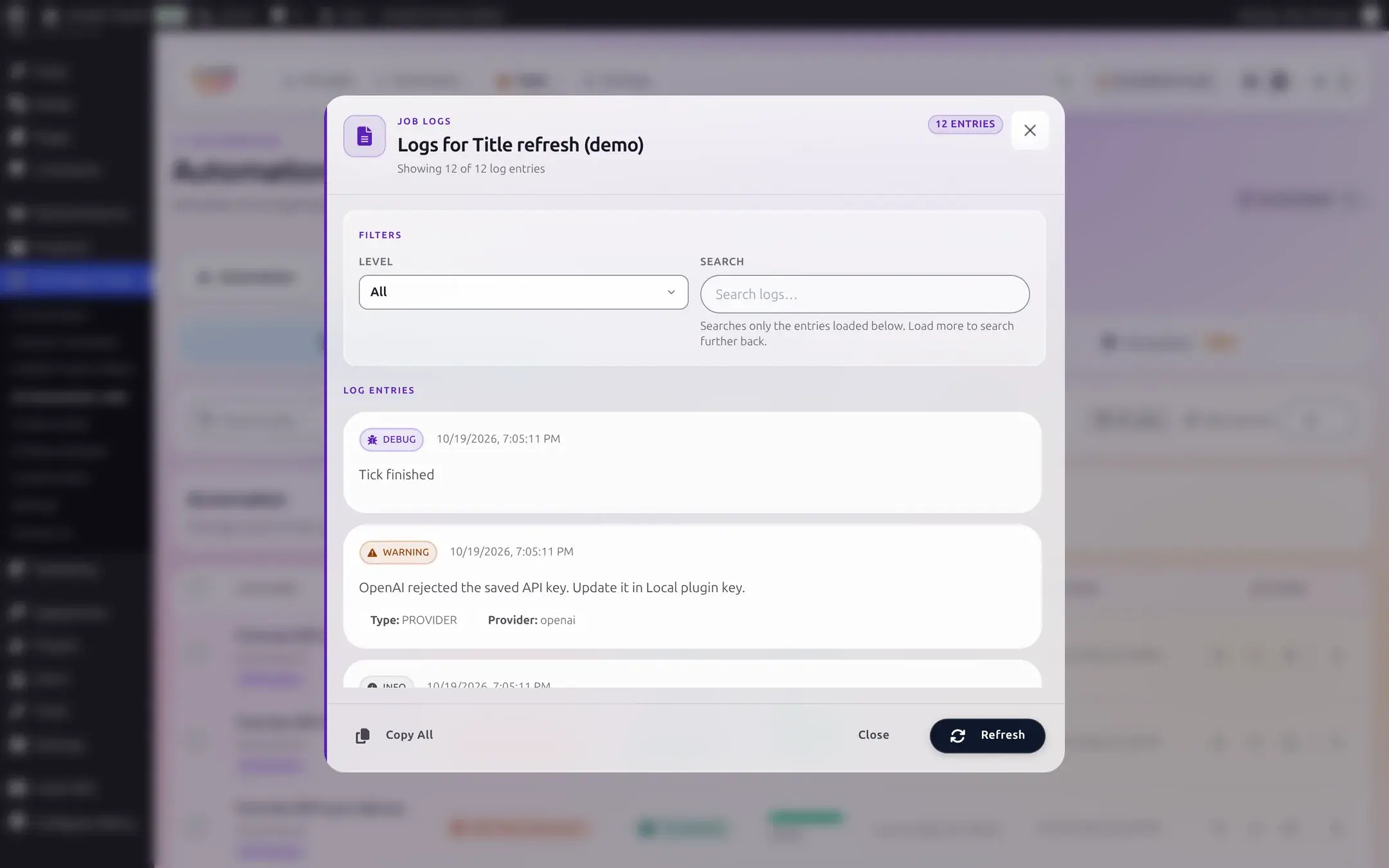
Fix the underlying provider problem in Connection settings, then resume or retry the job. See Monitoring a job for pause, resume, and retry controls.
What a shopper sees is never the raw error
A provider failure during a chat conversation is never shown to the shopper as a raw technical message. A key or setup problem (an invalid key, a missing one, an unsupported model) reads as a short, generic configuration notice with a Retry button; depending on your Error Display settings (AI Shop Assistant → General), any other failure shows either a fuller generic apology, your own custom message, or the same plain sentence from the table above, redacted of anything sensitive:

See Shop assistant issues for the exact wording of each option and what a queued message looks like on your side.
Reference: where each check happens
| Check | When it runs | Needs a network call? |
|---|---|---|
| Key missing / key format | Before any request is built | No |
AI features are turned off (WP_AI_SUPPORT) | Before any request, on WordPress 7.0+ only | No |
| Everything else in the table above | After the request reaches the provider (or its transport fails) | Yes |
Troubleshooting
Connection settings
Where every key lives, and the Save Settings validation flow.
AI providers
Choosing a provider and model, and what BYOK means for cost.
Generation issues
Problems that are not provider failures: skipped products, structure mismatches, and more.
Shop assistant issues
What shoppers see, and why the widget might not show at all.