
Appearance and Placement
Match the widget to your brand with colors, icons, and typography, then control exactly where and when it appears.
The Appearance tab controls how the chat widget looks; the Placement tab controls where it sits and when it shows. Both are on AI Product Tools > AI Shop Assistant, and both are almost entirely free. A Live Preview panel on the Appearance tab mirrors every change in real time before you save.
Before you start
Nothing beyond the assistant being set up, see Setting up the assistant. Custom icon, hero image, and theme uploads need an image file ready (PNG recommended, with a transparent background for the launcher icon).
Appearance
Pick a starting point
A Themes teaser card invites you to upgrade; colors are still fully editable by hand below, just not as a one-click preset.
The Themes grid (Ocean, Midnight, Sunset, Forest, Minimal, Lavender) applies a full palette, font, and border radius in one click. You can still fine-tune any individual color afterward.
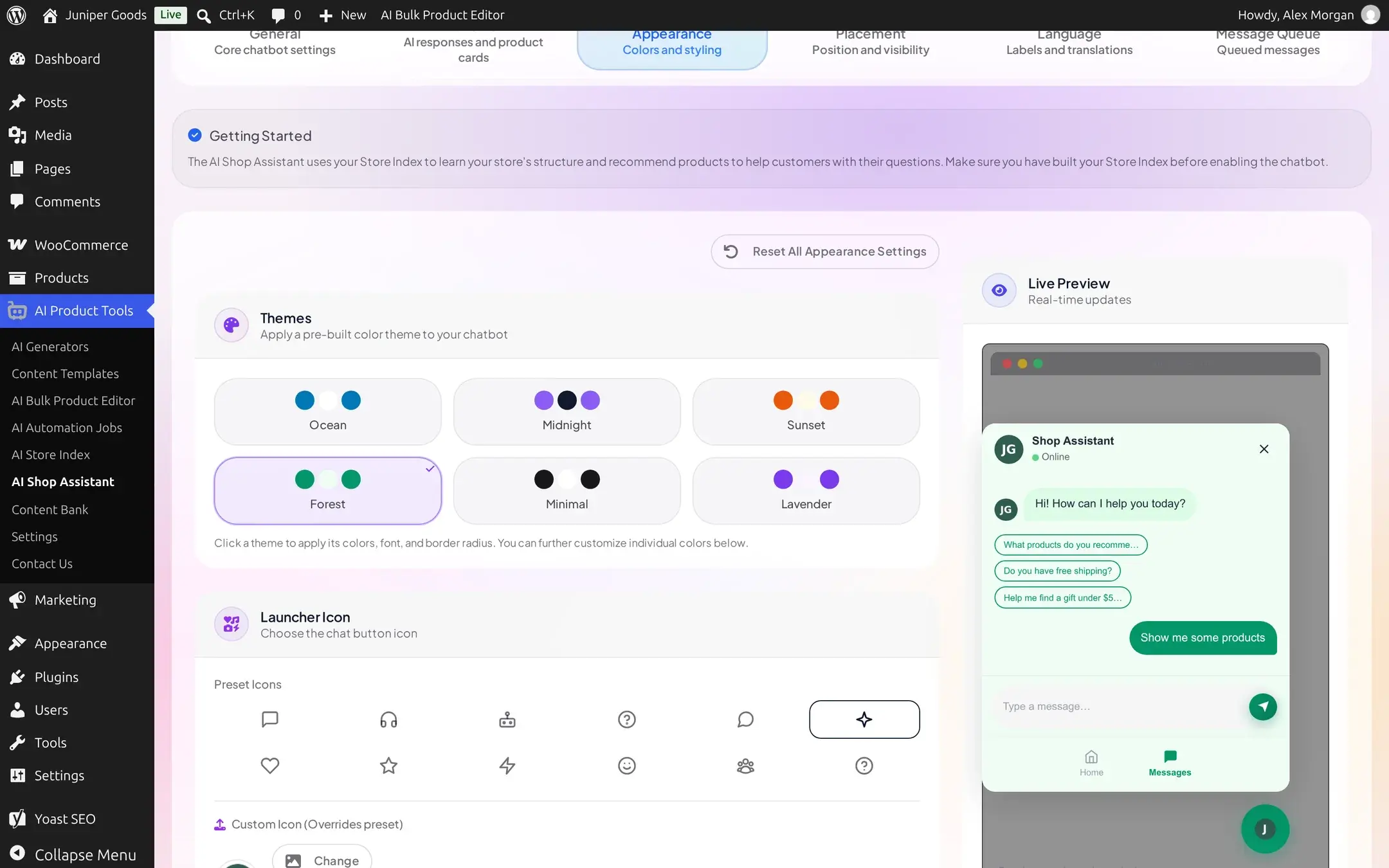
Choose a launcher icon
Pick a Preset Icon from the built-in set (chat bubble, headset, robot, and others), free on every plan. Custom Icon (Overrides preset) lets Business stores upload their own, recommended 60x60px PNG with a transparent background.
Add a profile picture and, on Business, a hero image
Profile Picture (recommended square, at least 96x96px, shown as a circle) is free on every plan and appears as the bot's avatar in the header and messages. Hero Background Image (recommended 800x400px) sits behind the greeting on the widget's home screen and is Business only.
Set colors, typography, and border radius
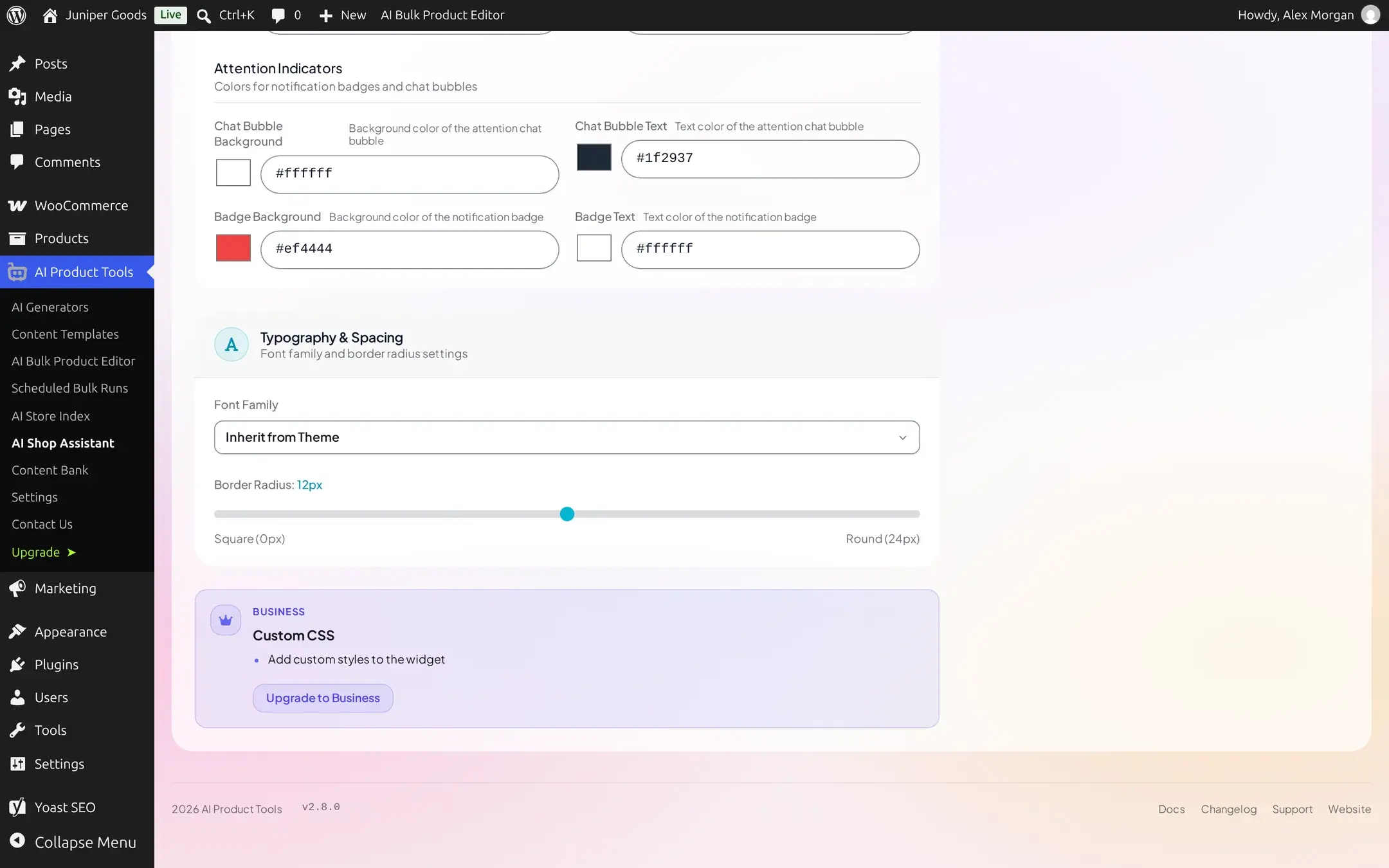
The full Color Scheme editor (primary, secondary, background, text, message bubbles, header, footer, button hover, online indicator, launcher, and attention colors) and Typography & Spacing (an 8-option font family select, plus a Square-to-Round border radius slider) are free on every plan. "Reset Colors" and "Reset All Appearance Settings" revert your edits locally; nothing is removed on the server until you save again.
Add custom CSS (Business)
A Custom CSS textarea lets Business stores target the widget directly, for example [data-aipt-chatbot].aipt-chatbot-widget { }. Free sees a teaser instead.
Launcher Animation and Attention Indicators
Launcher Animation (None, Pulse, Wiggle) and Attention Indicators (a text bubble, a notification badge) draw a first-time visitor's eye to the launcher. Both animations respect the operating system's "prefers-reduced-motion" setting automatically.
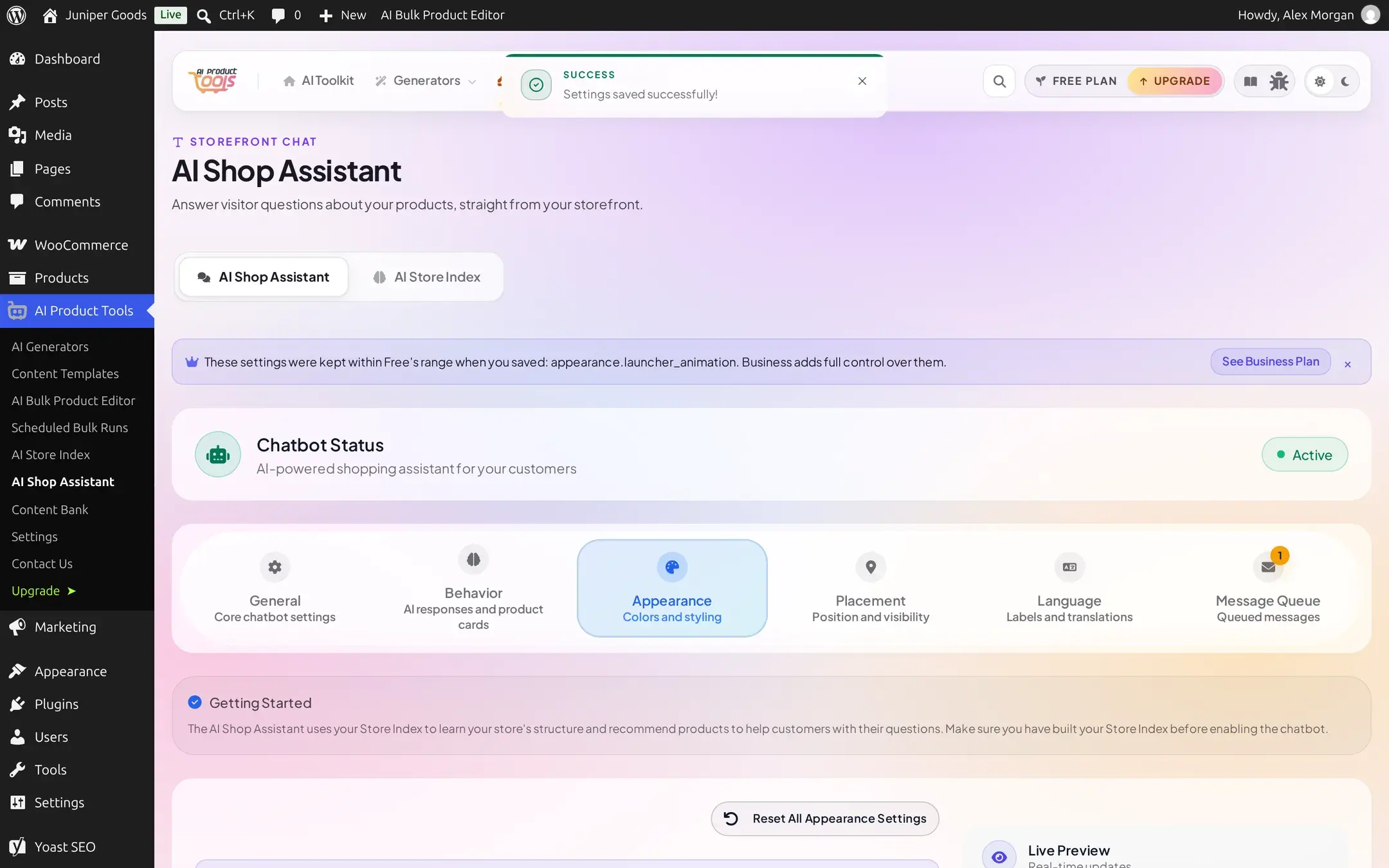
The one setting with a silent Free limit
Every other paid Appearance control shows a lock or a teaser to Free users. Launcher Animation does not: the picker shows all three options to everyone. On Free, choosing anything other than the default None still saves, but the stored value is silently coerced back to Pulse, and the "kept within Free's range" banner is the only sign this happened.
Placement
Every control on this tab is free on every plan.
Choose a corner and an offset
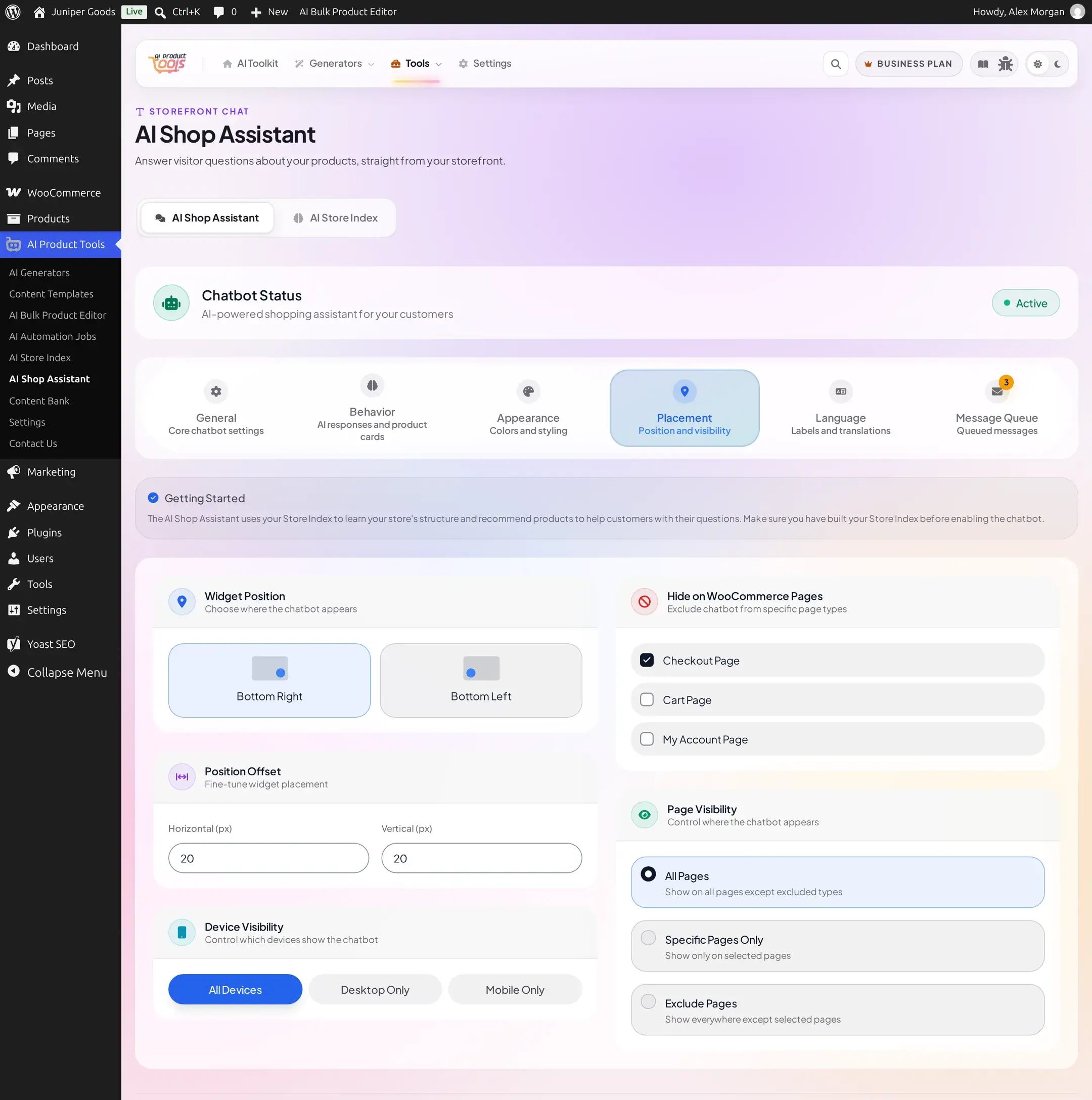
Widget Position is Bottom Right or Bottom Left. Position Offset sets horizontal and vertical spacing in pixels, default 20/20.
The offset spinner stops earlier than the server allows
The number inputs cap at 200px, but the server accepts up to 500px. To go past 200, paste a larger value into the field instead of using the up/down arrows.
Decide where it shows
Device Visibility is All Devices, Desktop Only, or Mobile Only. "Hide on WooCommerce Pages" offers checkboxes for Checkout, Cart, and My Account; only Checkout is excluded by default. Page Visibility is All Pages, Specific Pages Only, or Exclude Pages; the latter two reveal a searchable page list with a live "n pages selected" counter.
Reference
| Setting | Free | Business |
|---|---|---|
| Themes | teaser | 6 presets, sets colors + font + radius together |
| Launcher Icon, presets | full | full |
| Launcher Icon, custom upload | teaser | upload |
| Profile Picture | full | full |
| Hero Background Image | teaser | upload |
| Launcher Animation | all 3 shown, non-default silently reverts to Pulse on save | free choice honored |
| Attention Indicators | full | full |
| Color Scheme (full palette) | full | full |
| Typography & Spacing | full | full |
| Custom CSS | teaser | full |
| Placement tab (position, offsets, device/page visibility) | full | full |