
AI Shop Assistant
A storefront chat widget that answers shopper questions from your own catalog, recommends real products, and queues anything it cannot answer.
The AI Shop Assistant is a chat widget on your storefront that answers shopper questions using your own catalog data, not the model's general knowledge. It recommends real products with a View Product button (and, on Business, Add to Cart), answers store questions like shipping and sizing from pages you choose, and sends anything it could not answer to a queue you review. It works on every plan; Business adds deeper customization and a few extra controls.
Before you start
- An AI provider connected with an API key, under AI Product Tools > Settings > Connection (OpenAI, Google Gemini, Anthropic Claude, or OpenRouter). The plugin is BYOK: your provider bills you directly for chat requests, the plugin never meters usage.
- A built AI Store Index. The assistant searches a compressed copy of your catalog instead of querying products directly, so it has nothing to recommend until that index exists. Build it first, see AI Store Index.
- The
manage_woocommercecapability (a Shop Manager or Administrator account) to open either admin page. The storefront widget itself is public, no account needed to chat.
How the two pieces fit together
AI Store Index and AI Shop Assistant are two admin pages that share one purpose: the index is a token-efficient, sharded copy of your WooCommerce catalog built in the background, and the assistant searches that copy at answer time instead of querying live product tables for every message. You reach either one from AI Product Tools in the main menu, or flip between them with the AI Shop Assistant / AI Store Index tab strip that sits at the top of both pages. Both are also reachable from the admin rail and from Ctrl/Cmd+K.
Build the index before you enable the assistant
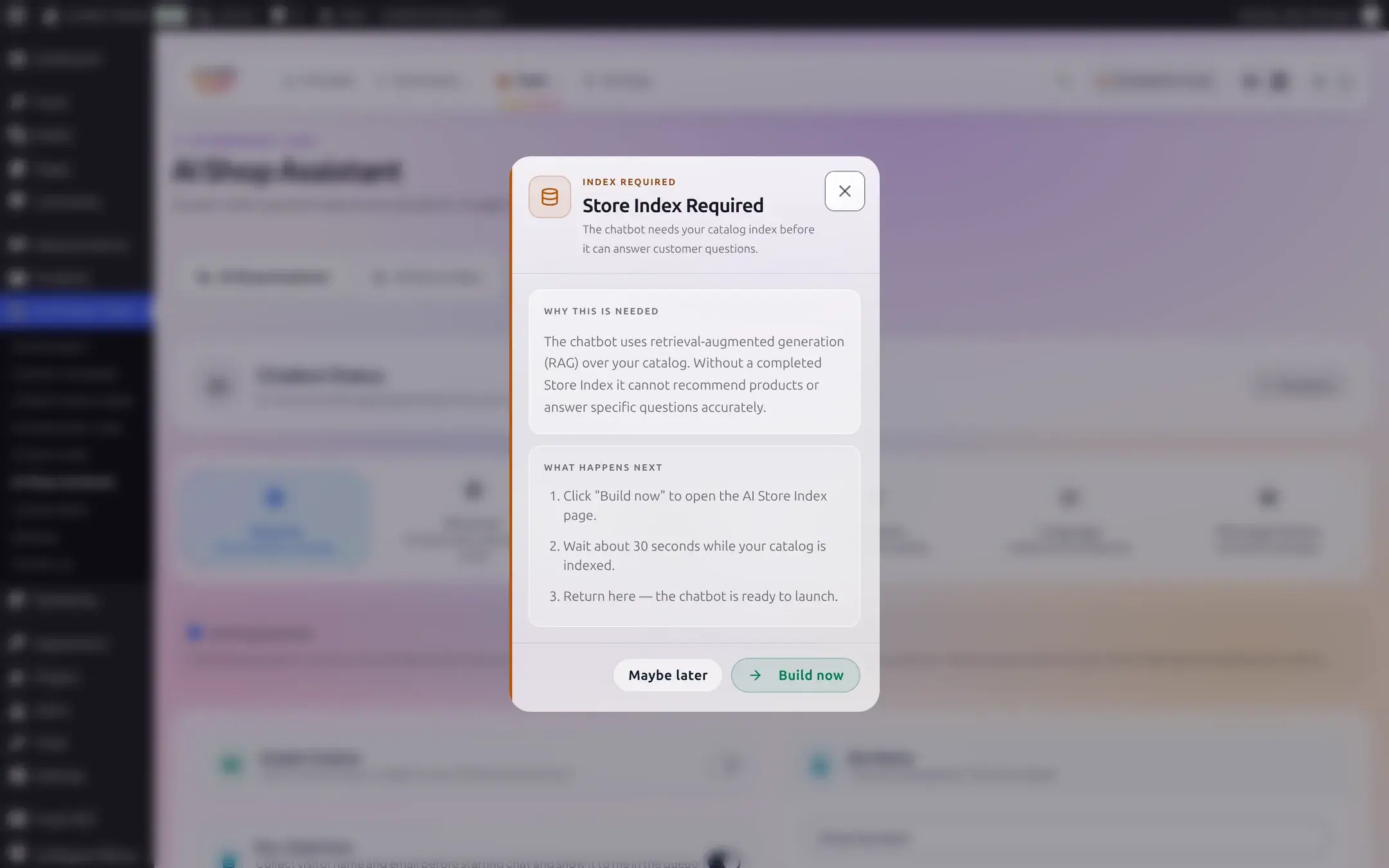
If no index has finished building, opening AI Shop Assistant shows a Store Index Required modal explaining that the chatbot uses retrieval-augmented generation (RAG) over your catalog and cannot recommend products or answer specific questions without it. Build now jumps straight to the index page.
What each page in this section covers
Set up the assistant
Provider, model, bot identity, store context, and the save bar.
Appearance and placement
Themes, colors, the launcher icon, and where the widget sits on the page.
Behavior and language
Product cards, response style, recommendation mode, and translated labels.
Knowledge and contact
Knowledge pages, the pre-chat form, WhatsApp, and legal links.
Unanswered questions
The Message Queue: what lands there, and how to reply.
What shoppers see
The launcher, a real conversation, mobile view, and shopper-facing errors.
AI Store Index
Build, filter, and maintain the catalog data the assistant searches.
Free vs Business, in brief
Every core behavior, identity setting, color, position, and placement rule works on Free. Business adds: editable starter messages, AI response style and product recommendation mode, Add to Cart on product cards, custom launcher icon and hero image uploads, a full theme picker, custom CSS, translated labels, replying to queued messages, and category/tag filters plus scheduled rebuilds and extra index fields on the Store Index side. Each page below marks the exact controls this applies to with a Business badge; nothing is ever locked behind a fake or empty text field, only toggles and buttons.
Legacy Pro
A small number of these, mainly the Store Index's business-only fields and the chatbot's Add to Cart button, require the current Business plan specifically. Everything else marked Business is also available to subscribers who kept a legacy Pro plan from before the 2.7.2 pricing change.
If something is not working
Each page in this section ends with its own troubleshooting section for that screen's controls. For a step-by-step diagnosis across the whole assistant, see Shop Assistant issues.