
FAQ Generator
Draft a question-and-answer set for every product, review it, and publish it in bulk or product by product.
The FAQ Generator writes a set of product-specific questions and answers for each product you pick, so shoppers get real answers on the product page instead of leaving to ask support. Use it the first time you want FAQs on a product, and again whenever a product changes enough that its FAQs no longer match.
How those FAQs look on the storefront, the [aipt_faq] shortcode, and the structured data toggle are covered in FAQ Display. This page covers writing and applying the questions and answers themselves.
Before you start
You need a connected AI provider (OpenAI, Google Gemini, Anthropic Claude or OpenRouter) and permission to manage WooCommerce. Open the generator from the AI Generators card grid on the AI Product Tools Toolkit, or from a direct link; the row is not pinned in the left-hand admin menu.
How FAQ content is written
Since version 2.8.0, FAQs follow your store's content structure by default, the same system used by the other generators. The first time you open the FAQ Generator, it lands on 1 · Content structure, where Question groups define the topics every product's FAQs can draw from (for example "Using it" or "Care"). Each group has its own question count and an answer length, and can be turned off, made conditional, or given its own additional instruction.
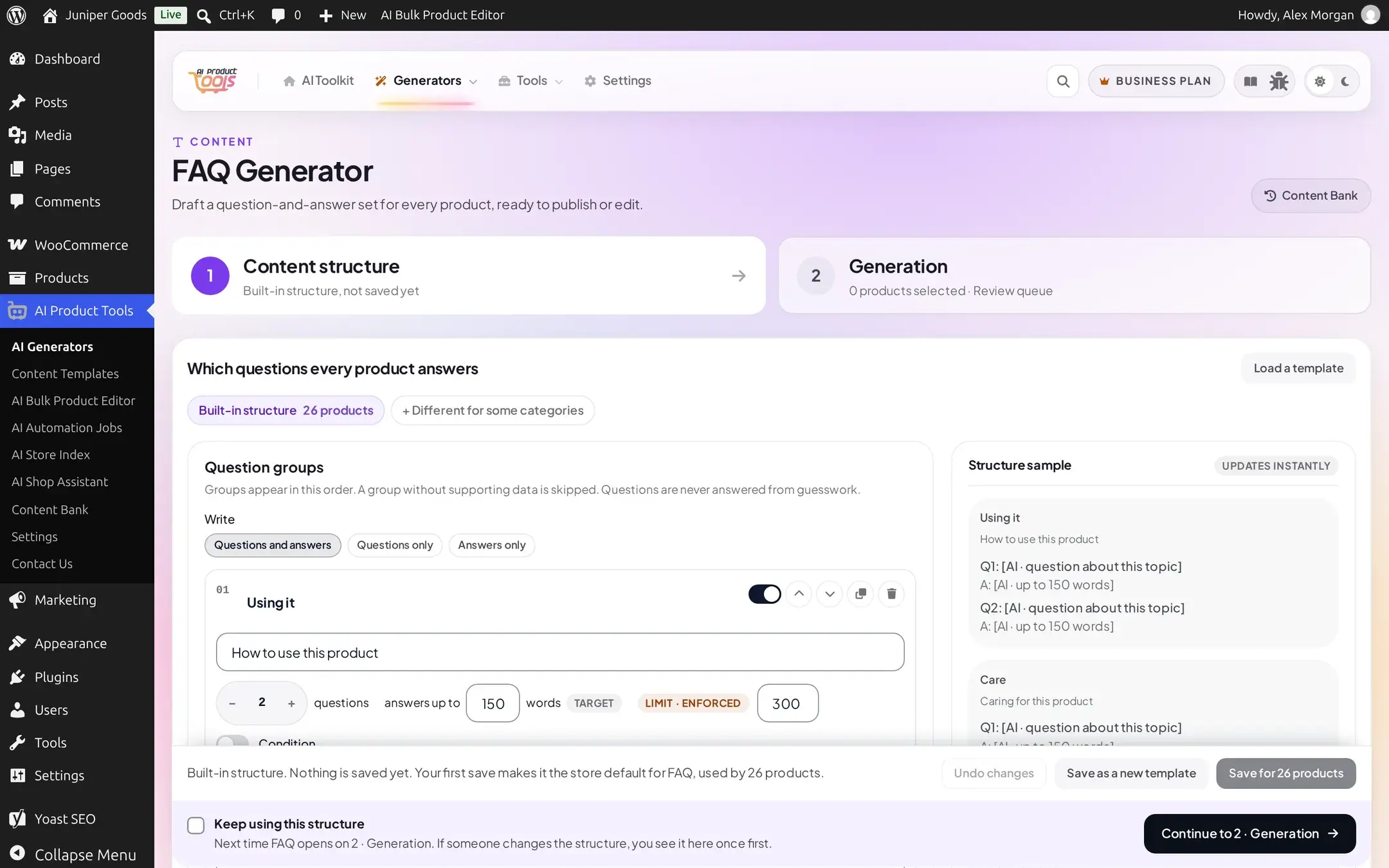
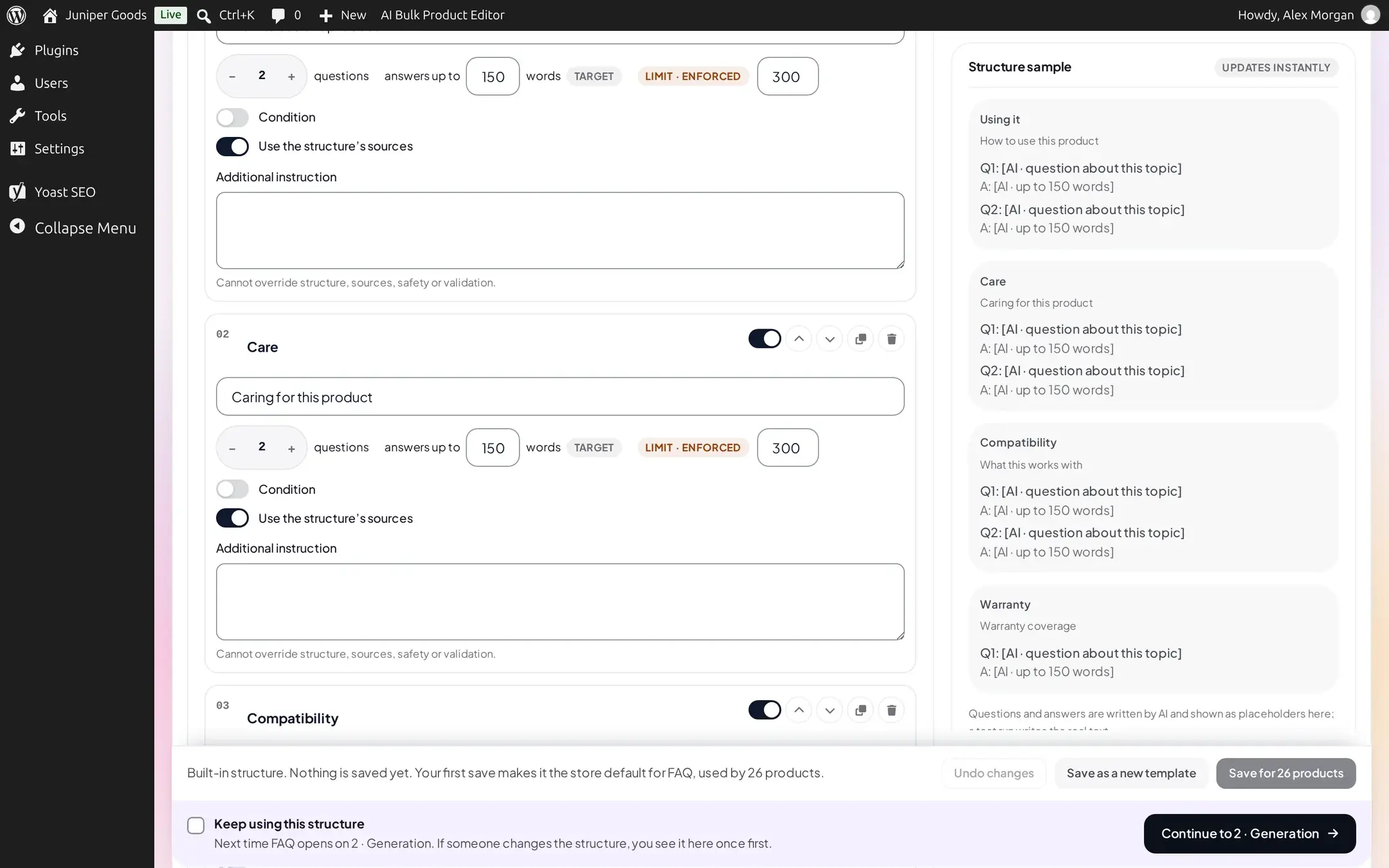
Tick Keep using this structure to skip this tab on your next visit; if someone else changes the structure later, you see it here once more. The full editing mechanics, including giving some categories their own structure, are covered in Editing a content structure. Click Continue to 2 · Generation to reach the product list.
A site can instead switch this generator to the older, Advanced (custom prompts) path. On that path, the controls under Generation settings below take over, and a Compare with the content structure on 1 product button lets anyone who manages structures preview the difference without committing to it.
Generating FAQs for products
Select products
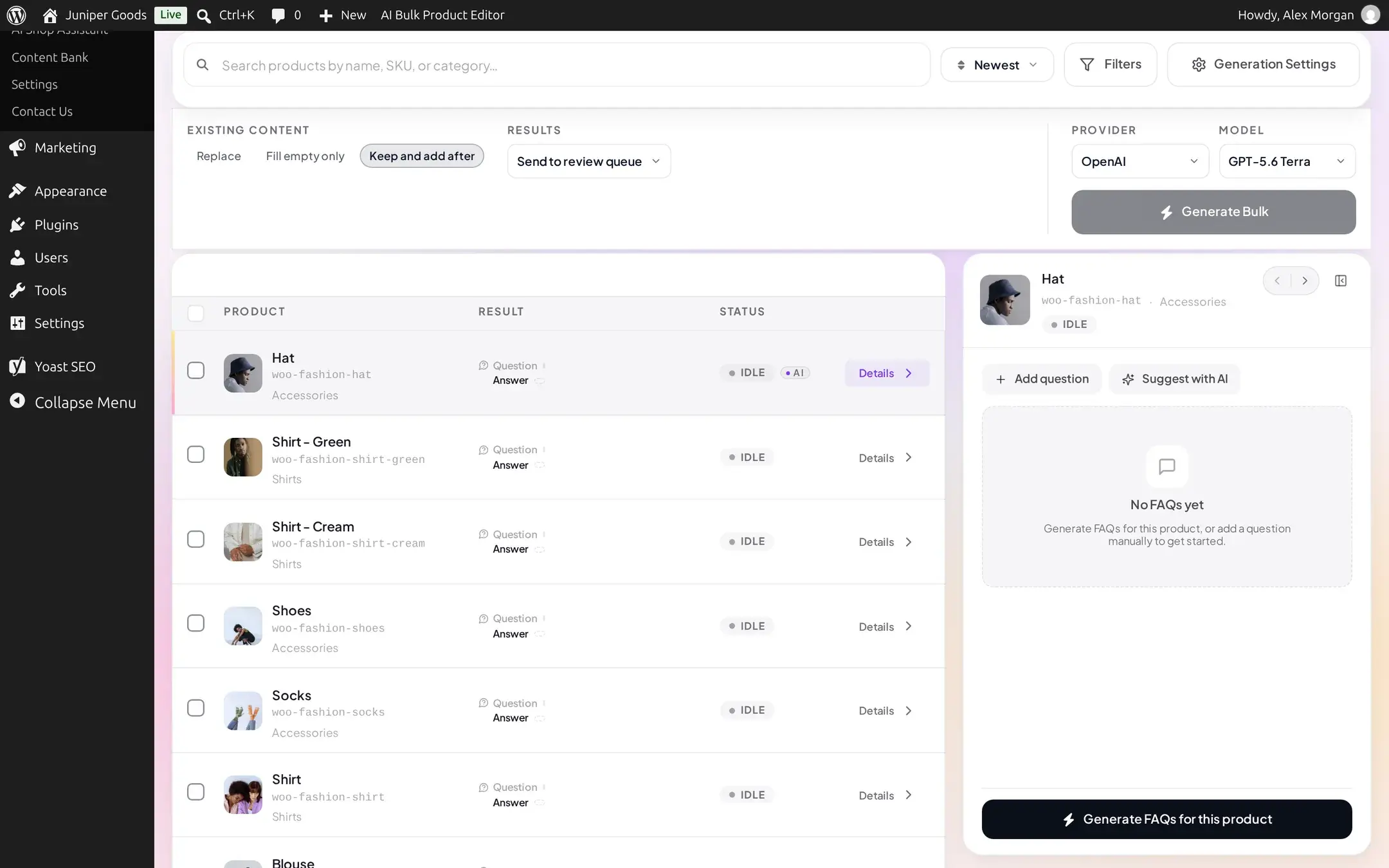
Open AI Product Tools > AI Generators, click the FAQ Generator card, and use the Products tab's search box, Filters, or the checkboxes to pick the products you want FAQs for.
Choose Existing content and Results
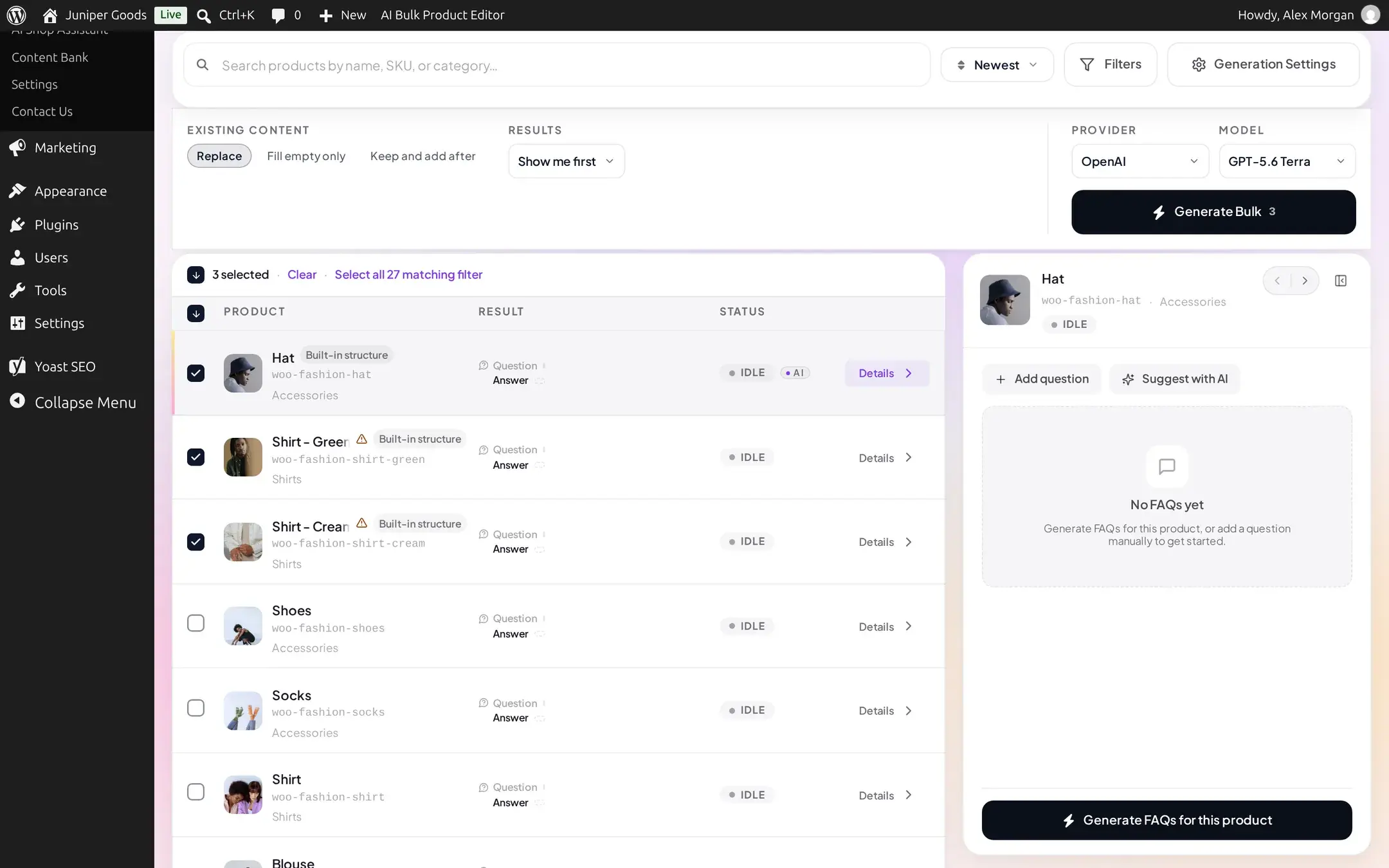
Next to the product list, Existing content decides what happens to a product that already has FAQs:
- Replace Business, writes a brand new set and discards the old one.
- Fill empty only generates for products with no FAQ content yet; applying to a product that already has FAQs is a no-op, reported as "This product already has FAQ content; nothing was written."
- Keep and add after (the default) appends the new questions after whatever is already there.
Results offers Show me first (the default; nothing is saved until you approve it) or, on Business, Send to review queue so a teammate approves it before it is saved. There is no "Apply now" shortcut for FAQs: every generated set waits for an explicit Apply.
Generate and review
Click Generate Bulk. Each product's row turns to NEEDS REVIEW once its questions are ready, and the inspector on the right shows the full result for the row you're viewing: the question groups it drew from (Using it, Care, and so on, each marked INCLUDED), a running question and word count, and a FAQPage schema badge, shown whenever the result has at least one question. The badge appears regardless of plan or Mode; it is a reminder of the structured data markup described in FAQ Display, not a check that this specific result qualifies for it.
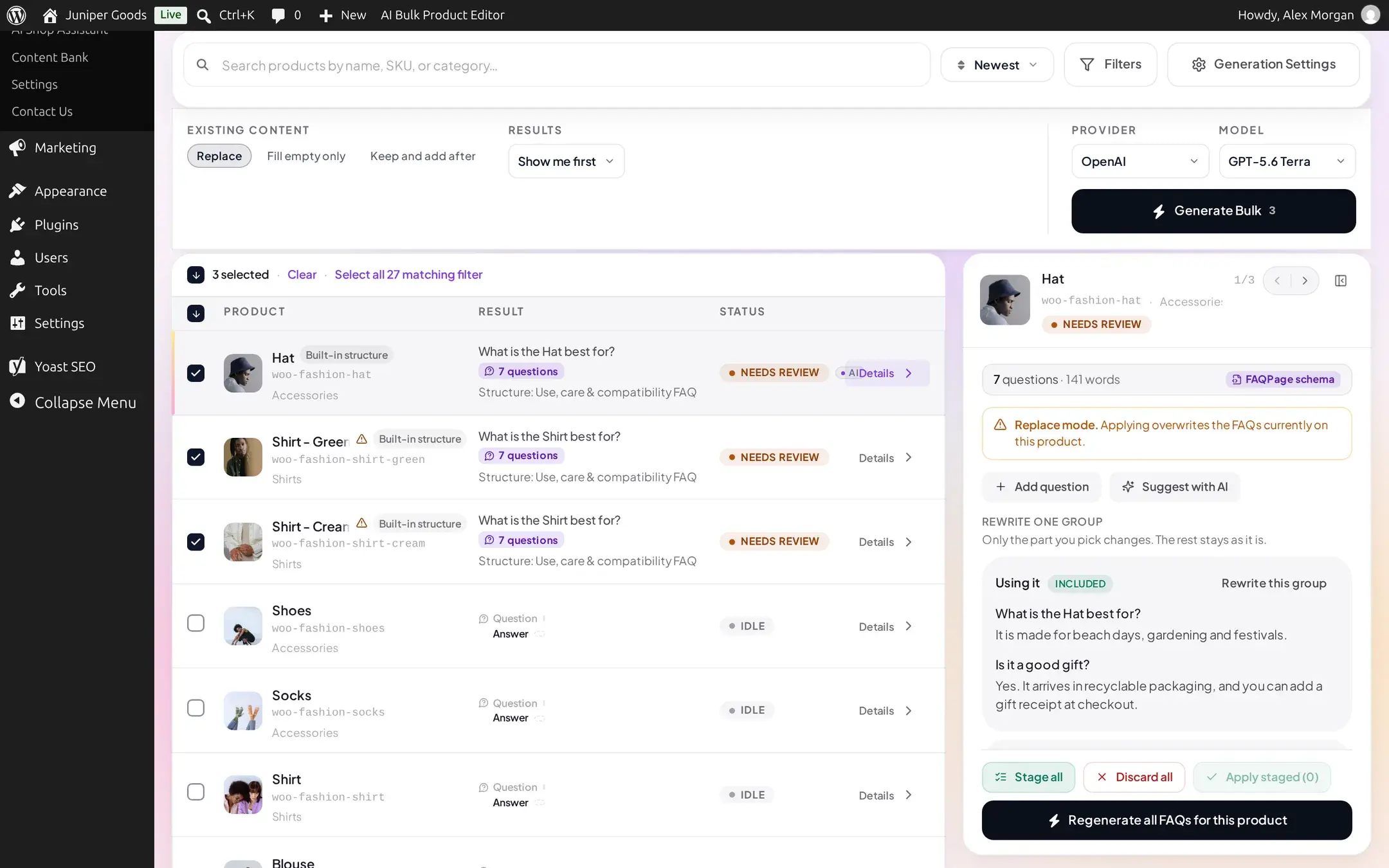
Use Rewrite this group to regenerate just one group without touching the rest, the same repair window as other generators (7 days after a bulk run). Stage all marks every group ready to write; Discard all drops the result instead.
Apply
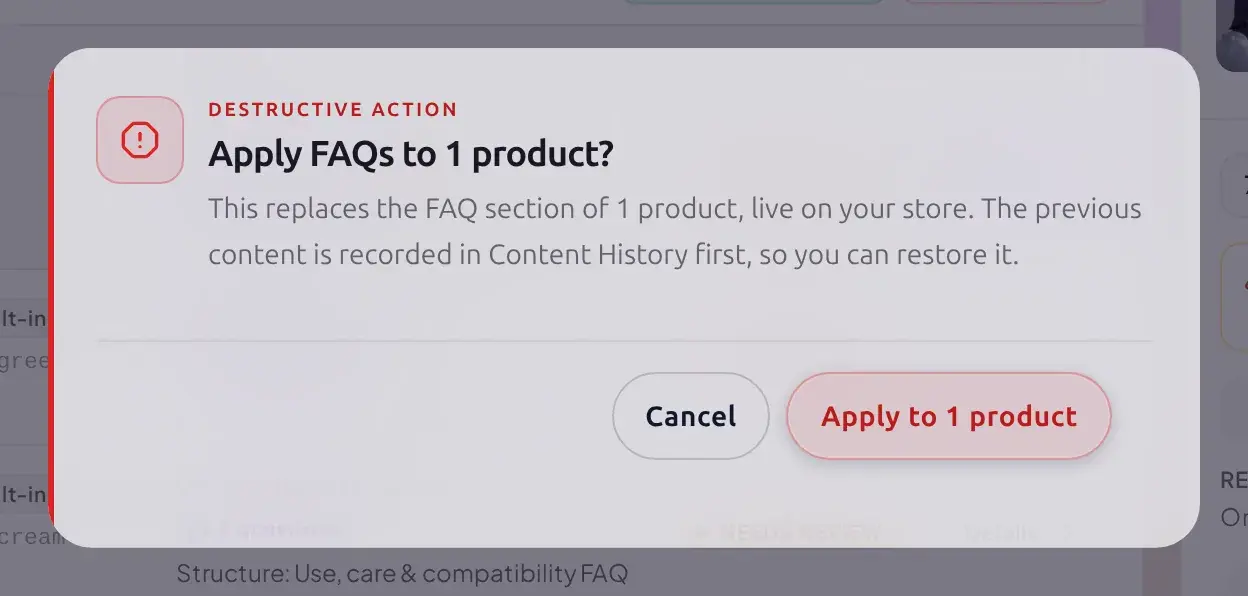
Click Apply staged (or, for several products at once, Apply all in the selection strip). A confirmation names exactly what changes before you confirm it, its wording matching the Existing content mode you chose:
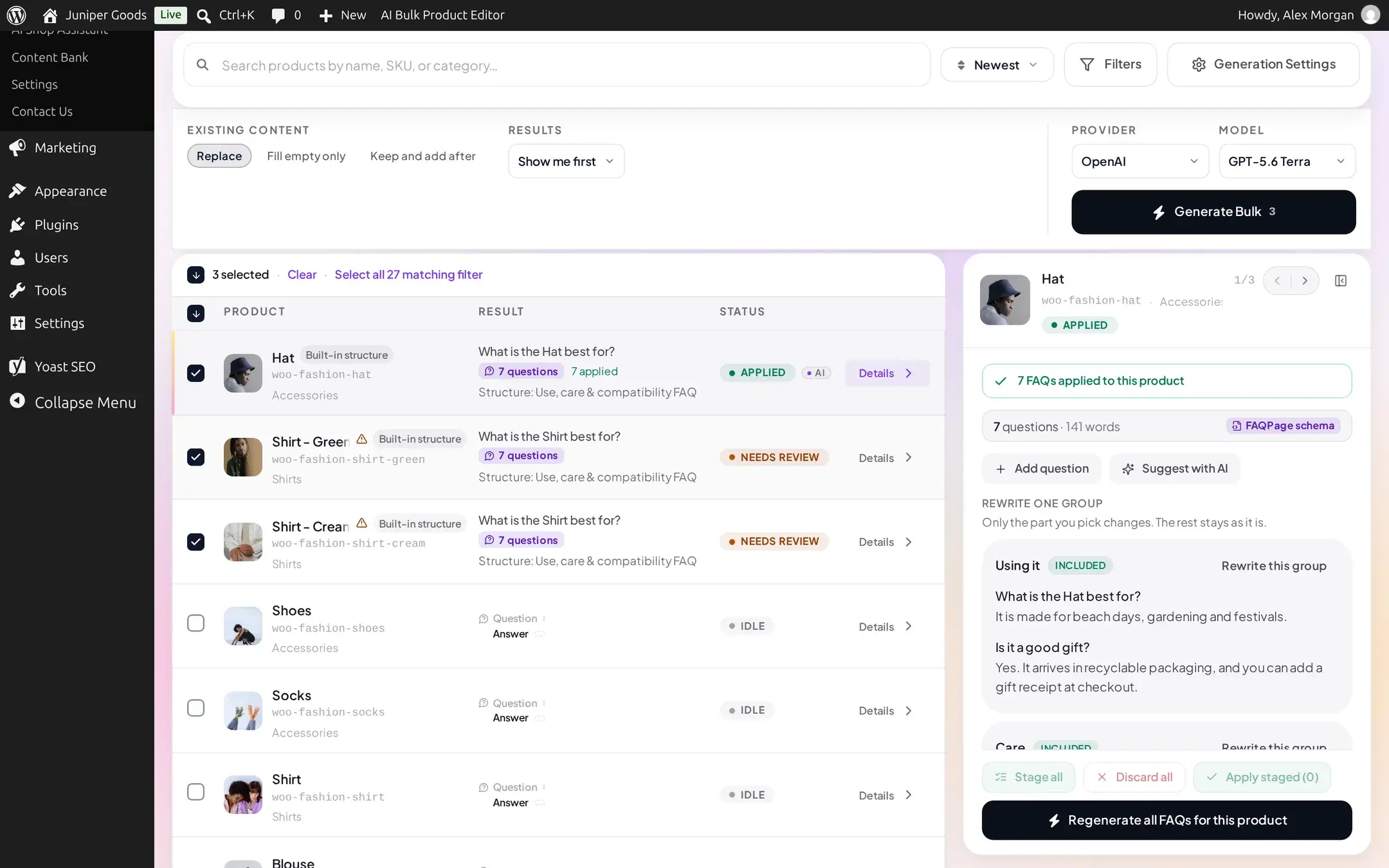
Once applied, the row shows APPLIED with a green confirmation, and the product's FAQ count:
Editing FAQs later
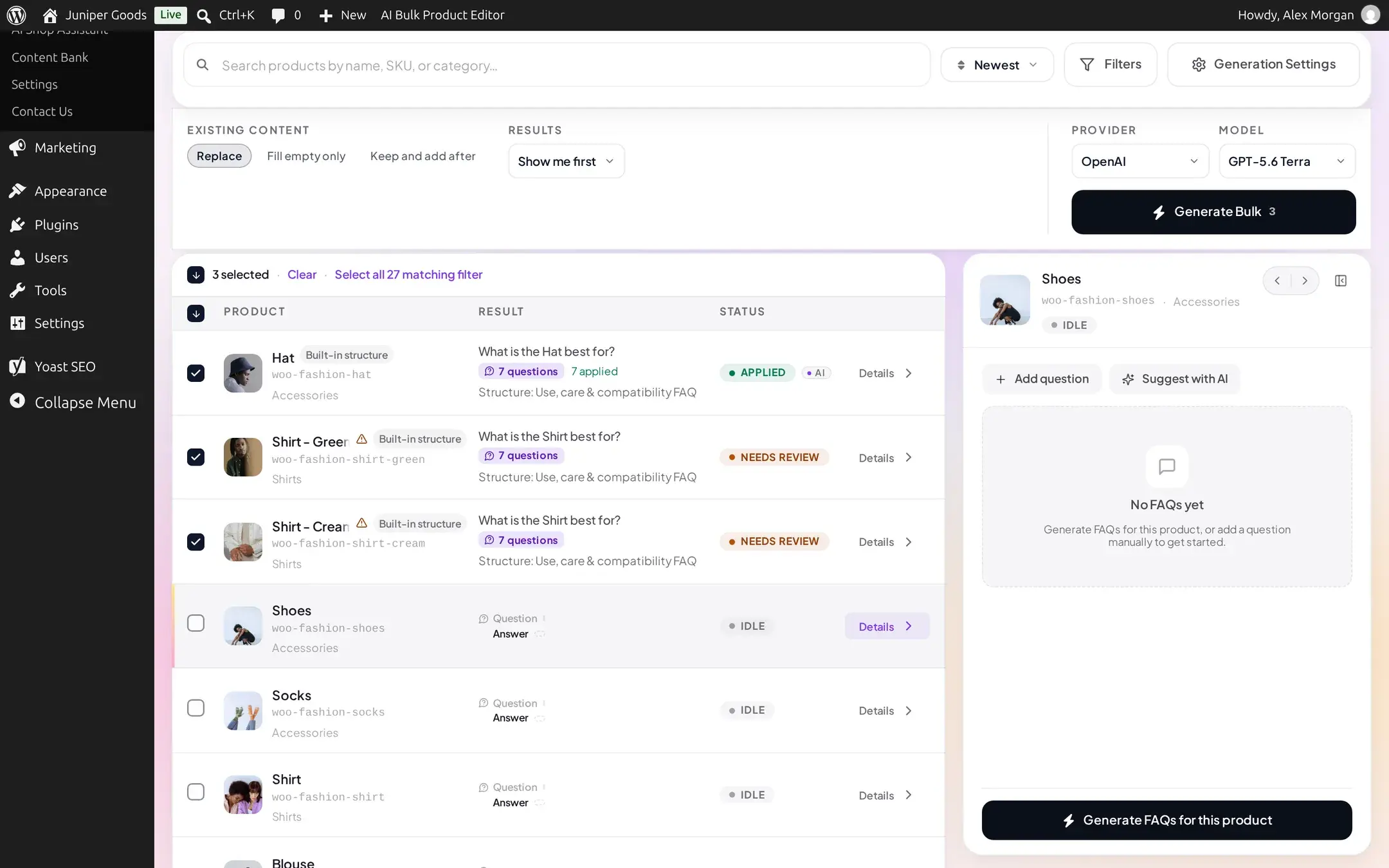
Click any product's Details to open its inspector without generating anything. A product with no FAQs yet shows No FAQs yet with two manual options: + Add question to write one yourself, or Suggest with AI to get a single AI-written question and answer without running a full bulk generation.
Once a product has FAQs, the same inspector lets you edit, reorder, or delete individual questions, or click Regenerate all FAQs for this product to start over.
Generation settings
Format (Plain Text or HTML, for how the Advanced path's raw AI output is split into questions and answers) is always available. The rest of this popover only matters while your site runs this generator on the Advanced (custom prompts) path; the content structure ignores them.
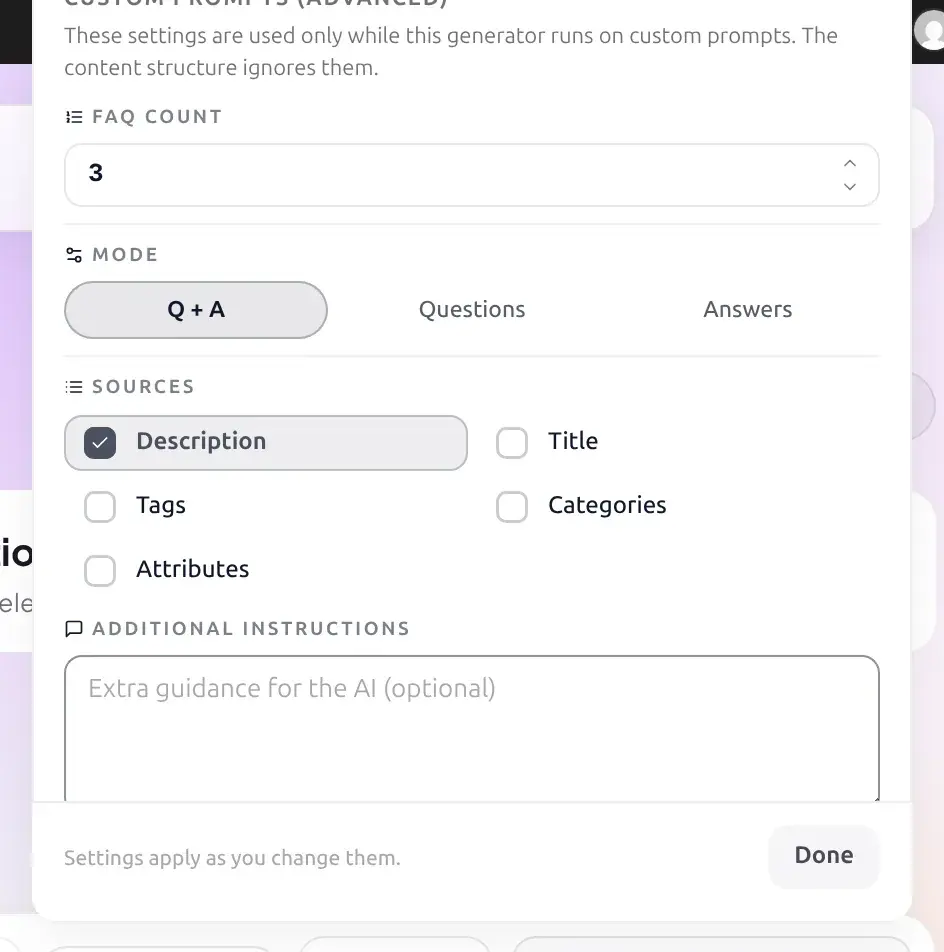
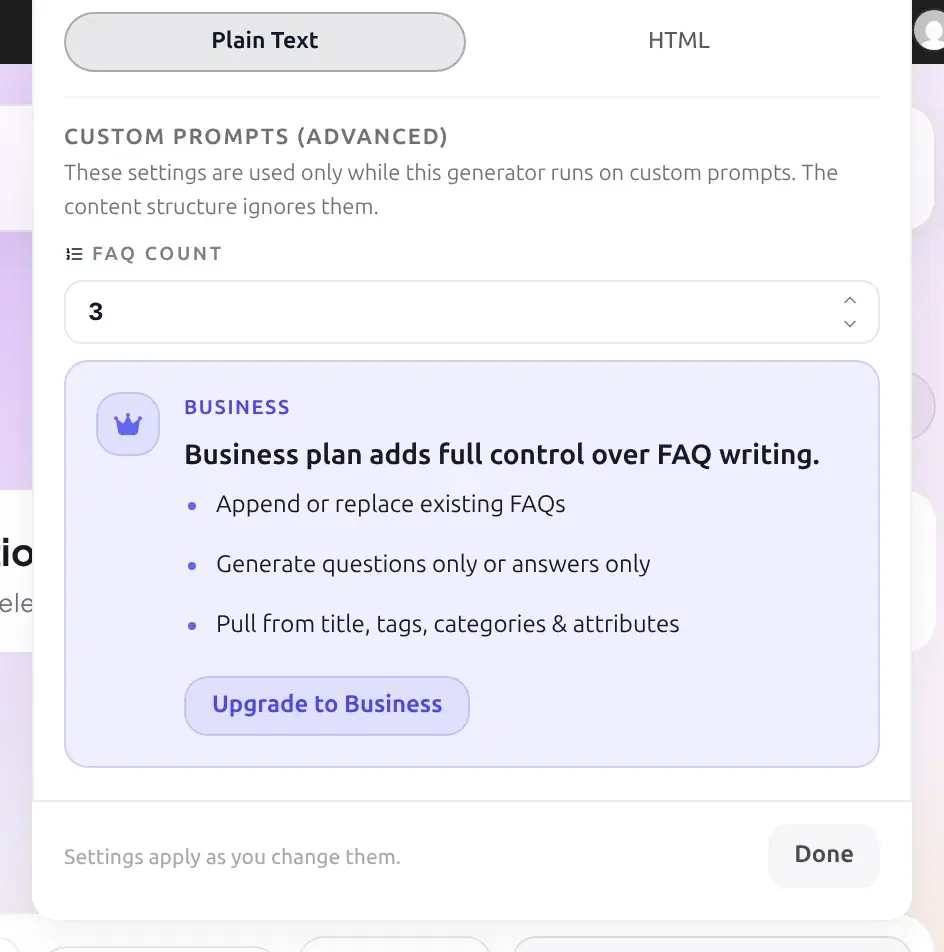
| Setting | What it does | Default and limits | Plan |
|---|---|---|---|
| FAQ Count | How many questions to generate per product | 1 to 10, default 3 | Free |
| Mode | Write questions and answers, questions only, or answers only | Q + A | Q + A: Free. Questions only / Answers only: Business |
| Sources | What the AI reads to write the FAQs | Description is always included | Description: Free. Title, Tags, Categories, Attributes: Business |
| Additional Instructions | Free-text guidance added to the prompt | Empty | Business |
| Existing content | Replace, Fill empty only, or Keep and add after | Keep and add after | Replace: Business. The other two: Free |
| Results | Show me first, or Send to review queue | Show me first | Send to review queue: Business |
On Free, choosing Replace shows it greyed out with "Replacing existing FAQs is part of Business." next to it instead of hiding the option:

Reference
| Field | Notes |
|---|---|
| Format | Plain Text or HTML; affects only how the Advanced path's output is parsed, not the storefront rendering |
| FAQ Count | 1 to 10 per product, Advanced path only |
| Mode | Q + A is the only mode every plan can select |
| Sources | Description cannot be turned off |
| Storage | All of a product's FAQs are stored together; applying always writes the whole set for that product |
Free vs Business
| Capability | Free | Business |
|---|---|---|
| Generate questions and answers, any Format, FAQ Count 1 to 10 | Yes | Yes |
| Mode: Questions only or Answers only | Q + A only | All three modes |
| Extra sources: Title, Tags, Categories, Attributes | Description only | All sources |
| Additional Instructions | Ignored | Available |
| Existing content: Replace | Not available | Available |
| Results: Send to review queue | Not available (opens an upgrade prompt) | Available |
| Manually add a question, or Suggest with AI for one question | Yes | Yes |
Legacy Pro and grandfathered sites
A valid legacy Pro license does not automatically include the review queue; that one is Business-only unless your site is specifically grandfathered. Every other Business feature on this page keeps working for legacy Pro subscribers.
Troubleshooting
Related pages
FAQ Display
How FAQs appear on the storefront, the shortcode, themes and structured data.
How bulk generation works
Selection, generation modes, review and apply, shared across every generator.
Content structures
What a content structure is and how Question groups fit into it.
Content History
Every FAQ apply is recorded here, with Business restore.