
Best practices
Practical habits that get better results and avoid most problems before they happen.
Most of the issues on the other troubleshooting pages are easy to avoid with a few habits. None of these are required, the plugin works without them, but they save time and catch mistakes before they reach your storefront.
Start with a handful of products, not the whole catalog
Before running a generator across hundreds of products, try it on 3 to 5 representative ones first, including an unusual case (a variable product, one with few attributes, one in an odd category). Read the results, adjust your content structure or custom instructions if something is off, then run the rest. A problem caught on 5 products costs nothing to fix; the same problem caught after 500 means redoing work.
Use "Show me first" while you are still tuning a structure
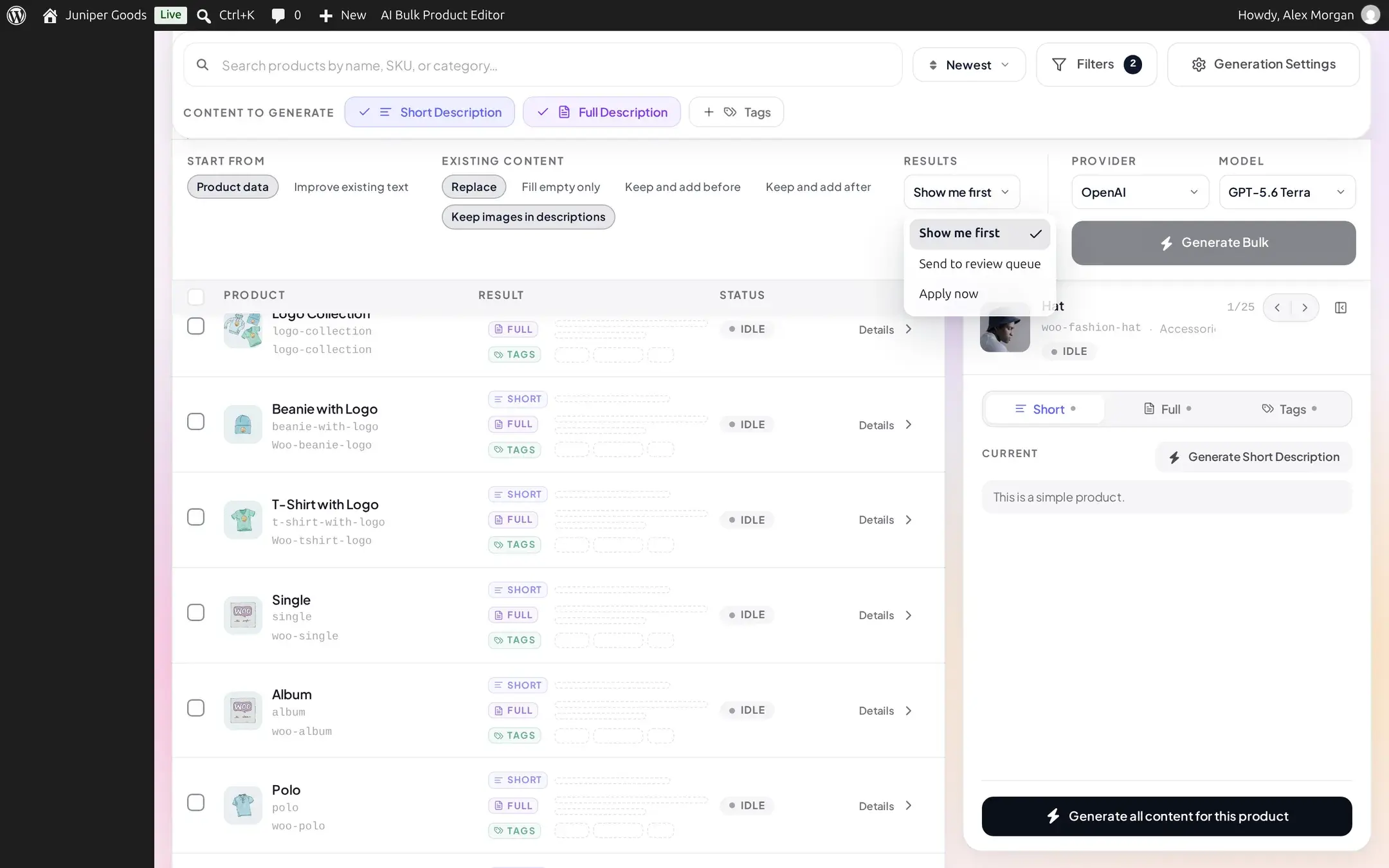
Show me first previews a result in your browser without writing anything to the product, on every plan. Once you are confident in a content structure's output, Business plans can switch to Send to review queue for a result that persists for someone else to check later, or use Apply now for content you trust completely. See How bulk generation works for what each mode does.
Set up your content structure before you generate at scale
A content structure defines the sections, voice, and rules a generator follows; getting it right once pays off on every product afterward, while generating first and fixing structures later means regenerating everything. Use the structure's own Test & preview against one or two real products, and read any findings (banned phrases, length limits, missing data for a section) before running a full batch. See Content structures and Editing a structure.
Pick a cheaper, faster model for large or low-stakes batches
Short, formulaic fields, titles, alt text, tags, SEO meta, rarely need your most capable model. Reserve a stronger model for full descriptions and FAQs, where nuance and length matter more, and use a smaller or faster model in the same family for everything else. This lowers your provider bill without lowering quality where it counts; see AI providers for the tradeoffs and OpenRouter if you want to try a no-cost model for experimentation.
Keep Content History on
Content History is free on every plan and records the value a field had before every AI write. Turning it off saves nothing meaningful and removes your only built-in record of what changed and when; leave it on so a bad batch is always something you can inspect, even if restoring the previous value directly requires Business. See History and safety settings.
Review before you apply, especially the first time with a new structure, model, or provider
Whichever results mode you use, actually read a sample of the output before trusting a structure to run unattended (for example in a scheduled Automation job). Check for the engine's own warnings, a banned phrase that slipped through, a duplicate sentence across sections, a number the model invented, and for anything that reads technically correct but off-brand. Once a structure, model, and provider combination has proven itself on a batch you reviewed by hand, it is reasonable to trust it on a larger unattended run.
A few more habits worth adopting
- Keep your default provider and model in Settings aligned with what you actually want most generators to use, and only override it per-screen when a specific run needs something different, so you are not caught off guard by which model actually ran.
- For a run too large to watch in one open browser tab, use Automation instead of a manual bulk run; it continues on the server and will not stop because a tab was closed.
- Reserve "Replace Live Content" for structures you have already validated; on Free, it is the only delivery option and writes immediately with no review step.
- Rebuild the Store Index after a significant catalog change (a bulk import, a big pricing or stock update) rather than assuming the AI Shop Assistant already knows about it.
How bulk generation works
Selection, the three results modes, and applying or retrying results.
Content structures
Sections, voice, rules, and testing a structure before relying on it.
Generation issues
What the engine's own quality warnings mean, and when to act on them.
Automation
Scheduling a generator to run unattended, with a review policy on Business.