
Automation
Schedule a bulk generator to run on its own, once or on a recurring cadence, against a filtered set of products.
Automation lets you set up a bulk generator once and let it run without you: pick a tool, a content structure, and a set of products, and the plugin runs the job in the background on WP-Cron. A job can write straight to your live products or hold its results for you to approve first.
One feature, two names
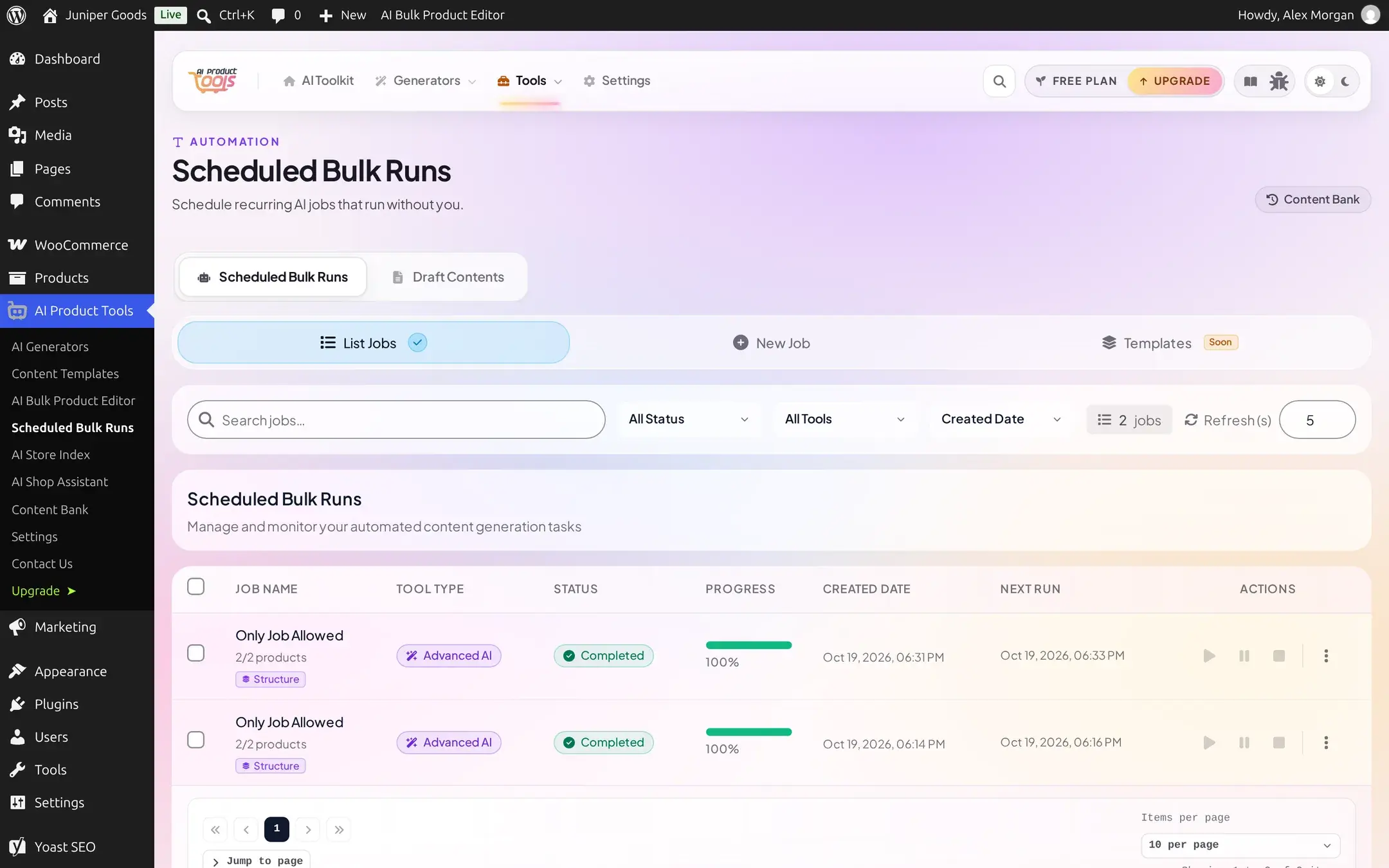
The admin menu and your browser's tab title call this Scheduled Bulk Runs on Free and AI Automation Jobs on Business, at the same URL (AI Product Tools > AI Automation Jobs in the left-hand menu). The page itself keeps it shorter: its own heading reads Scheduled Bulk Runs on Free and simply Automation on Business. This page uses "automation" and "a job" for either plan, and calls out the few places plan actually changes what you see.
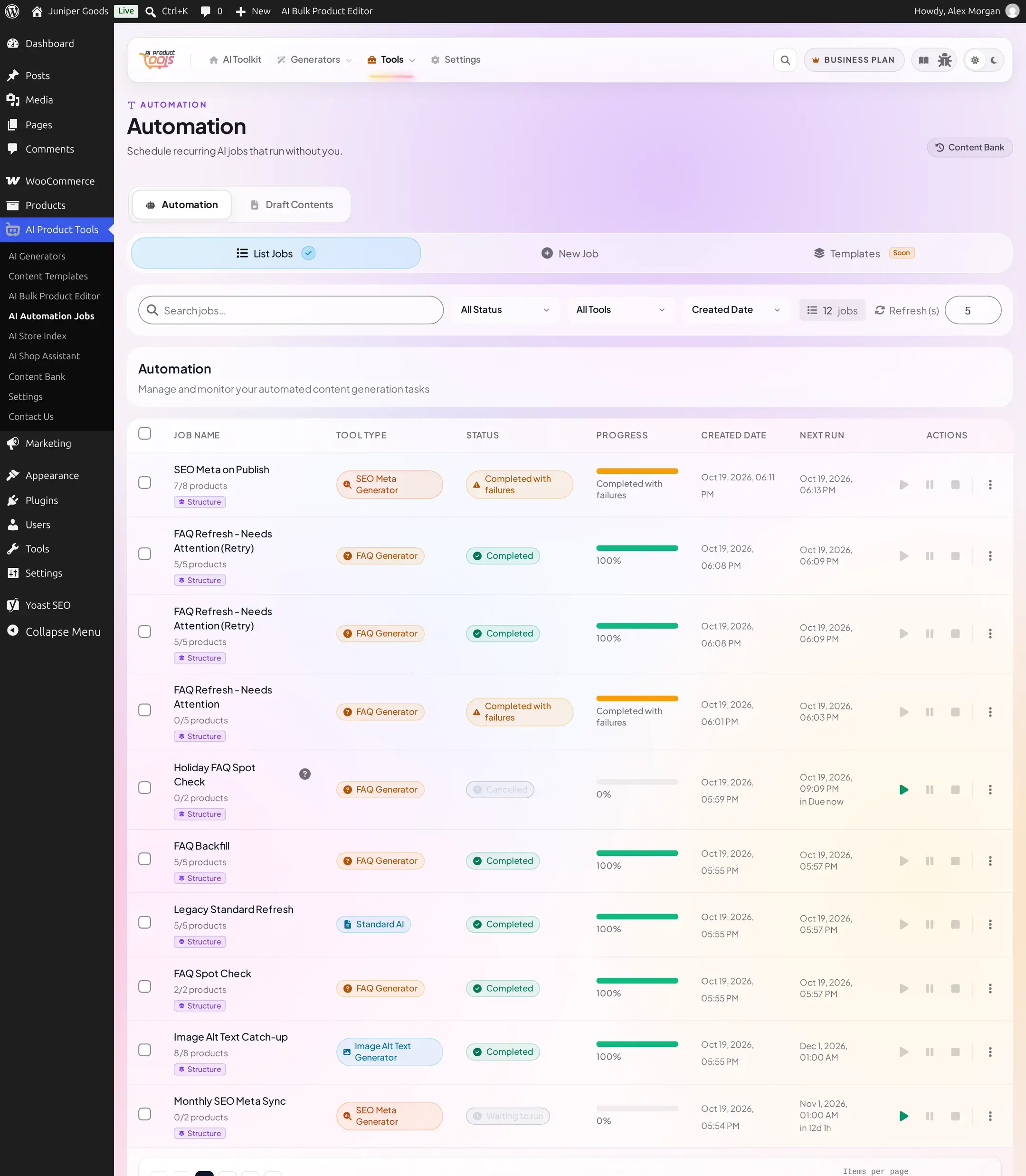
Free gives you one job at a time, running once, writing straight to your products. Business removes those ceilings: several jobs at once, daily, weekly, or monthly cadences, triggers that start a job automatically, and a review step before anything goes live.
Before you start
- A connected AI provider. Automation uses the same OpenAI, Google Gemini, Claude, or OpenRouter key as the manual generators; see AI providers. A job with no usable key cannot be created.
- The
manage_woocommercecapability (a Shop Manager or Administrator account) to open the page and to create, edit, pause, resume, stop, or delete a job. Choosing Custom prompts (Advanced) when setting up a job's content additionally needsmanage_aipt_settings. - WP-Cron enabled. A job runs on WordPress's own background scheduler. If your host disables WP-Cron, or your site gets very little traffic, a job can sit "due" without starting; see Background jobs.
What you can automate
A job runs exactly one of five tools against its chosen products:
| Tool | Writes | Full page |
|---|---|---|
| AI Bulk Description Generator | Full description, short description, tags | Descriptions |
| Title Generator | Product title (and its slug) | Titles |
| FAQ Generator | Product FAQ | FAQs |
| SEO Meta Generator | SEO meta title and description | SEO meta |
| Image Alt Text Generator | Image alt text | Image alt text |
Every job also uses a content structure (or, rarely, custom prompts) the same way the manual generator pages do; see How content structures work.
What happens to the result
Every write a job makes is captured in Content History first, on every plan, so it can be compared or restored later. Beyond that, a job's Content Delivery setting decides whether its output reaches your products automatically or waits for you:
- Replace Live Content: writes straight to the product. The only plan available on Free.
- Stage for Review Business: nothing changes on the product. Results collect in Content Bank > Draft Content until you approve, reject, or delete each one.
See Reviewing output and staying safe for the full picture, including what happens when a job's AI provider starts failing.
Free vs Business
| Capability | Free | Business |
|---|---|---|
| Jobs that are not yet finished (scheduled, running, or paused) | 1 | Unlimited |
| Content types produced by one job | 1 | Several |
| Schedule | One time only | One time, daily, weekly, or monthly |
| Automatic triggers (run on publish, catch up on new products) | No | Yes |
| Content Delivery | Replace Live Content only | Replace Live Content or Stage for Review |
| Product filters | Price, specific IDs, missing-description, skip-processed | Adds categories, tags, stock status, and draft/pending/private status |
| Restore a value a job overwrote | No | Yes, see Restore |
A completed or failed job never counts against the Free 1-job limit, only one that is still scheduled, preparing, running, or paused does, so finishing, stopping, or deleting an old job always frees up a new one. Stop counts as finished here too: a stopped job is stored the same way as a failed one internally, so it drops out of the limit immediately, with no need to also delete it.
Create a job
The New Job wizard, step by step, for every one of the five tools.
Filters and schedules
Every schedule type and product filter, and what each plan unlocks.
Monitoring jobs
Reading the job list, progress, logs, and fixing a stuck or failed run.
Reviewing output and staying safe
Stage for Review, Draft Content, and what happens when a provider fails.
Background jobs
Why a due job has not started, and how to fix WP-Cron.
AI Assistants (MCP)
Let an MCP-capable AI assistant like Claude Desktop or Cursor discover and run this plugin's content generators directly, with your approval before anything is written.
Create a Job
Walk through the New Job wizard, from picking a tool to confirming a live write, for any of the five automatable tools.