
Bulk Title Generator
Rewrite product titles in bulk, compare alternatives, and update URL slugs safely.
The Bulk Title Generator rewrites WooCommerce product titles with AI, across one product or thousands at once. Use it to clean up inconsistent naming, make titles more searchable, or refresh titles after a rebrand.
Where to find it
There is no AI Product Tools > Bulk Title Generator entry in the left menu. Open it from the
AI Generators card grid (AI Product Tools > AI Generators), from a product's AI content
panel, or by bookmarking admin.php?page=aipt-title-generator.
Before you start
- Connect at least one AI provider (OpenAI, Google Gemini, Anthropic Claude, or OpenRouter) in Settings > Connection. The generator refuses to run without one.
- You need the Manage WooCommerce capability (shop managers and administrators have it by default).
- Titles are billed by your AI provider, not by the plugin. See AI providers for cost guidance.
How titles are built
Like every generator, Title opens on 1 · Content structure the first time you visit, then on 2 · Generation after that. The shared tab mechanics, the "Keep using this structure" checkbox, and the review/apply flow are covered in How bulk generation works. This page covers what is specific to titles.
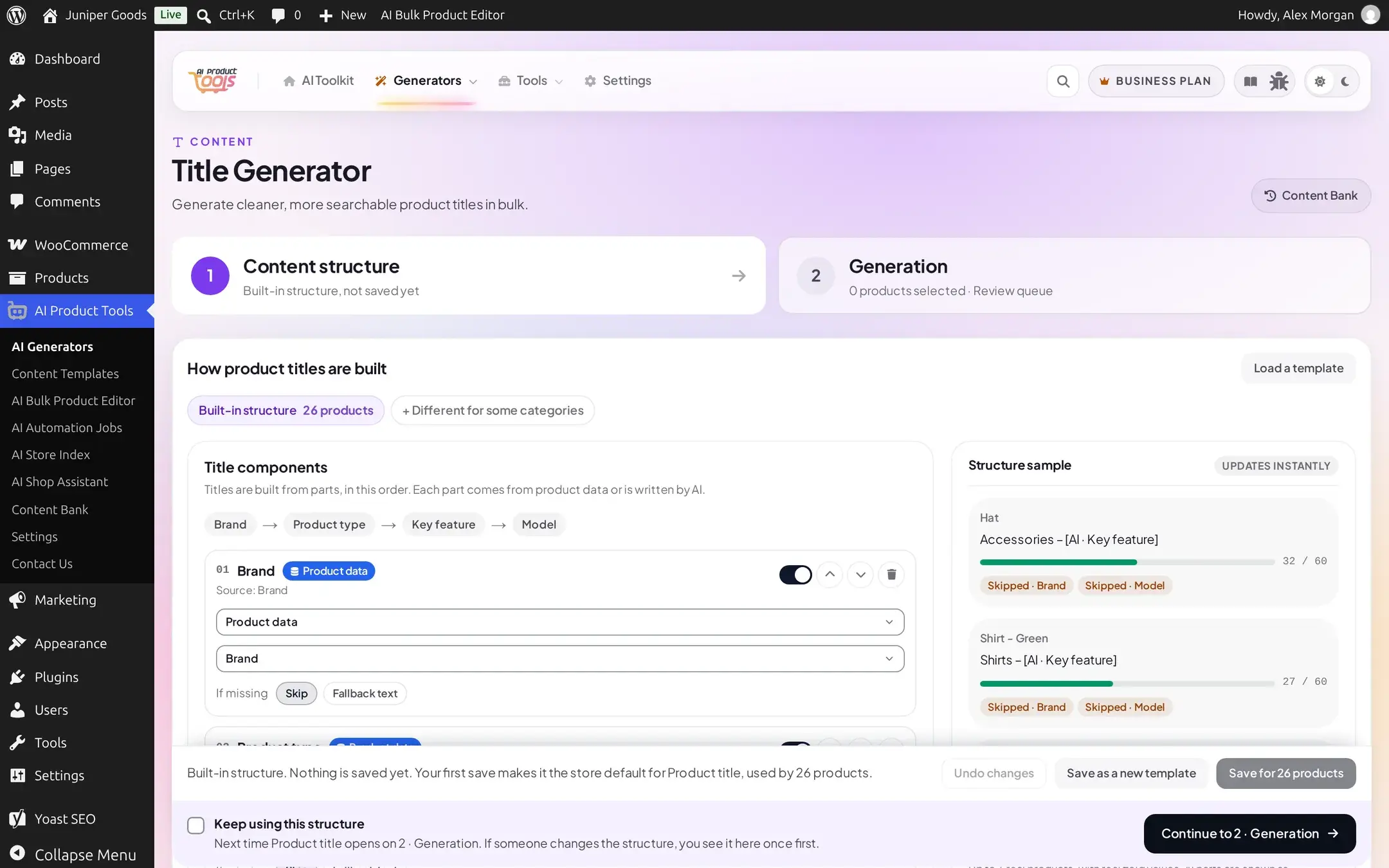
On 1 · Content structure, a title is built from up to four parts, in order: Brand, Product type, Key feature, and Model. Each part reads from product data or asks the AI to write it, and falls back to Skip or a Fallback text you choose when that data is missing. The Structure sample panel updates instantly as you edit, so you can see a real product title before generating anything.
Generate titles in bulk
Select products
Continue to 2 · Generation. Check the products to rewrite, or use the header checkbox to select everything on the page.
Choose Alternatives and Apply options
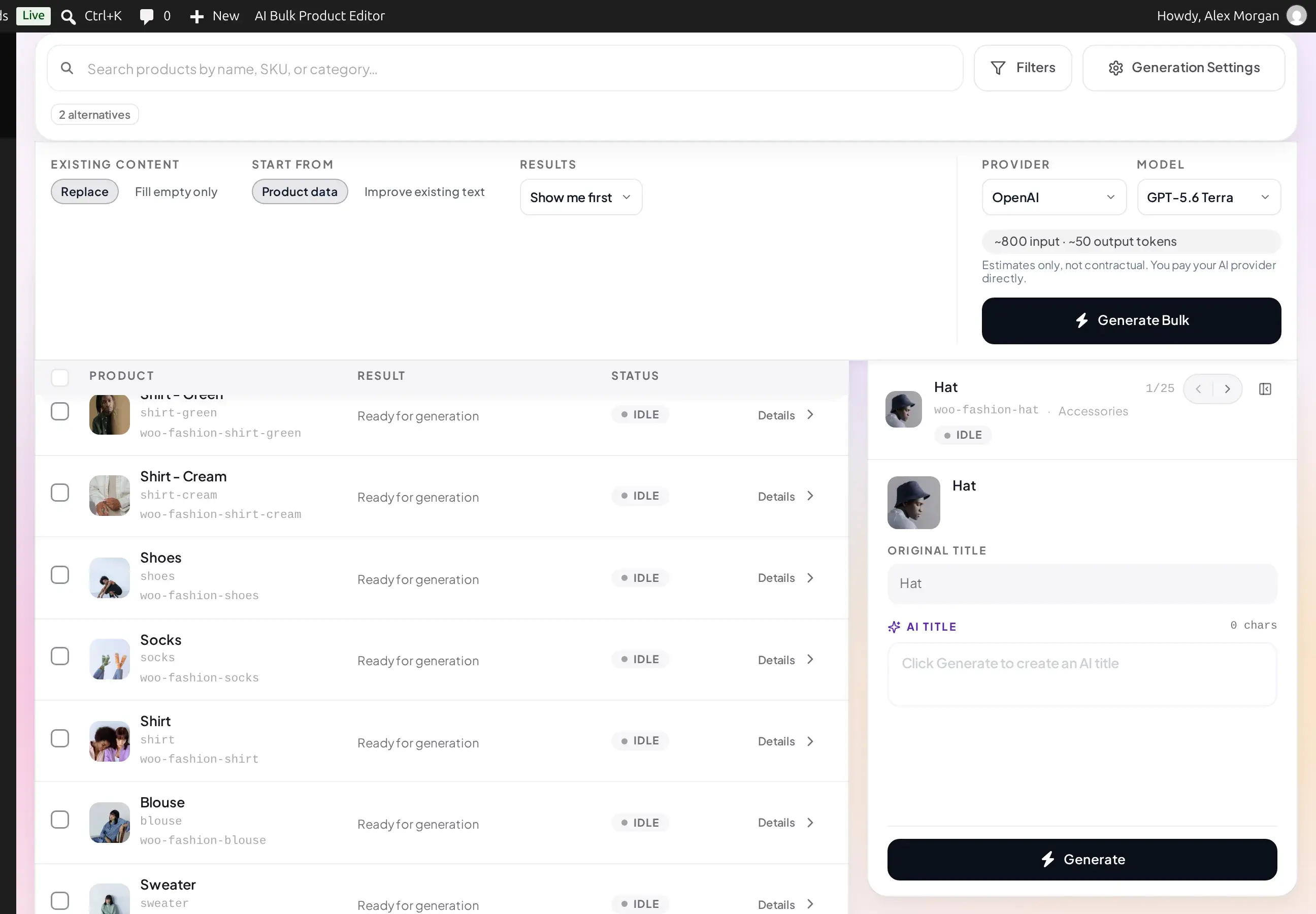
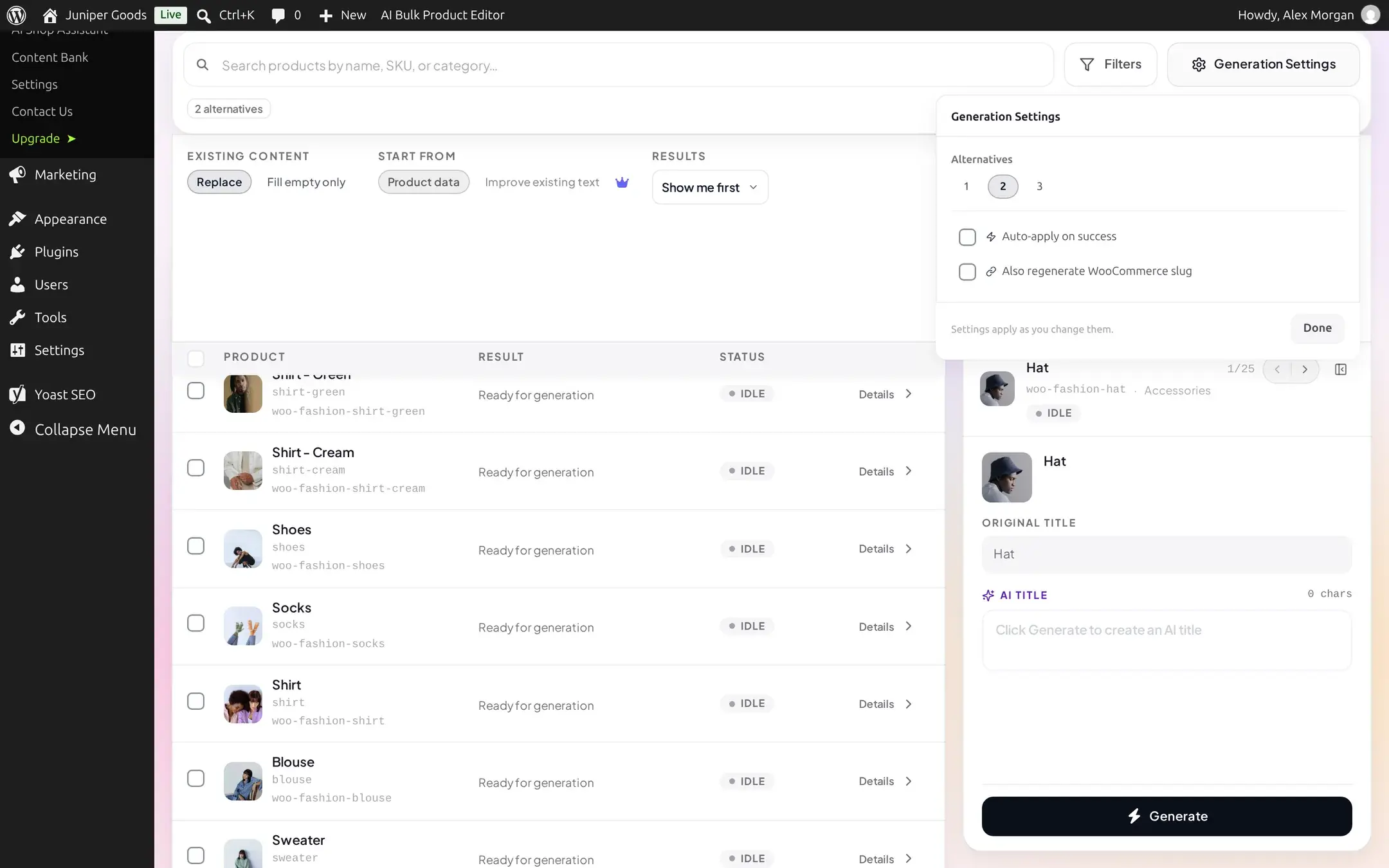
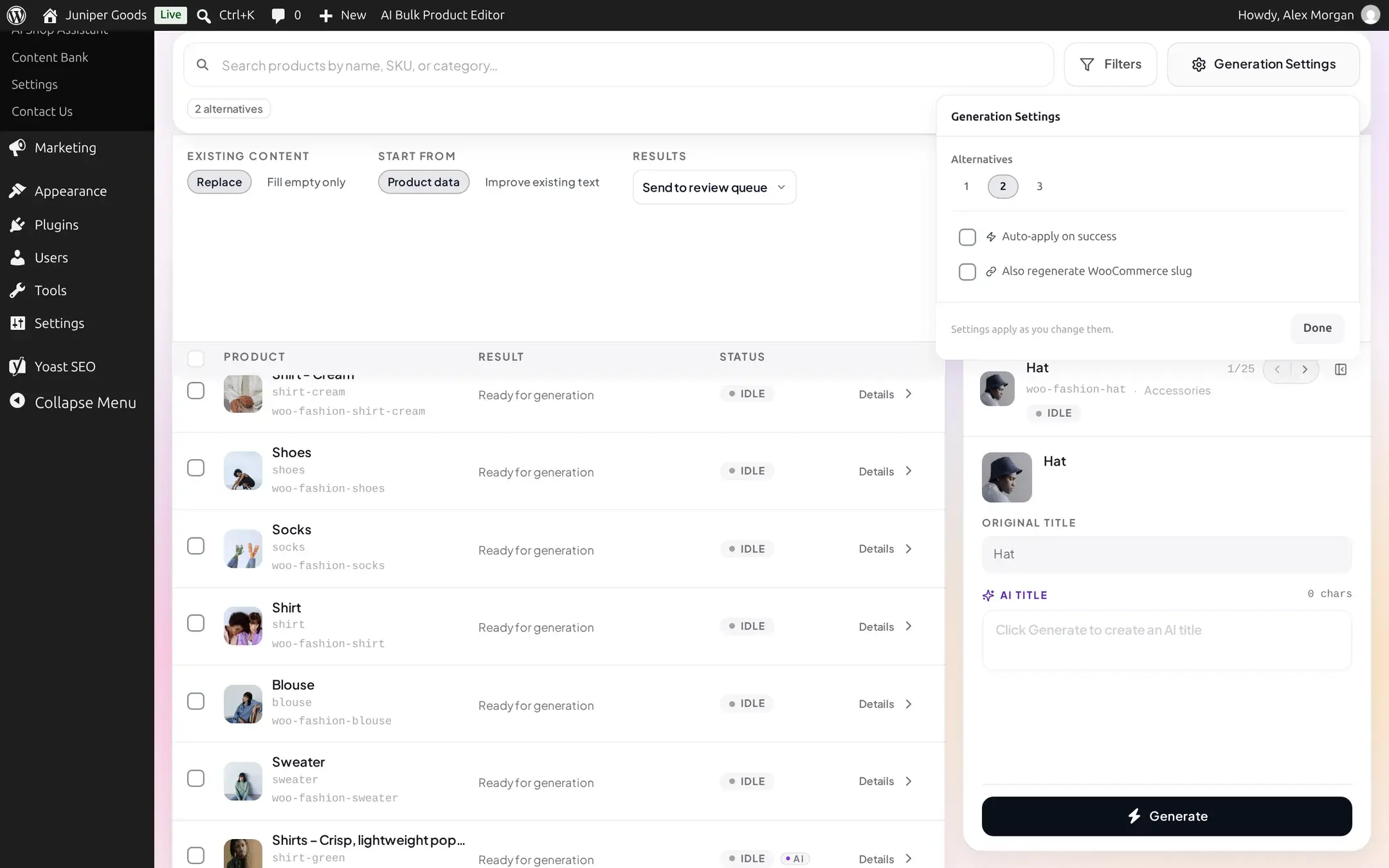
Open Generation Settings. Pick how many Alternatives to generate per product (1 to 3). Turn on Auto-apply on success to skip the manual Apply step, or Also regenerate WooCommerce slug to update the product's URL along with its title.
Slugs and SEO
Regenerating the slug changes the product's URL. If the product is already indexed by search engines or linked from elsewhere, set up a redirect plugin first so the old URL still resolves.
Set Existing content and Results, then generate
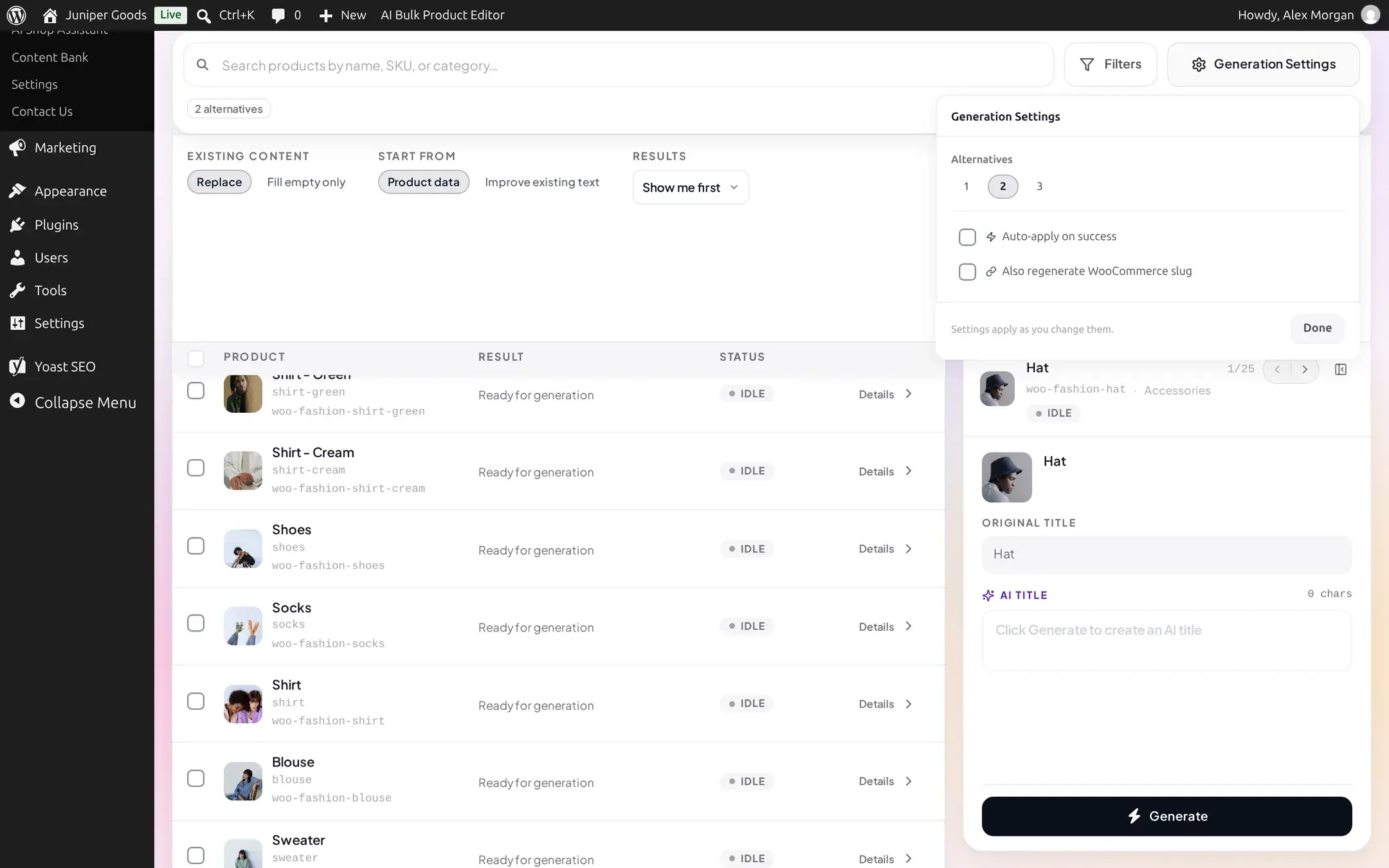
In the run bar, Existing content is Replace (the default), which always overwrites the title, or Fill empty only, which only writes when the product's title is literally blank (rare in a real catalog, since WooCommerce normally requires one). Results is Show me first, which writes nothing until you approve a row, or Send to review queue (Business), which stages every result for a teammate to approve later. There is no third "apply immediately" option for titles: even "Show me first" applies with one click per row. Pick a Provider and Model, then click Generate Bulk.
Review, apply, or reject
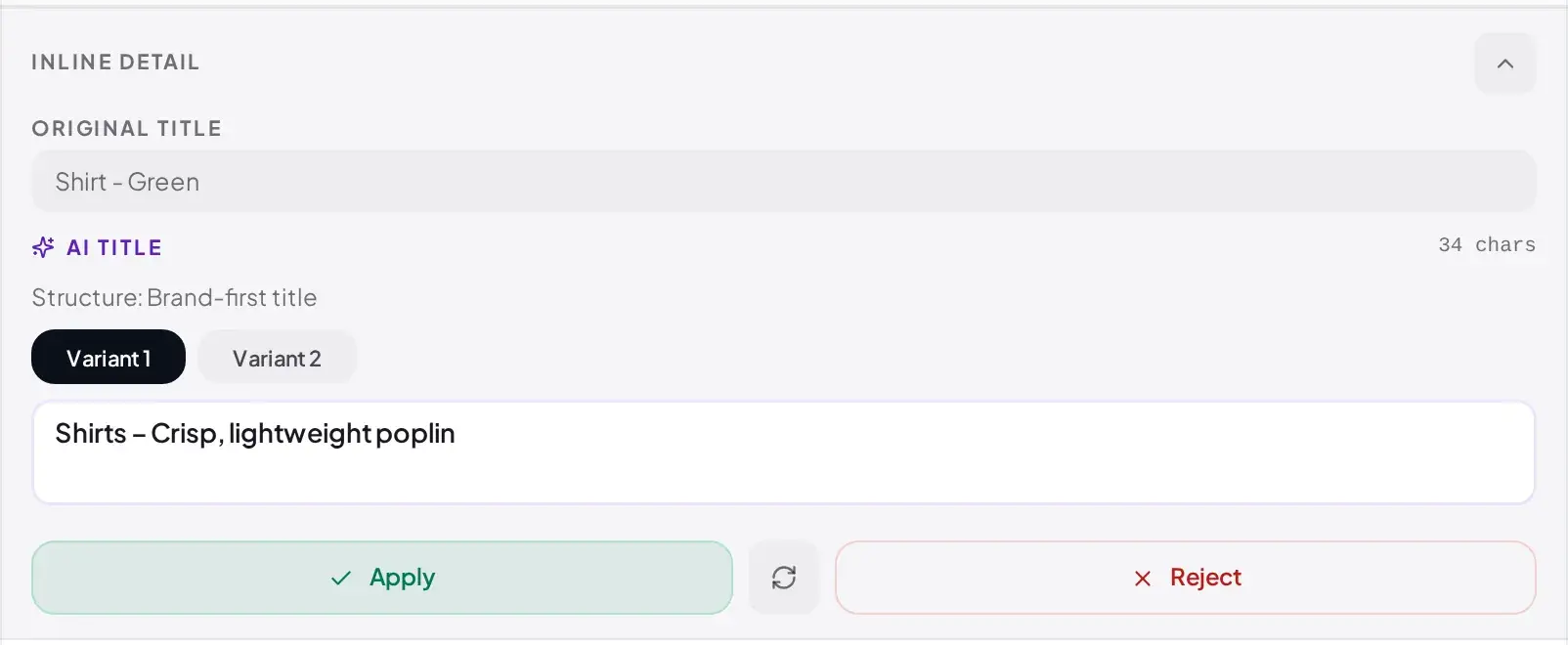
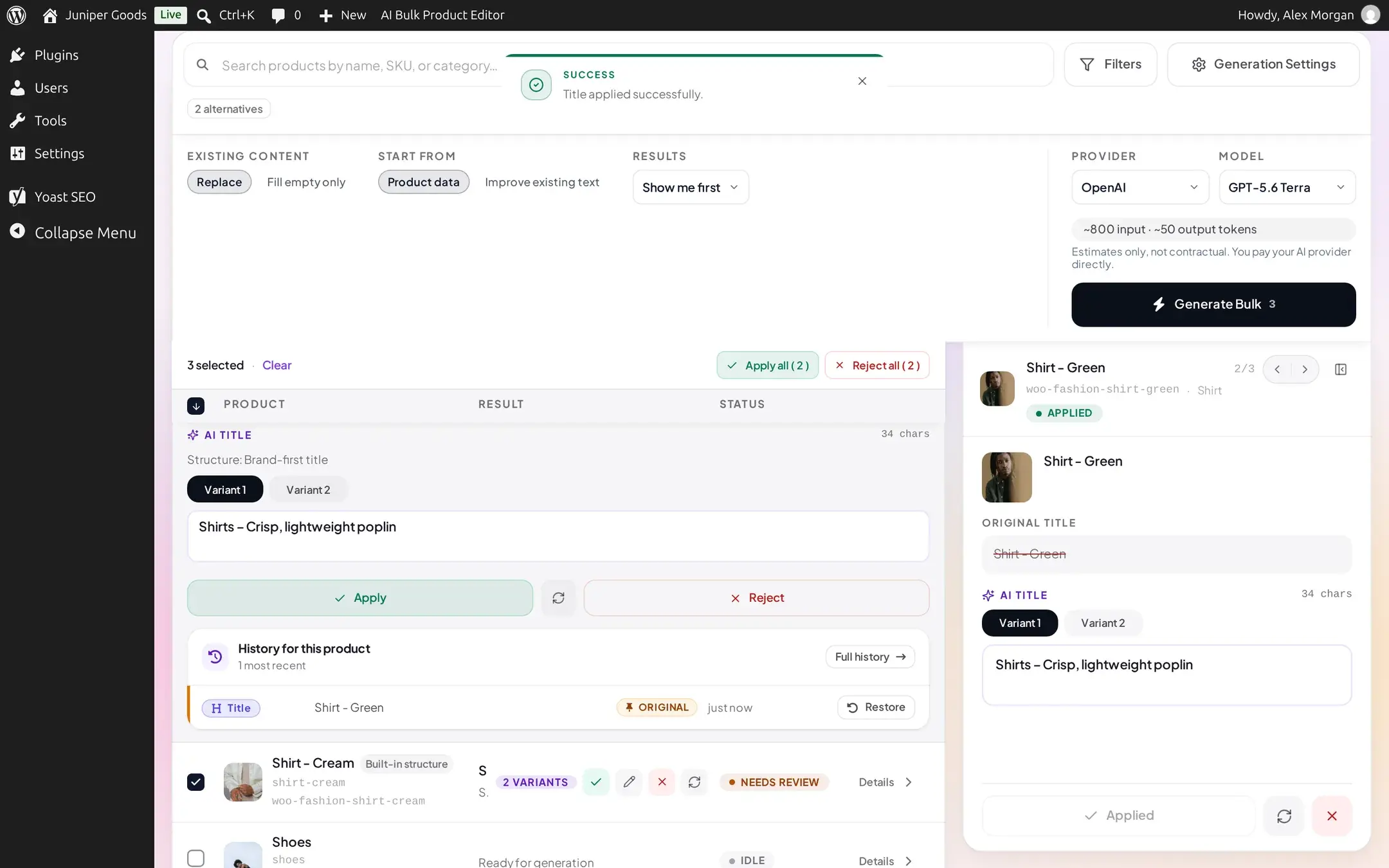
Each row's status reads NEEDS REVIEW once it has a result waiting for your decision. Click a row's Details to expand it in place: the original title, the generated title with its character count, and a Variant 1 / 2 / 3 chip per alternative. Edit the text if you like, then Apply, Regenerate, or Reject. Use the selection strip's Apply all (N) / Reject all (N) to act on every pending row at once.
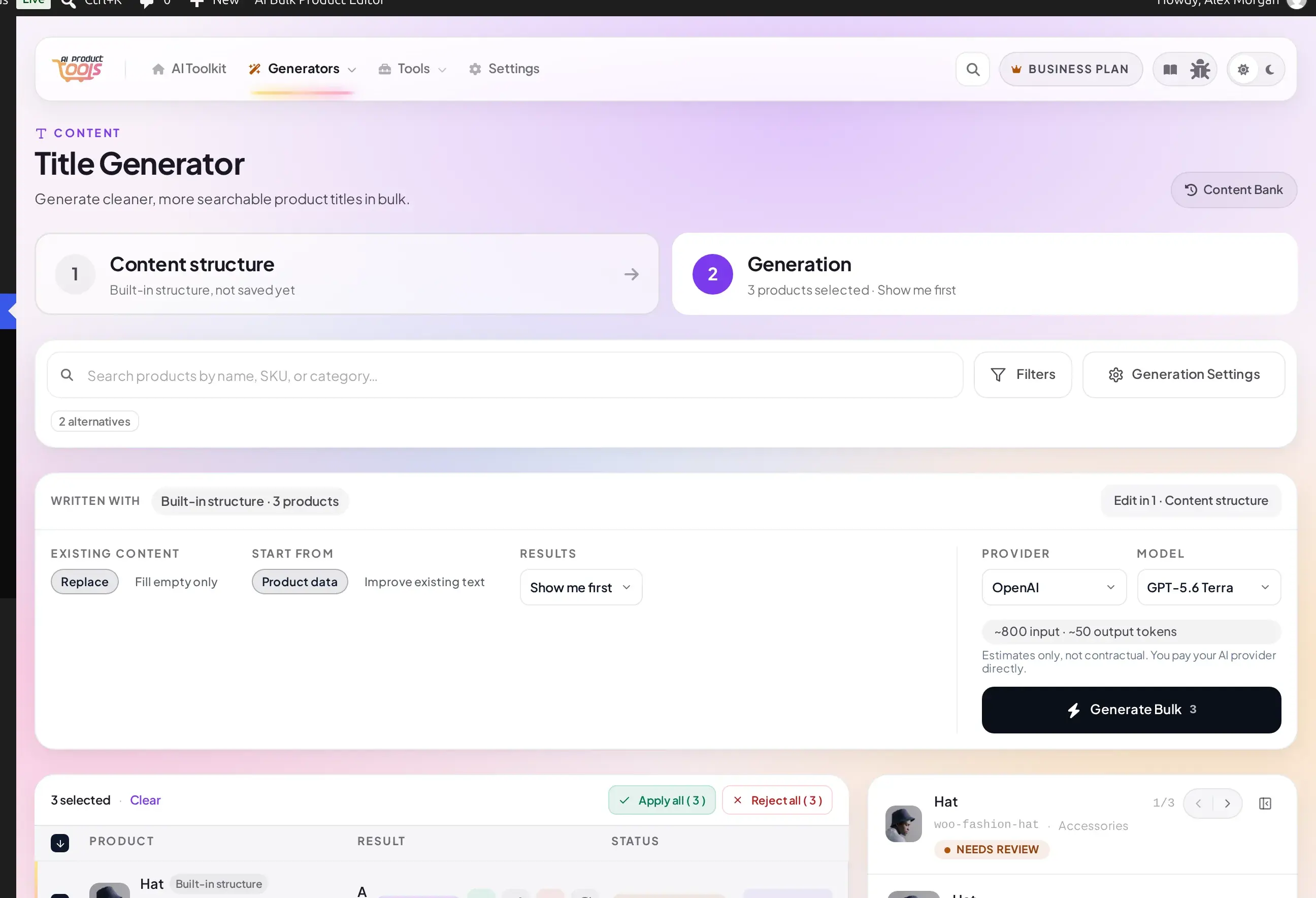
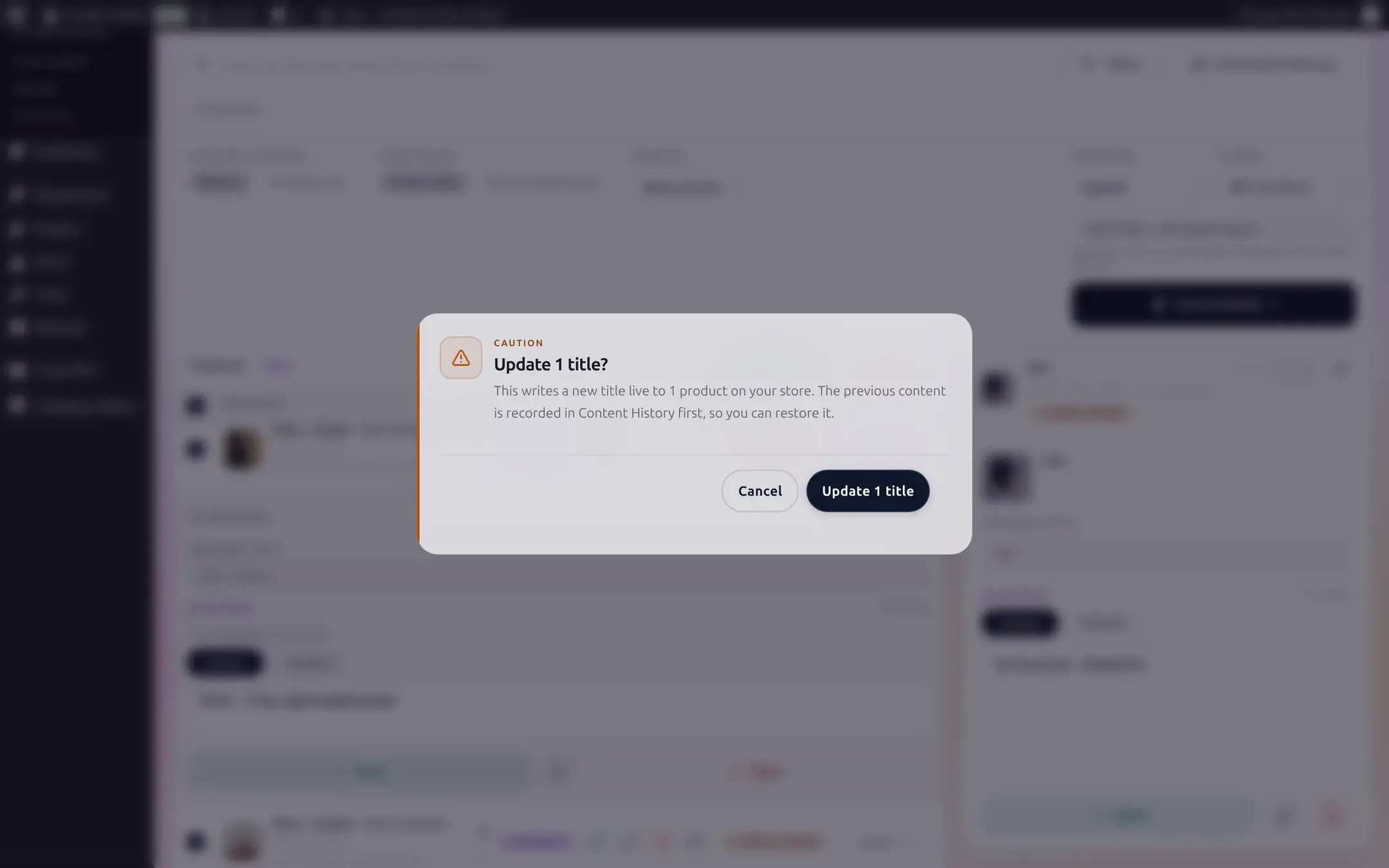
Applying asks you to confirm, since it writes live to the product. The previous title is saved to Content History first, so you can restore it there: Business plans restore with one click, and Free plans can view the previous value even though restoring it needs Business.
A NEEDS REVIEW badge does not always mean a hard block: it is the same badge a row shows the moment it has any result awaiting your decision. Occasionally a result is held back by the content structure's own quality checks instead (for example, a title that is still too long after the structure's own trimming); that row's Apply button stays disabled until you edit the text or choose a different wording.
Writing with your own prompts (Advanced)
By default, Title writes with your store's content structure and the popover above is all you get. To control tone, length, keywords, and which product fields feed the prompt, switch this generator to custom prompts: open AI Product Tools > Settings > Advanced prompts, choose Product Title, and pick Custom prompts (Advanced). The generator page then shows a fuller Generation Settings popover with three sections: Style, Sources, and Apply.
Every plan gets Length (Short / Medium / Long, roughly 40 / 60 / 80 characters) and Tone (SEO-Focused, Professional, Casual, Luxury, Technical, Persuasive). The Sources section collapses to a single always-on source, Descs (the product description), with the rest shown as a short upgrade summary.
Business adds Mode (Rewrite, the default, or Improve, which keeps the title's core message while cleaning it up), a Keywords field to bias generation toward specific terms, and four more Title Sources you can combine with the description: Title (the existing title), Category, Tags, and Attributes.
Comparing against your content structure
The first time you switch this generator to custom prompts, on any plan, a one-time banner offers to Compare on one product (2 AI requests) so you can see what the content structure would have written instead, or Keep custom prompts to dismiss it. Nothing changes until you choose, and the banner will not reappear for this generator afterward.
Reference
| Setting | What it does | Default / limits | Plan |
|---|---|---|---|
| Alternatives | Number of title variants generated per product | 1-3, default 2 | Free |
| Auto-apply on success | Applies a result automatically instead of waiting for you | Off | Free |
| Also regenerate WooCommerce slug | Updates the product URL slug to match the new title | Off | Free |
| Existing content | Replace the title, or only fill it if empty | Replace | Free |
| Results | Show me first (review each result) or Send to review queue (stage for a teammate) | Show me first | Send to review queue is Business |
| Length (Advanced) | Target title length | Short / Medium / Long (~40/60/80 characters) | Free |
| Tone (Advanced) | Writing tone | SEO-Focused, Professional, Casual, Luxury, Technical, Persuasive | Free |
| Mode (Advanced) | Rewrite the title or improve the existing one | Rewrite | Business |
| Keywords (Advanced) | Free-text terms to bias generation | Empty | Business |
| Title Sources (Advanced) | Product fields the AI reads | Descs only | Descs free; Title, Category, Tags, Attributes are Business |
| Per-run selection | Maximum products in one "select all matching filter" run | 5,000 | Free |
A run that selects more than 5,000 matching products is capped to the first 5,000, with a warning telling you to narrow your filters and run the rest separately.
Free vs Business
| Capability | Free | Business |
|---|---|---|
| Rewrite titles, 1-3 alternatives, any provider | Yes | Yes |
| Length and Tone (Advanced path) | Yes | Yes |
| Regenerate the WooCommerce slug | Yes | Yes |
| Mode: Rewrite or Improve (Advanced path) | Locked, always Rewrite | Business |
| Keywords and the four extra Title Sources (Advanced path) | Locked to the description only | Business |
| Send to review queue | Opens an upgrade prompt instead | Business |
| Restoring a previous title from History | View only | Business restore |
Troubleshooting
Related pages
How bulk generation works
The shared content structure tabs, selection, and review flow every generator uses.
SEO Meta
Generate meta titles and descriptions that sync into your SEO plugin.
Content History
See and restore every value a generator has overwritten.
Settings: Connection
Add an AI provider key and choose a default model.
Bulk Description Generator
Write short and long product descriptions and tags in bulk, choose how existing content is treated, and see the result on the storefront.
Bulk SEO Meta Generator
Generate SEO titles and meta descriptions that sync straight into Yoast, Rank Math, or another supported SEO plugin.