
Restore a past value
Put a product or category field back to an earlier AI-written value, or to the one it had before the AI ever touched it.
Restore writes a captured value from Content History back onto a live product or category field. It lives inside the History tab and its detail drawer rather than as a separate page.
Business Restore is the one part of Content History that is Business-only. Reading, filtering, and comparing history is universal; putting a value back is not.
Before you start
- Requires the Business plan (or a grandfathered site with the same entitlement).
- Content History must have recorded the value you want back. Nothing can be restored that was never captured, and a value captured before History was enabled for the site cannot exist either.
Restore one snapshot
Click Restore on any restorable row, either directly in the History list or inside a detail drawer's Version stack. The drawer's footer stays visible on both its tabs too, so you do not need to open the Version stack at all for the common case: it always offers Restore this snapshot for whatever version you are looking at, plus a one-click Restore original shortcut when you are viewing a later version and the pinned original differs from it. A confirmation names the field and states plainly that the value it replaces is kept as a new snapshot, so the restore itself stays reversible.
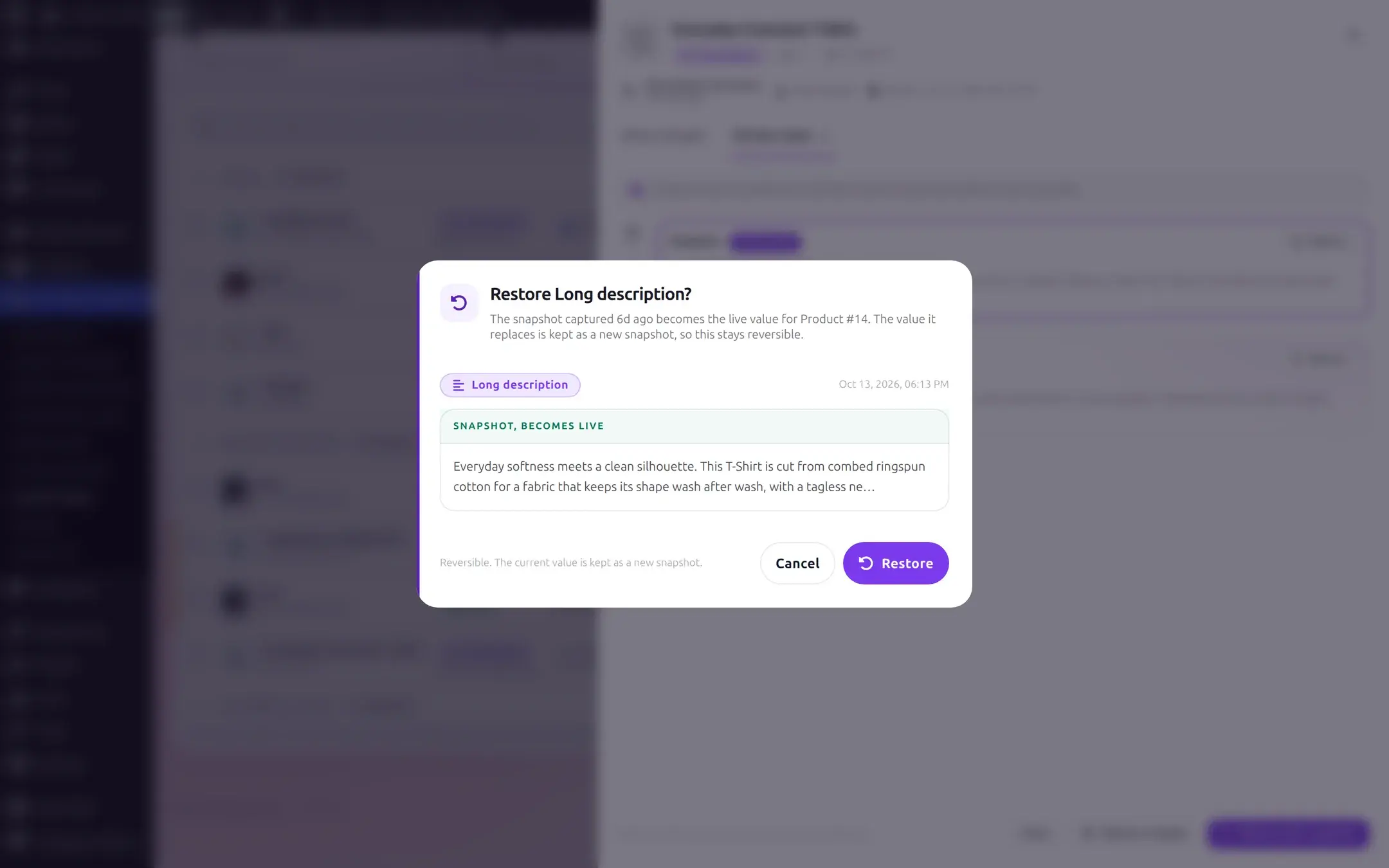
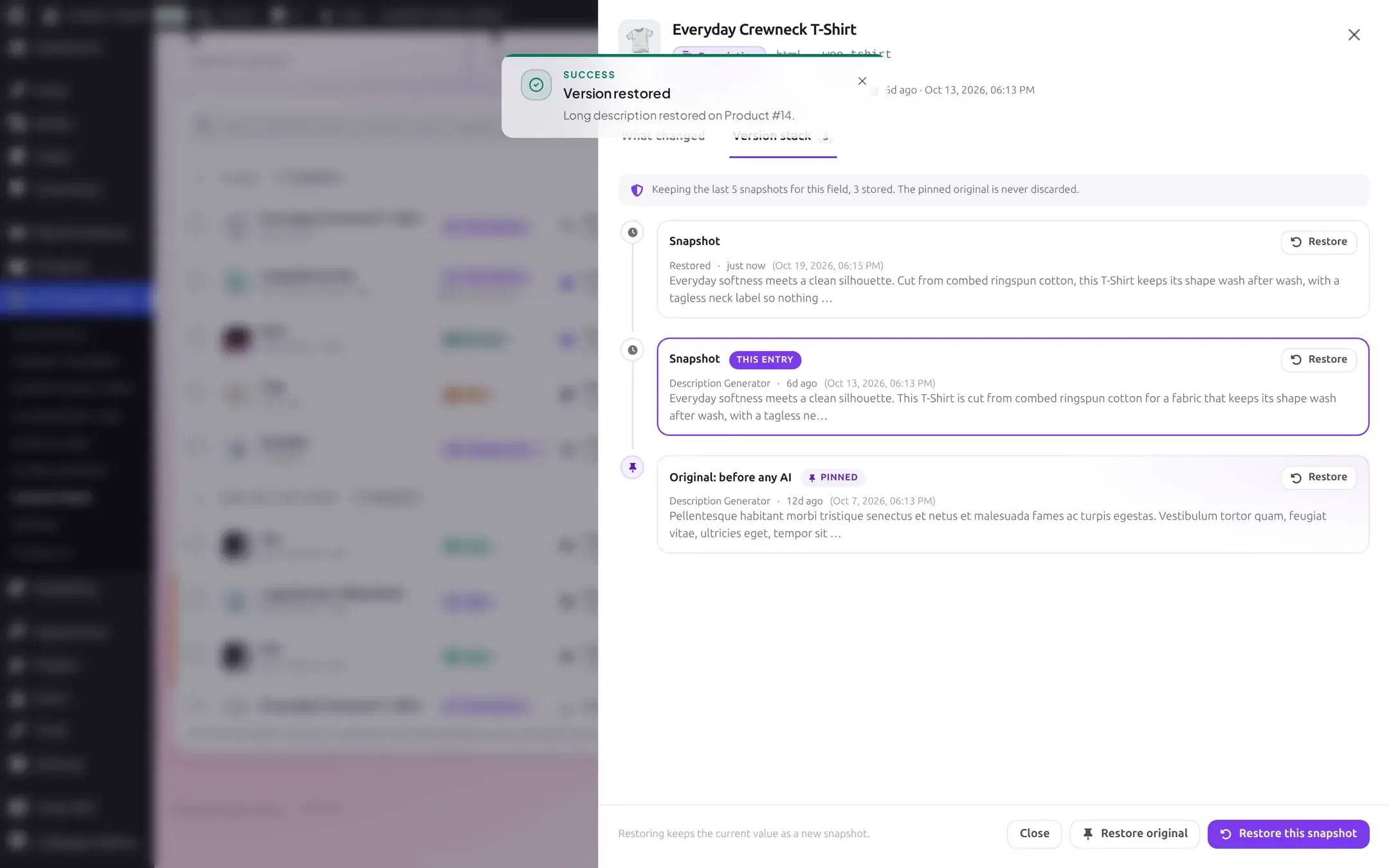
Confirming writes the snapshot's value to the product immediately. A toast confirms success, and the detail drawer's Version stack updates in place, with a new "Restored" entry added at the top:
Restore several at once
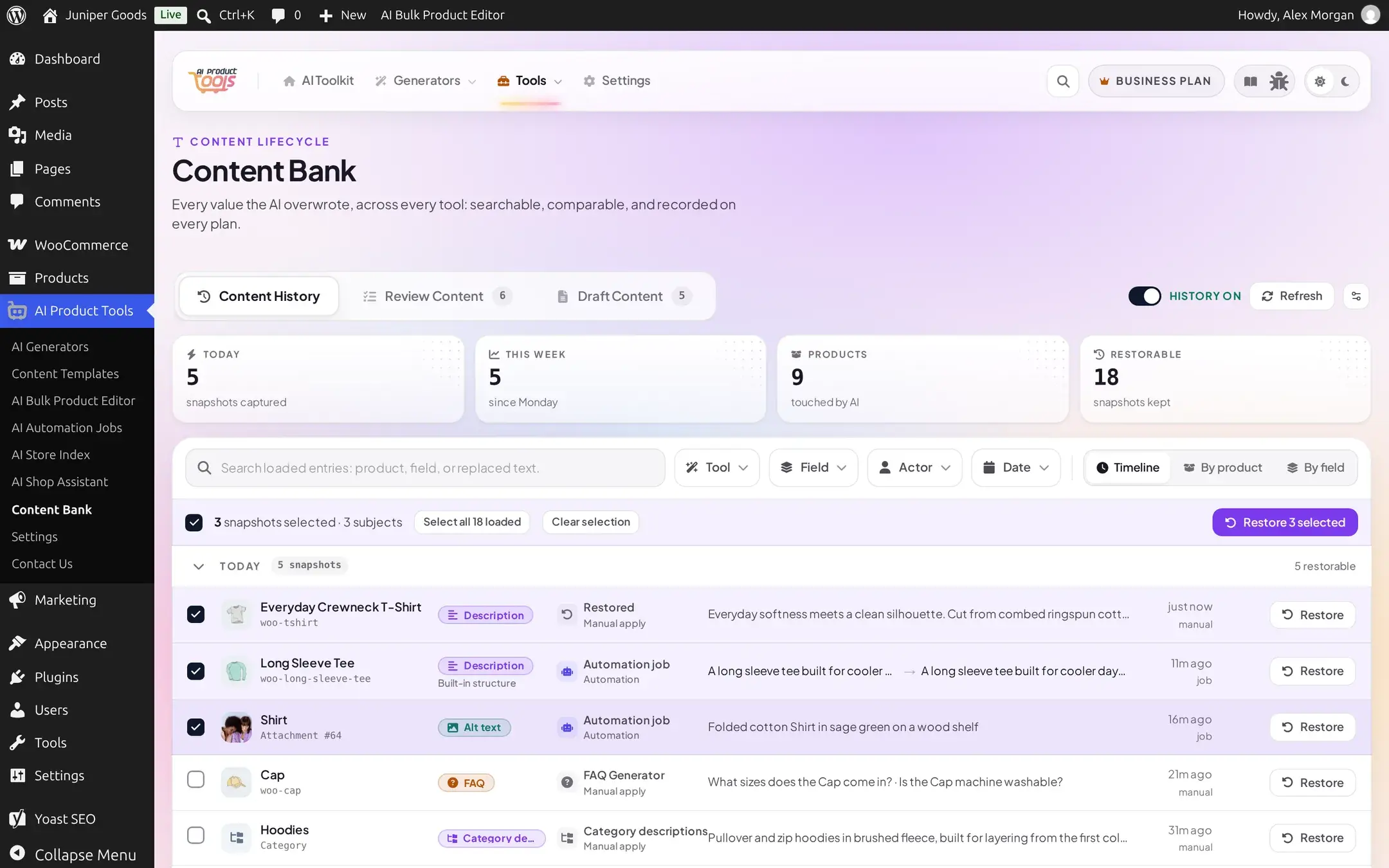
Tick the checkboxes on multiple rows to open the selection strip, then click Restore N selected. Each row keeps its own freshly-read token, so a selection spanning several products restores every one whose token still matches, independently.
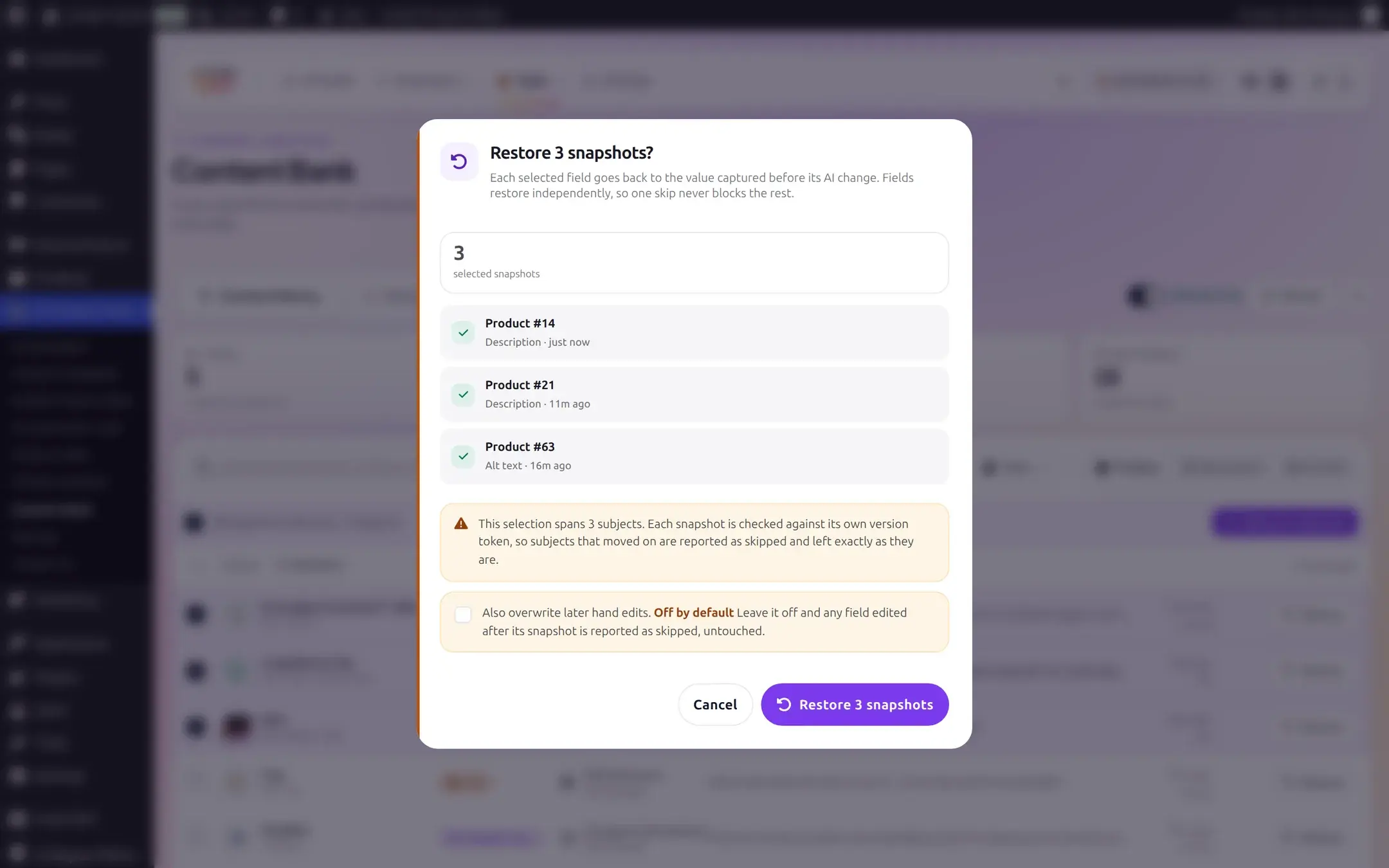
The confirmation tallies the selection, lists each item by product and field, and warns when the selection spans more than one subject that each is checked independently:
The result reports exactly what happened to each item, not just a single pass/fail verdict:
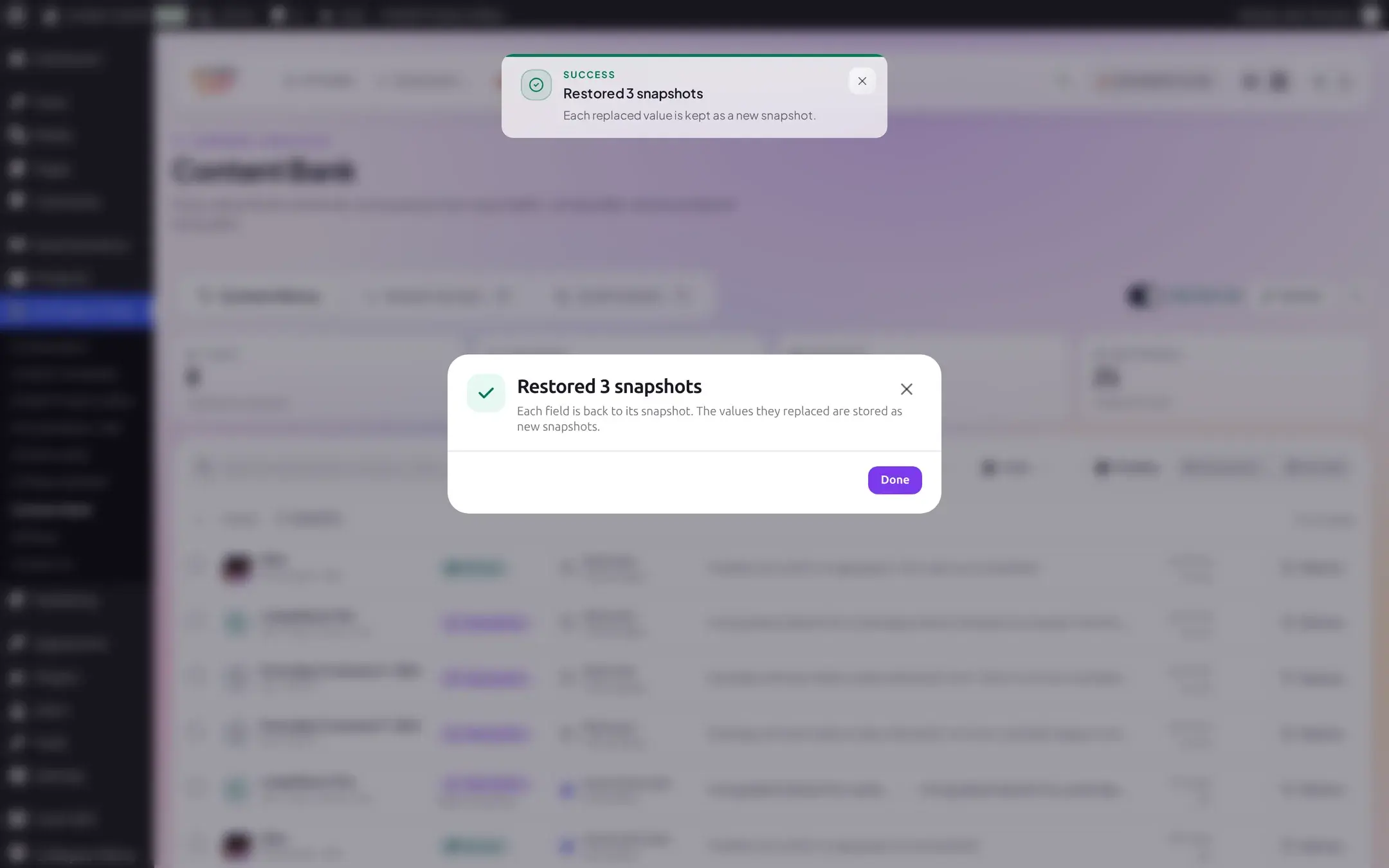
Restore a whole product
Switch the timeline's grouping to By product (see Content History). Each product's group header gains a Restore product to original button, which puts every one of that product's pinned originals back at once. The confirmation does not pre-count which fields it will touch: the server resolves that from the product's pinned originals at the moment you confirm, not from whatever happens to be loaded on screen.
This whole-product mode never appears for a category group: it only resolves pinned originals for a product.
When a restore conflicts with a later edit
Every restorable row carries a token derived from when its product, category, or attachment was last modified. If that target changed since the page loaded the token, restoring it fails with a conflict rather than silently overwriting the newer edit. A single restore reopens its confirmation as "Restore anyway," which is the only way to force it through:
The bulk dialog's "Also overwrite later hand edits" checkbox is the same escape hatch for a batch: off by default, and a changed item is reported as skipped rather than broken when it is left off.
Undo a restore
A restore is reversible the same way any other AI write is: the value it replaces is captured as a new, ordinary snapshot before the overwrite happens. So A to B to C, restore to A, produces a stack reading A (newest, tagged Restored) then C then B then A (the original), and any of those entries can be restored again the same way.
What Free sees instead
The Restore button renders in the same place, but locked, with a crown icon, rather than disappearing or being replaced with an "Upgrade" button of its own:
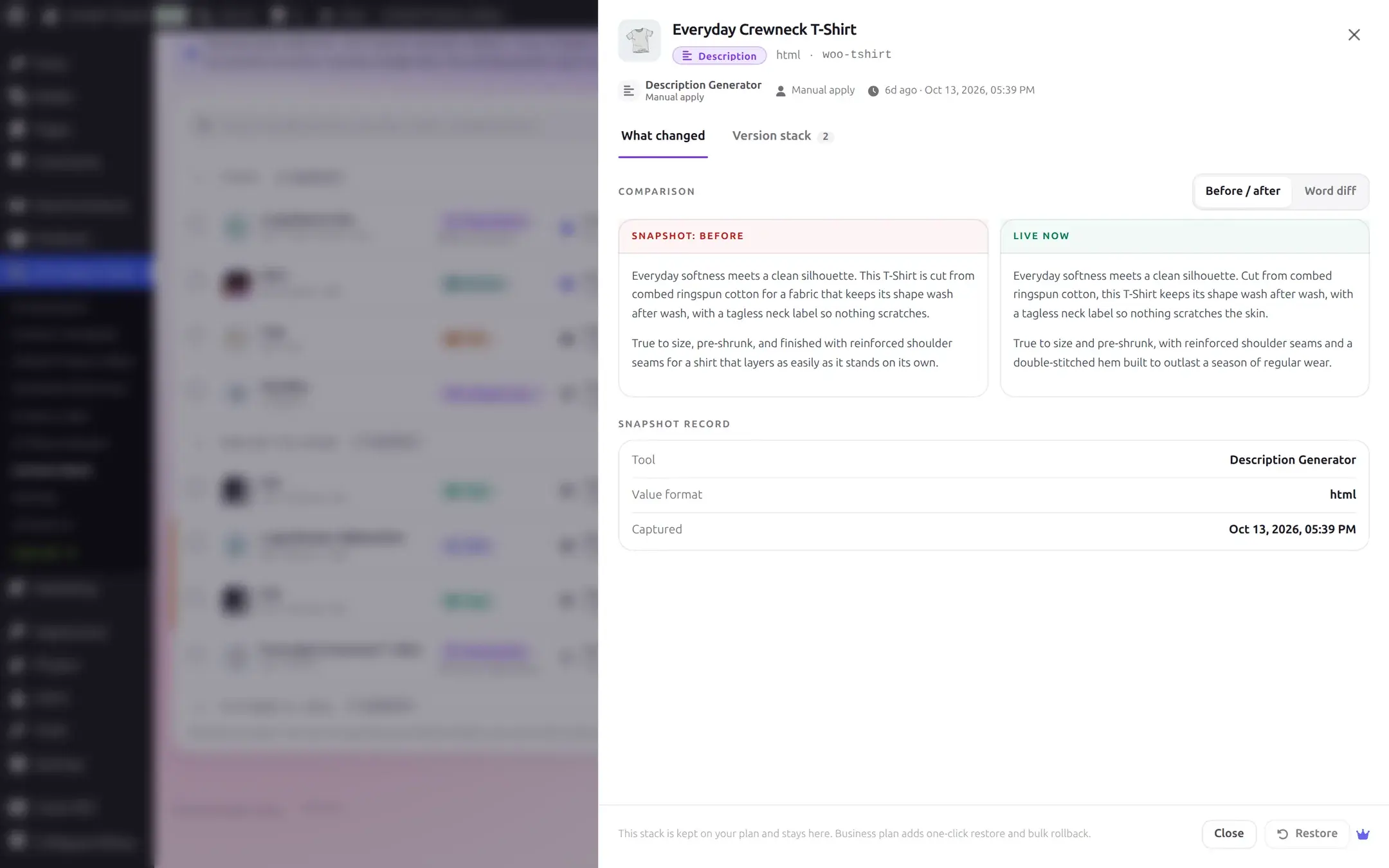
Calling the restore API directly without Business entitlement, bypassing the UI, is refused: "Restoring a previous version requires a Business plan." for a single restore, or "Restoring previous versions requires a Business plan." for a bulk one.
Reference
Limits
| Limit | Value |
|---|---|
| Bulk restore of an explicit selection | 50 items per request |
| Whole-product restore (every pinned original for one product) | 200 pinned originals per product |
These are fixed, not configurable from the UI.
Restorable field types
Product title, URL slug (restored alongside a title), long description, short description, product tags, FAQ, SEO meta title, SEO meta description, image alt text, and category description.
Bulk result, per-item reasons
| Reason shown | Cause |
|---|---|
| Edited after the snapshot, left untouched | The target changed after this snapshot was captured (a conflict); force the restore to override. |
| You no longer have permission to edit this product | Your access to the target changed since the page loaded. |
| No recoverable value stored | The snapshot has nothing usable to write back, for example a legacy SEO row with no recorded plugin. |
| Product no longer exists | The product was deleted since the snapshot was taken. |
| Snapshot no longer exists | The row was deleted or pruned before the restore ran. |
| The write did not complete | The underlying save failed, for example a WooCommerce validation error. |
Free vs Business
| Capability | Free | Business |
|---|---|---|
| Restore a single snapshot | No | Yes |
| Bulk restore an explicit selection | No | Yes, up to 50 |
| Restore a whole product | No | Yes, up to 200 pinned originals |