
Generation issues
Why a product list shows nothing, why a row was skipped on purpose, and what the engine's own quality warnings mean.
Not every surprise on a generator page is a provider failure. This page covers the plugin's own selection, matching, and quality-control behavior, the things that look wrong at first glance but are working as designed.
Before you start
These apply to the six bulk generators (Description, Title, SEO Meta, FAQ, Image Alt, Category descriptions) and the Product Editor's in-grid generation, on any plan. None of them are provider errors, if you are looking for an exact AI-provider message instead, see Provider errors.
No products are listed
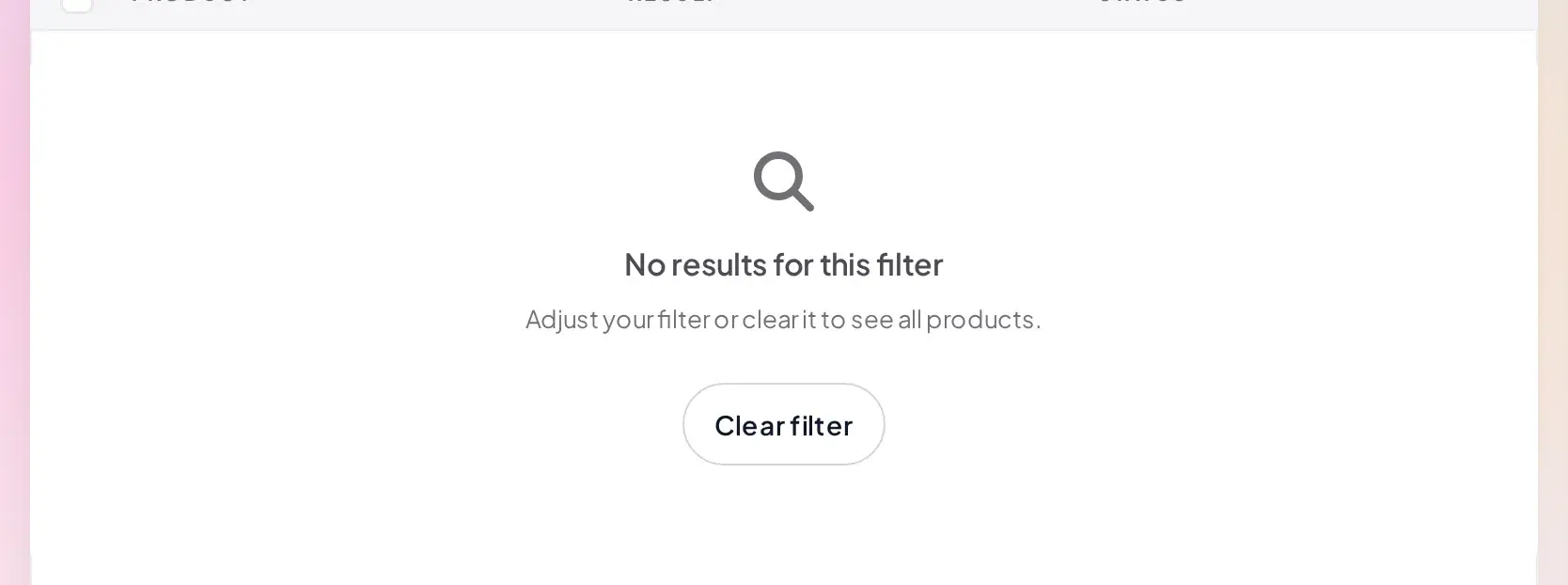
Clear the search box, or open the Filters panel and clear whichever filter is active there, for example an AI status choice like Not processed by AI narrowing the list more than you intended, until the count comes back.
A product was skipped on purpose
"Fill empty only"
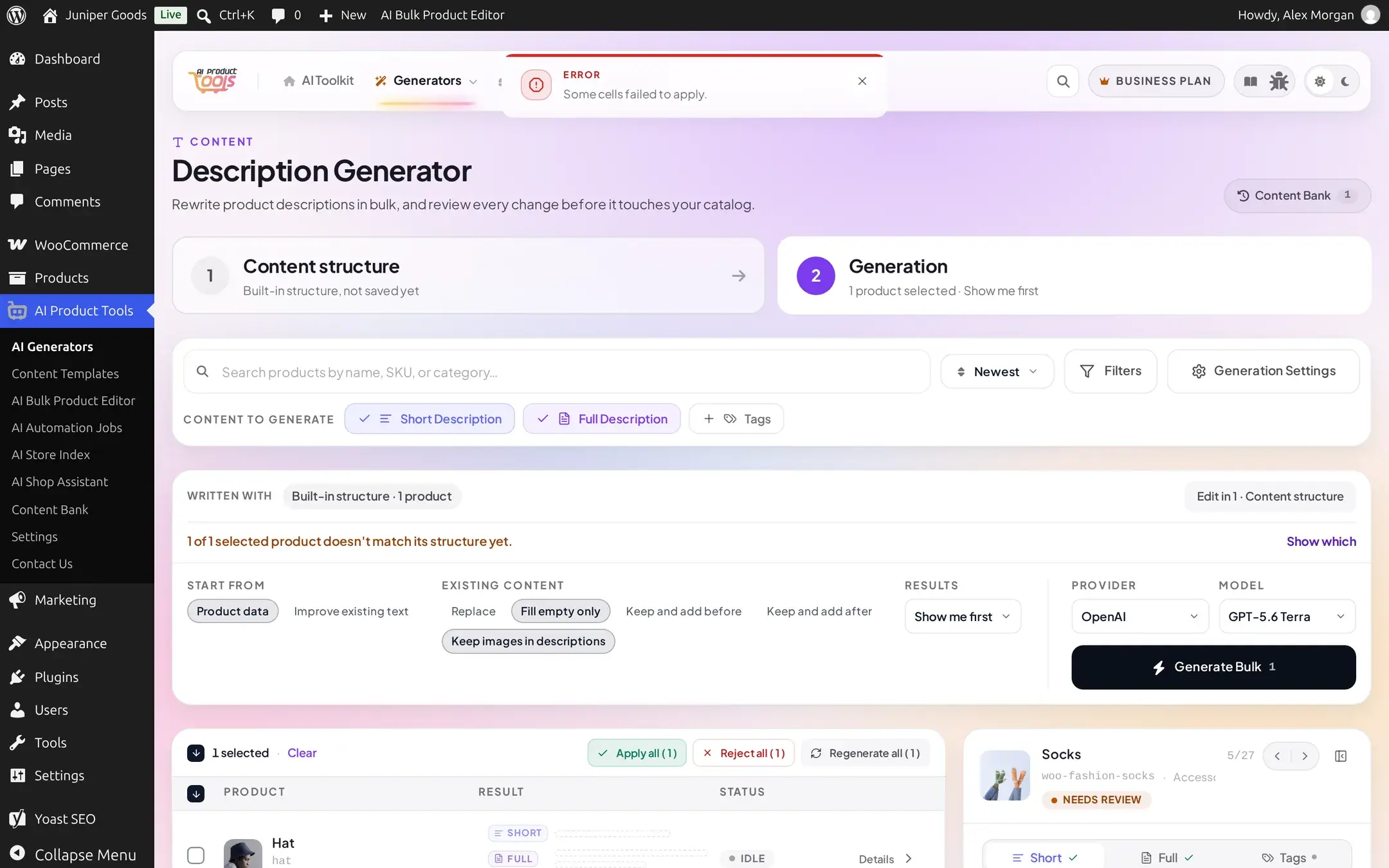
Fill empty only (under Existing content) does not stop a product from being selected or previewed, it only changes what happens when you Apply: a field that already has content is left exactly as it was. If every field you asked for on that product already had content, Apply has nothing left to write and reports it as a failed cell rather than a silent no-op. This is why every product in this demo catalog, which ships with WooCommerce's own sample text in every description, behaves this way until you generate for real: there is always something already there to protect.
This is not the same as a Business review queue
A kept field and a field waiting for review are different things. "Kept the existing text" means nothing was written on purpose; a Needs review badge means something was written to a queue and is waiting for your decision. See How bulk generation works for the three results modes.
Automation's own "skip already-processed products"
A scheduled job has its own, separate skip: a Skip already-processed products filter (free on every plan) excludes any product the AI has already touched, regardless of which field. See Filters and schedules.
Structure mismatch warnings
When a selected product does not fully fit its content structure, for example it is missing an attribute the structure expects, or it is a product type (virtual, downloadable, variable) the structure was not written for, a banner tells you before you even click Generate:

Click Show which to see a short summary per product, with Preview and Edit in 1 links to act on it:
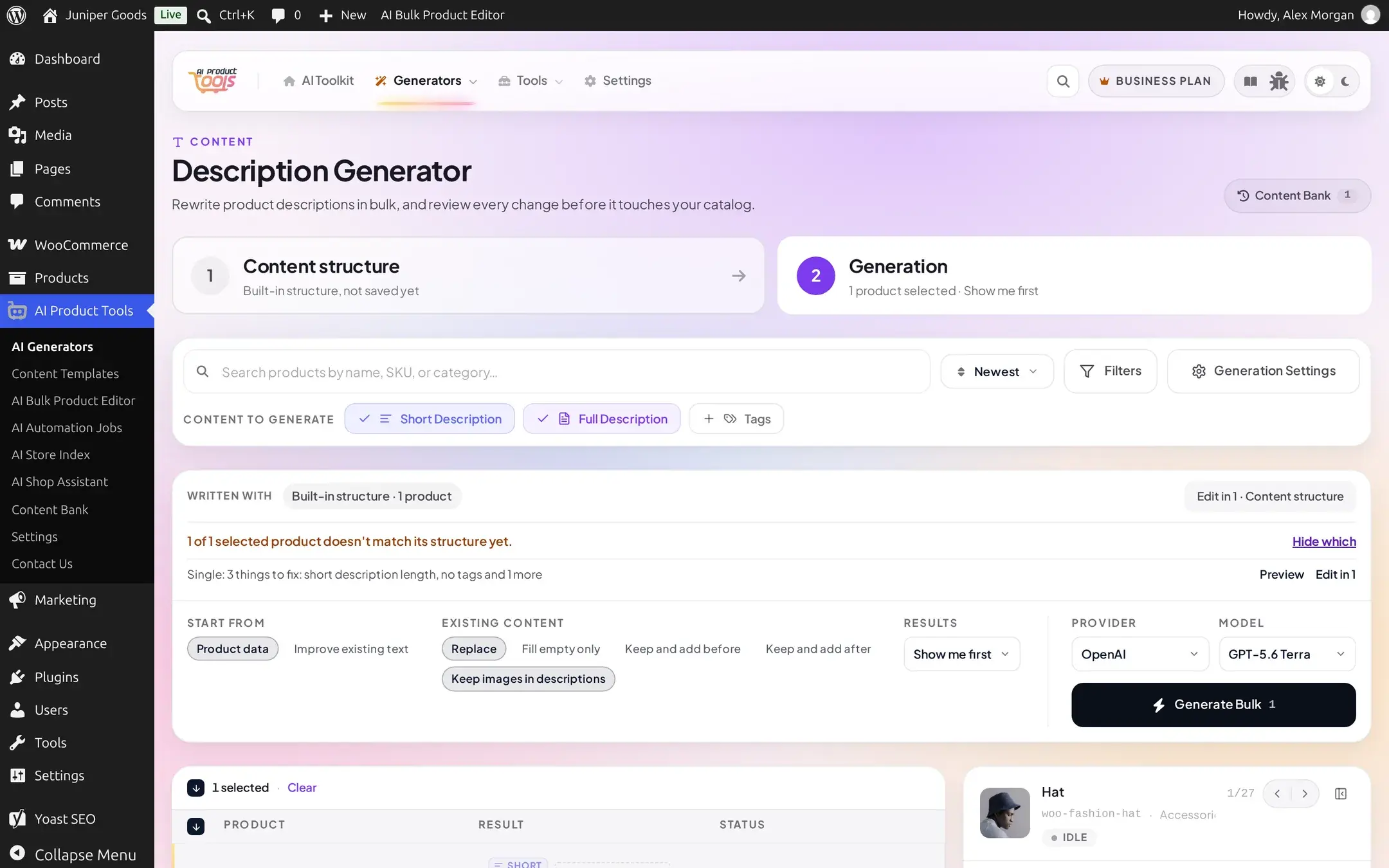
Typical findings and what they mean:
| Finding | Meaning |
|---|---|
| Title too long / short description length | The current value already exceeds the structure's own limit |
| No short description / no tags / too many tags | A field the structure expects is missing, or a count is out of range |
| Banned phrase used | The live text contains a word or phrase your structure's rules exclude |
"{Section} will be skipped: no product attributes / no data for this section" | That section needs data (an attribute, a review count, a comparable product) this product does not have, so the generator leaves it out rather than inventing one |
None of these block generation. They flag content that is already stale against your current structure, open Edit in 1 · Content structure to adjust the structure itself, or ignore the warning and generate anyway.
Duplicate content and unsupported numbers
Two more checks run automatically on every generated result, whether or not a structure mismatch was flagged, and show inline next to the affected part:
- Duplicate content: "A similar sentence appears in both
{X}and{Y}" when two different sections repeat themselves, "The model returned section{X}more than once; only the first copy was kept" when the model answers the same part twice, and "A duplicate question was removed from this group" for the FAQ generator specifically. - Unsupported numbers: "This section mentions a number not found in the provided context:
{numbers}" (worded "This group..." for FAQs and "The title..." for titles) when the model states a number, a year, a quantity, a percentage, that is not backed by anything in your product data. This is a hallucination guard, not a hard block: read the sentence and decide whether the number is actually fine (a reasonable rounding, a general claim) or needs editing.
Both are warnings, not failures: the content structure engine's result still shows and can still be applied. They exist so a number or a repeated claim a reader would notice does not slip through unreviewed.
HTML or plain text came out the way you did not expect
Every content type that writes formatted text has its own Output format choice, HTML (rich) or Plain text, under Generation Settings:
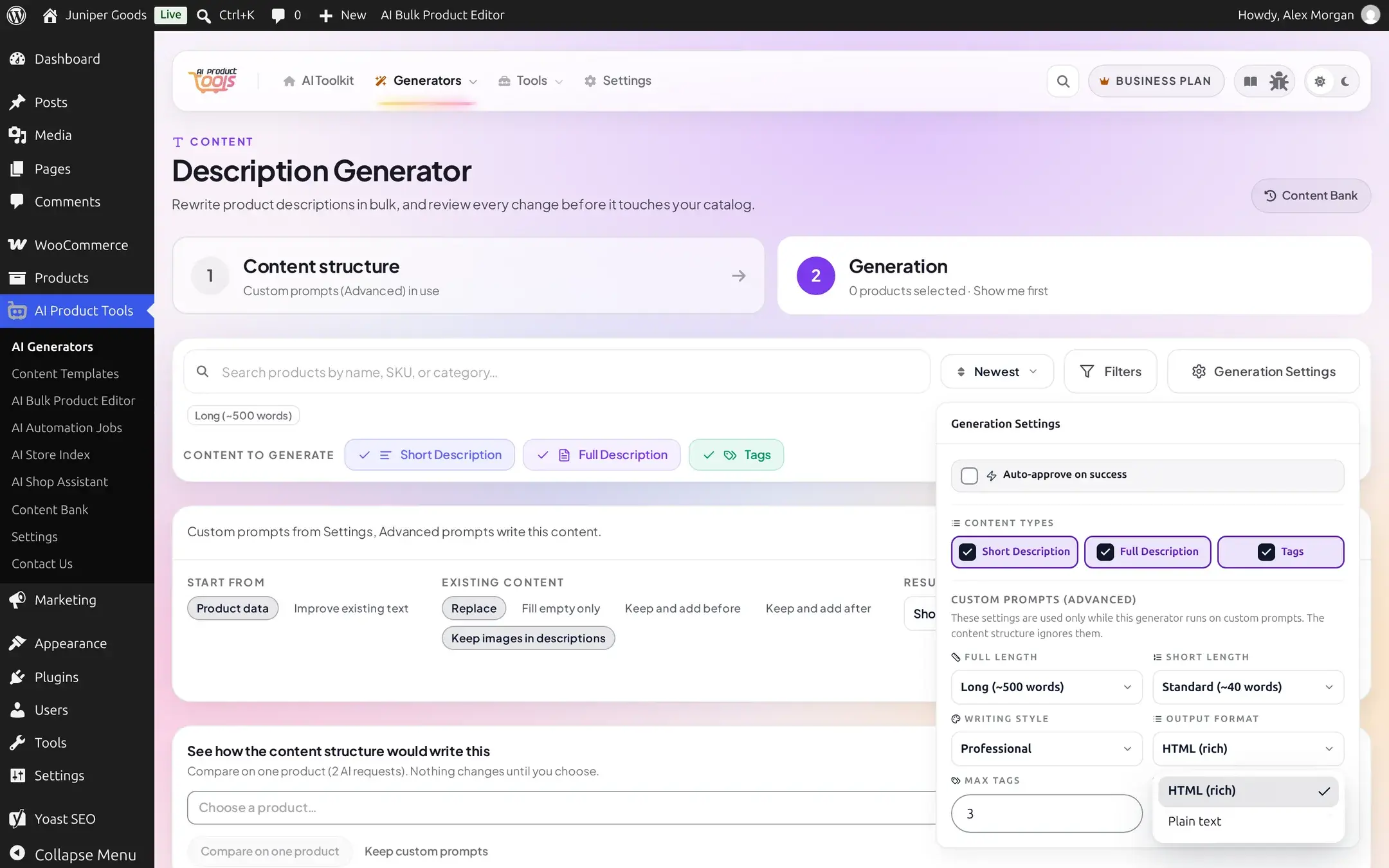
If a result looks like it has stray <p> or <ul> tags showing as literal text on your storefront, the theme or the field expected plain text and got HTML (or the reverse). Switch the format and regenerate, existing content on the product is not changed until you apply again. Separately, the engine itself strips any HTML it is not expecting back from the model with a quiet "HTML in the AI answer was removed" note, so malformed markup never reaches your storefront unescaped.
Long runs, a closed tab, and "nothing changed"
A bulk run you start from a generator page (not a scheduled Automation job) has no background component: the open browser tab sends one request per selected product, one after another, for as long as the tab stays open.
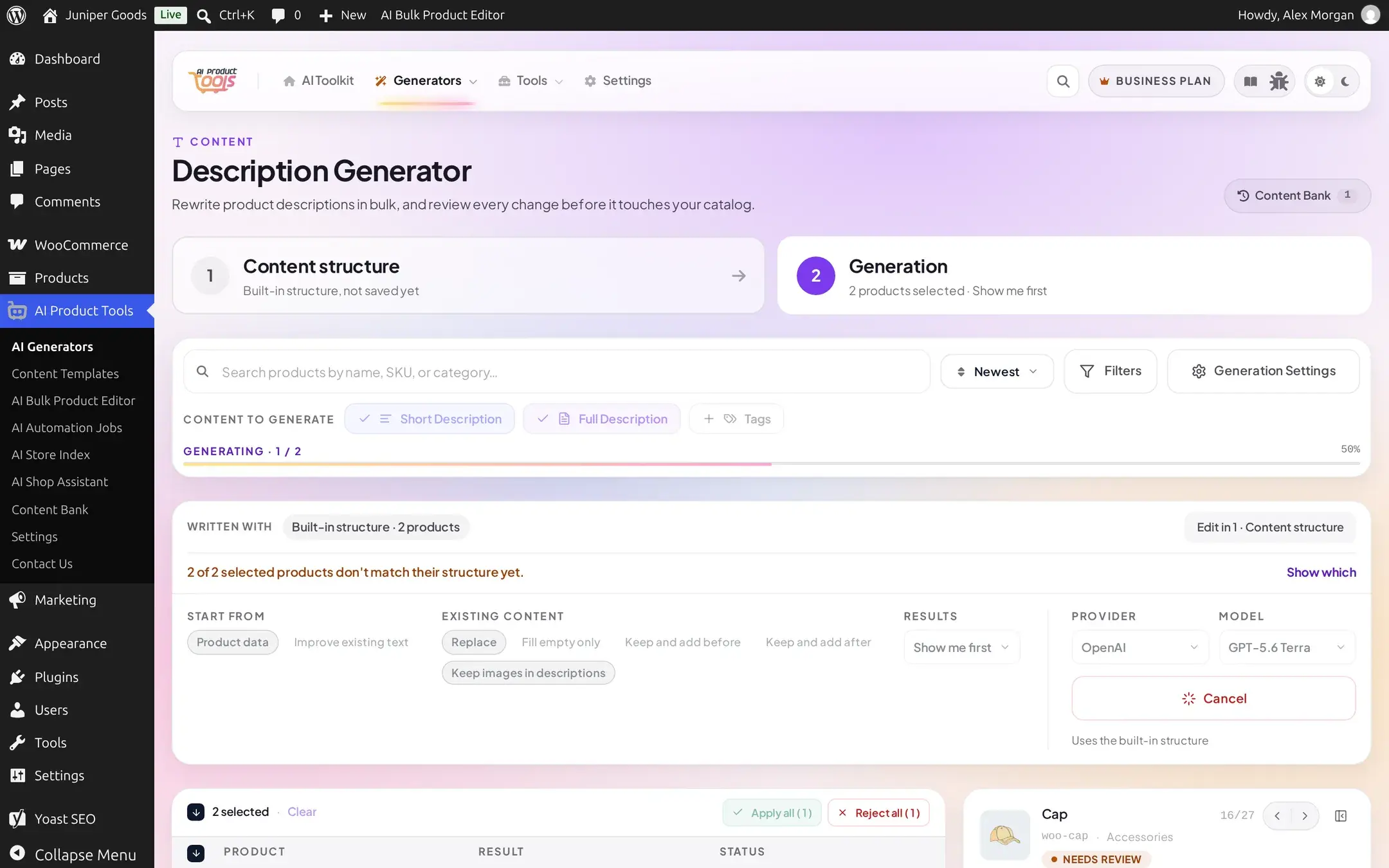
What this means in practice:
- Closing the tab, or navigating away, stops the run immediately. The browser simply stops sending requests. Whatever had already applied (in "Apply now" mode) or finished generating (in "Show me first"/review mode) stays as it was; anything not yet reached is never attempted, so that product's content is simply untouched, not broken.
- "Nothing changed on the product" after a run usually means exactly this: the tab closed, the browser lost focus and the request queue paused, or the run was cancelled before reaching that item. Reopen the generator and re-select only the products that still show no result.
- For a run large enough that keeping a tab open is impractical (hundreds of products, or a run you want to repeat on a schedule), use Automation instead. A scheduled job runs server-side on WP-Cron and keeps going whether or not anyone has a browser open; see Background jobs if a scheduled job itself seems stuck.
Troubleshooting
How bulk generation works
Selection, the three results modes, and applying or retrying results.
Content structures
What a content structure is, and how its sections and rules are defined.
Automation
Run a generator on a schedule instead of from an open browser tab.
Provider errors
Every exact AI-provider failure message, cause, and fix.
Provider errors
Every exact message OpenAI, Google Gemini, Anthropic Claude and OpenRouter failures can show, what causes each one, and how to fix it.
Background jobs
How WP-Cron and Action Scheduler drive Automation Jobs, Catalog watch and the Store Index, and what to check when background work stalls.