
Reviewing Output and Staying Safe
Stage for Review versus Replace Live Content, where staged results go, and what happens automatically when a job's AI provider keeps failing.
Letting a job run unattended raises one obvious question: what stops it from doing damage while nobody is watching? This page covers the two answers: the Content Delivery choice you make when creating a job, and the automatic pause that protects you even when you picked the riskier option.
Content Delivery
Every job's Content Settings step has one required choice:
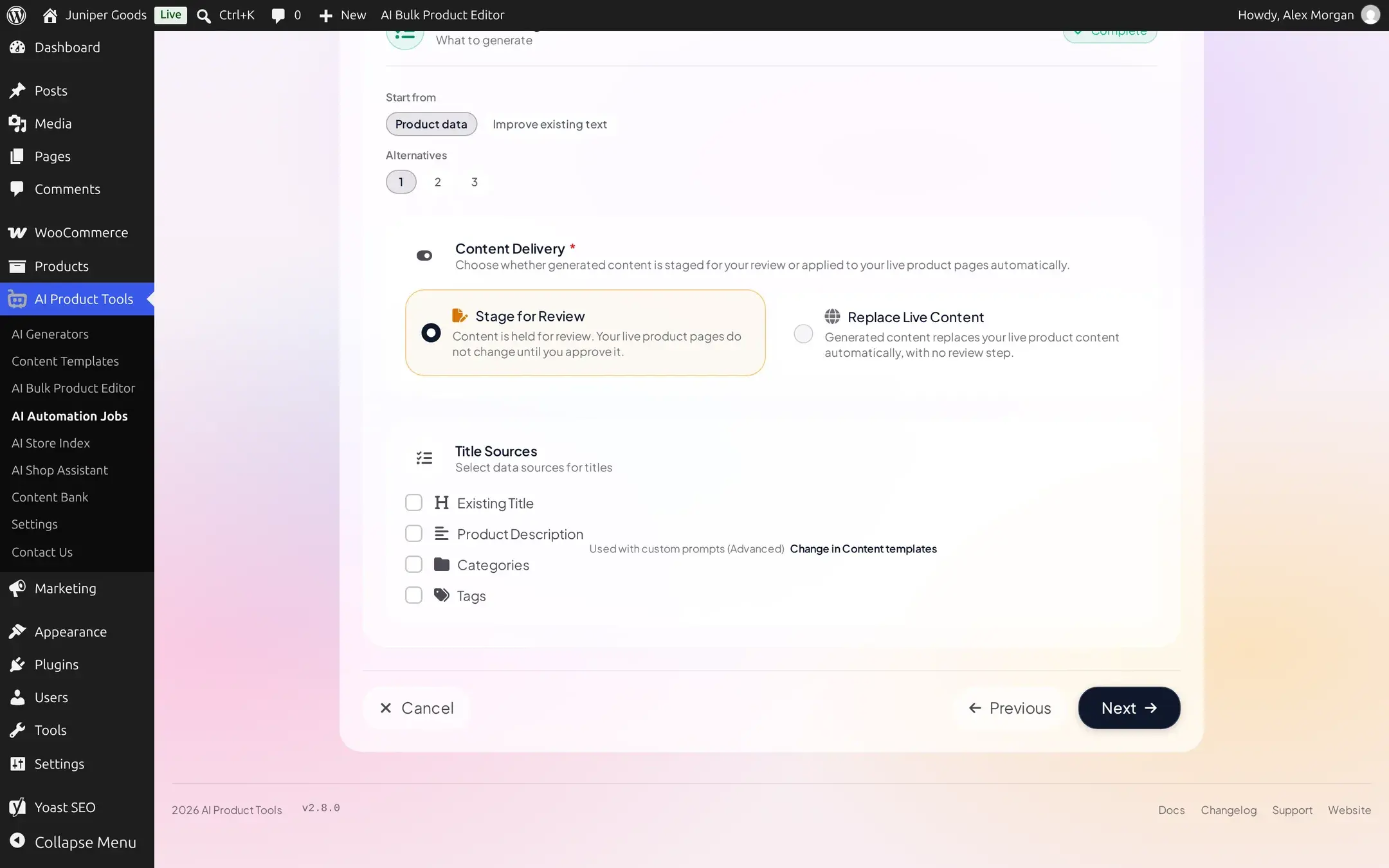
- Stage for Review Business: the job never writes to a product directly. Every result collects in Content Bank > Draft Content until you approve, reject, or delete it.
- Replace Live Content: the job writes straight to the product the moment it generates a result, with no review step. This is the only option on Free.
Because Replace Live Content has no in-app undo of its own, creating or editing a job onto it opens one confirmation naming the estimated product count and first run time:
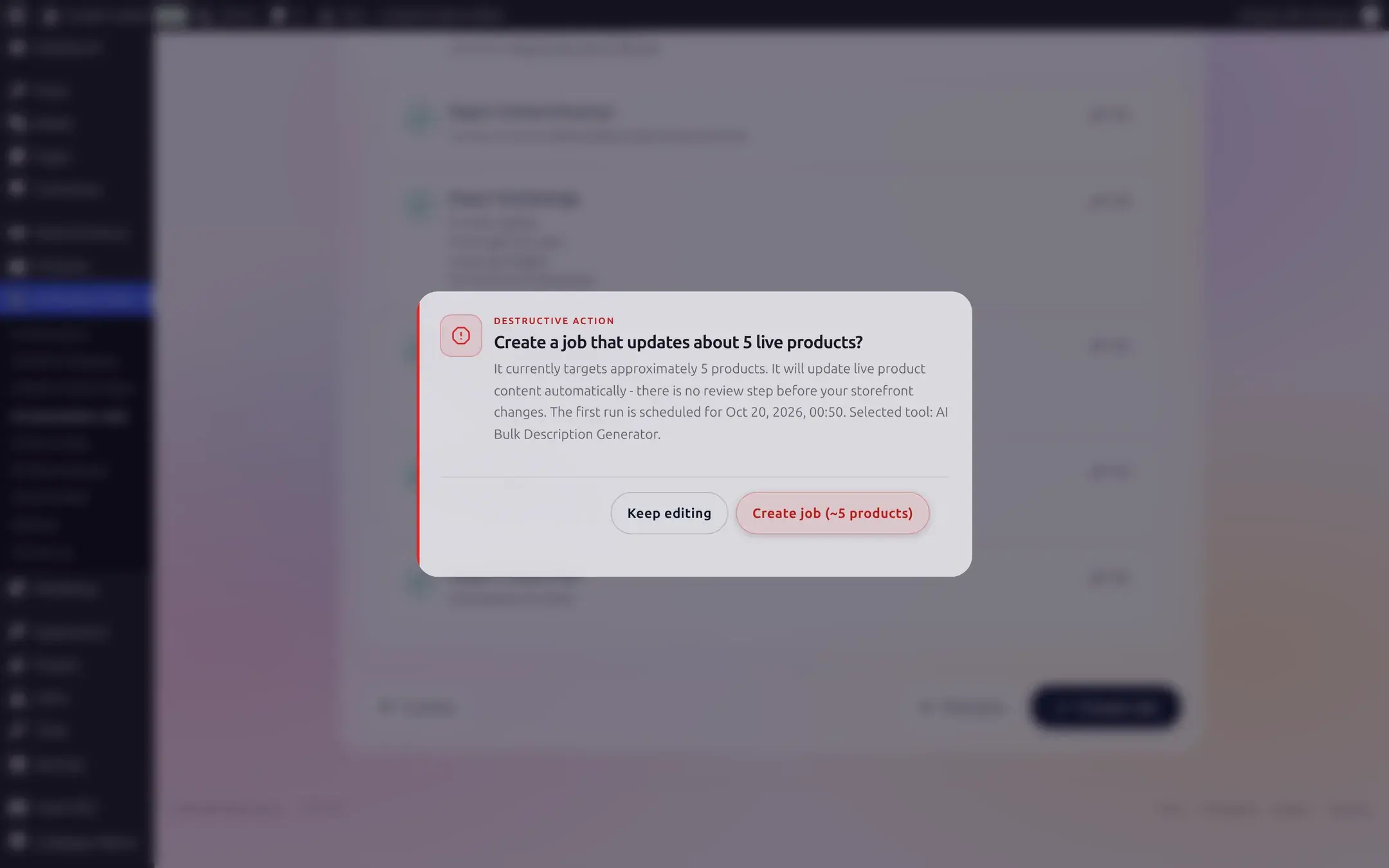
Every write a job makes, on either setting, is still captured in Content History first, on every plan, so a Business user can restore a value after the fact even from a Replace Live Content job; see Restore. Content History is not a review step: it records after a write already landed, it does not hold anything back beforehand.
Where a staged result goes
A Stage for Review job's output appears in Content Bank > Draft Content, grouped by the job that produced it.
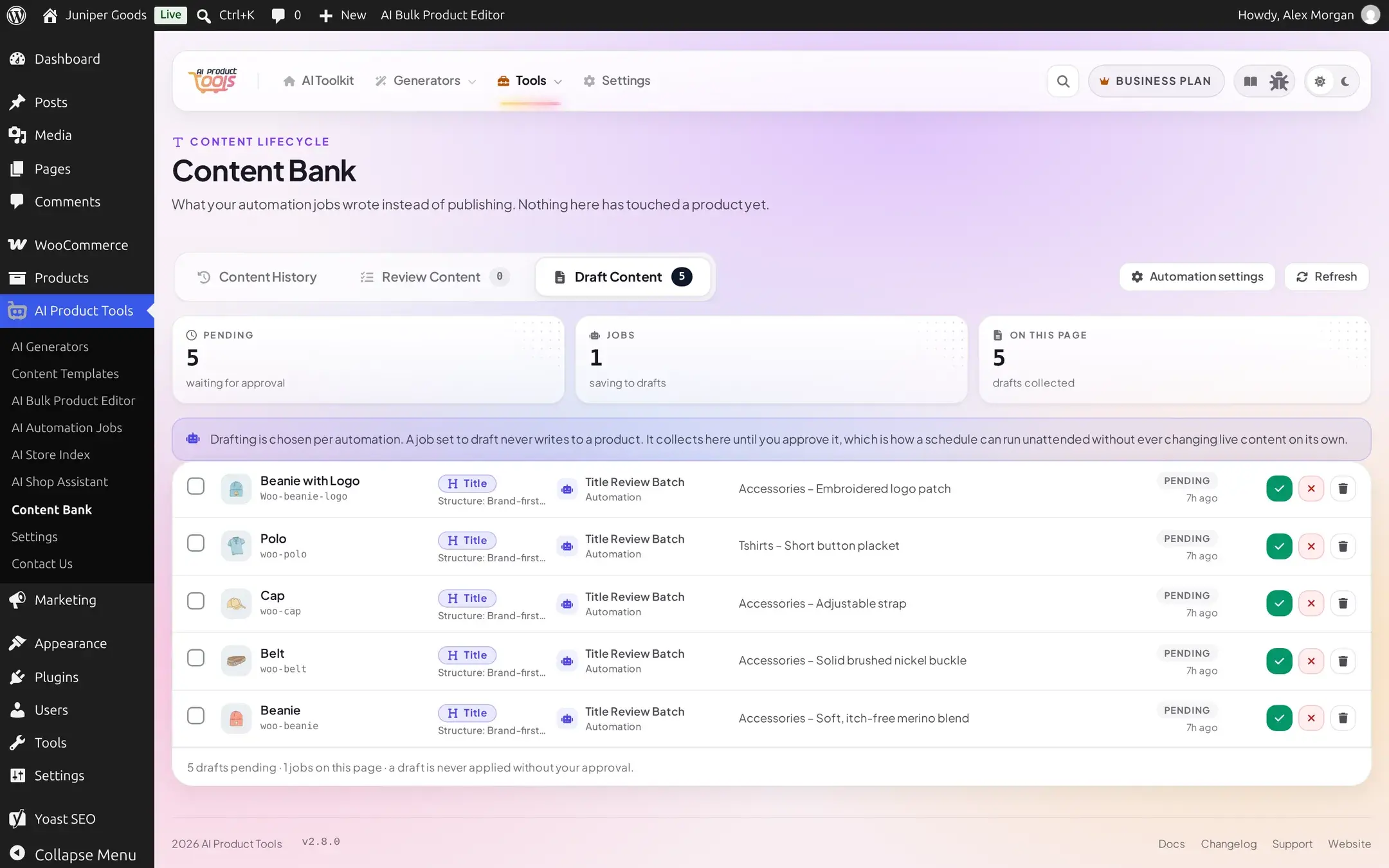
Open a draft to compare it against what the product currently has, then Apply to product, Reject, or Delete it, individually or with the bulk bar.
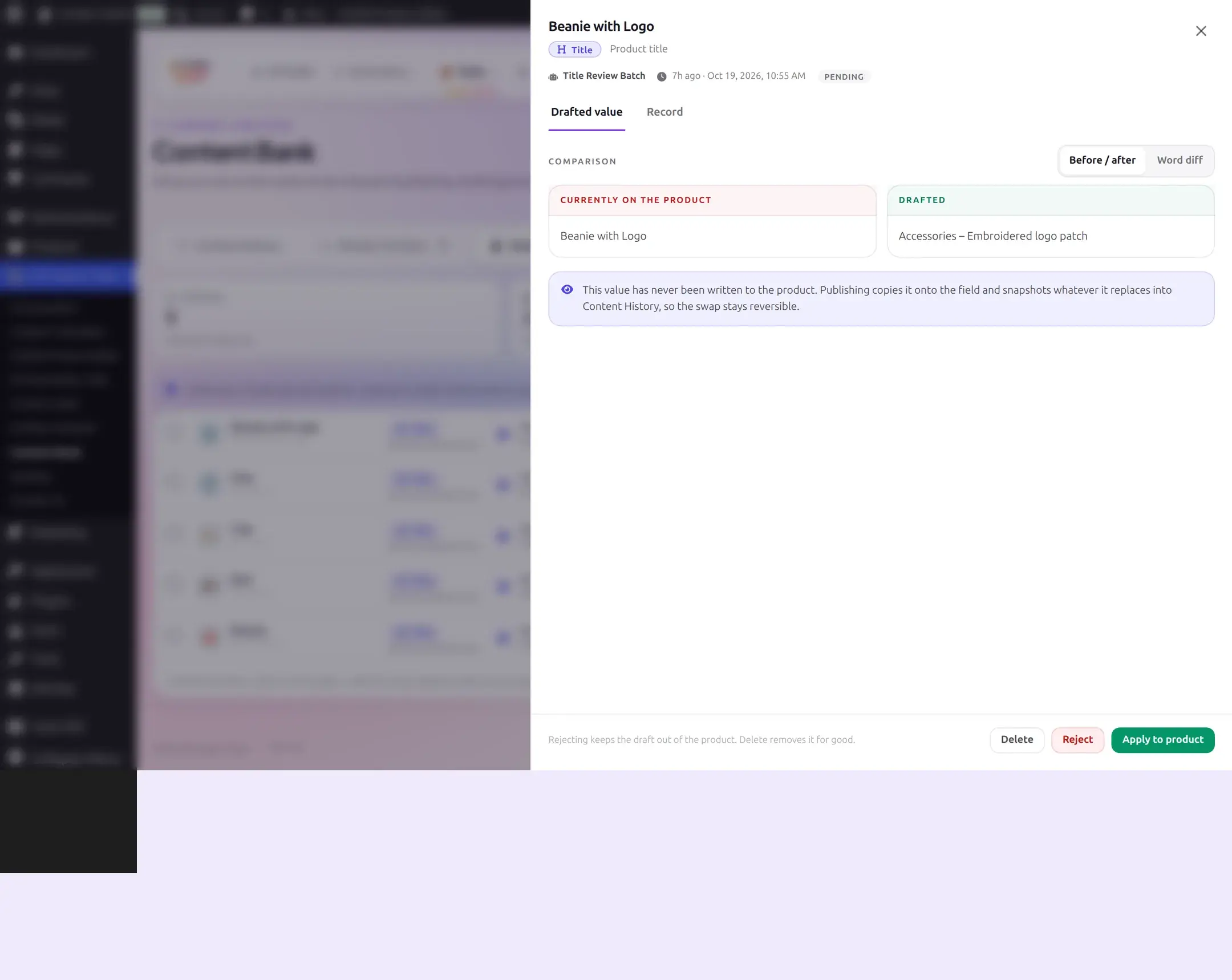
The full Draft Content workflow, including bulk actions and its own empty and error states, is covered in Draft Content.
Automatic pause after repeated provider errors
Automation does not simply keep retrying a broken provider connection forever. Two separate safeguards exist, and they protect different things.
Any job pauses immediately on a problem that cannot fix itself
If a tick hits a provider problem that will clearly fail the exact same way on every later call, the plugin pauses the whole job on the first occurrence, on any job, whether or not it uses an automatic trigger, rather than failing every remaining product one doomed call at a time. The product it was working on is left untouched (never counted as failed) so resuming simply retries it.
| Problem | Message you will see |
|---|---|
| Revoked or wrong API key | "[Provider] rejected the saved API key. Update it in [where the key is saved]." |
| Key lacks access to the model or action | "Your [Provider] API key does not have access to this model or action." |
| Model no longer offered | "[Provider] does not offer the selected model. Choose another model." |
| No quota or credit left | "Your [Provider] account has no quota or credit left. Check your billing with the provider." |
| No key saved at all | "No [Provider] API key is saved. Add one in Settings > Connectors or AI Product Tools > API." |
| AI features turned off site-wide | "AI features are turned off on this site, so [Provider] cannot be used. Set WP_AI_SUPPORT to true to turn them back on." |
The first message's bracketed part names wherever that key actually lives (for example "Local plugin key" or "WordPress Connectors"), not a literal "Settings" link; fix the underlying problem (almost always in AI Product Tools > Settings > Connection), then Resume the job; it continues from the product it stopped on.
Jobs with an automatic trigger get one more layer
A rate limit, a brief outage, or a dropped connection is different: these usually clear on their own, so a single failure of this kind does not pause the job, it is simply retried (up to 3 attempts) before that one product is marked Failed and the job moves on to the next. A job using neither Run when a product is published nor Catch up on new products stops there: it finishes its run and shows Completed with failures, exactly like the example below.
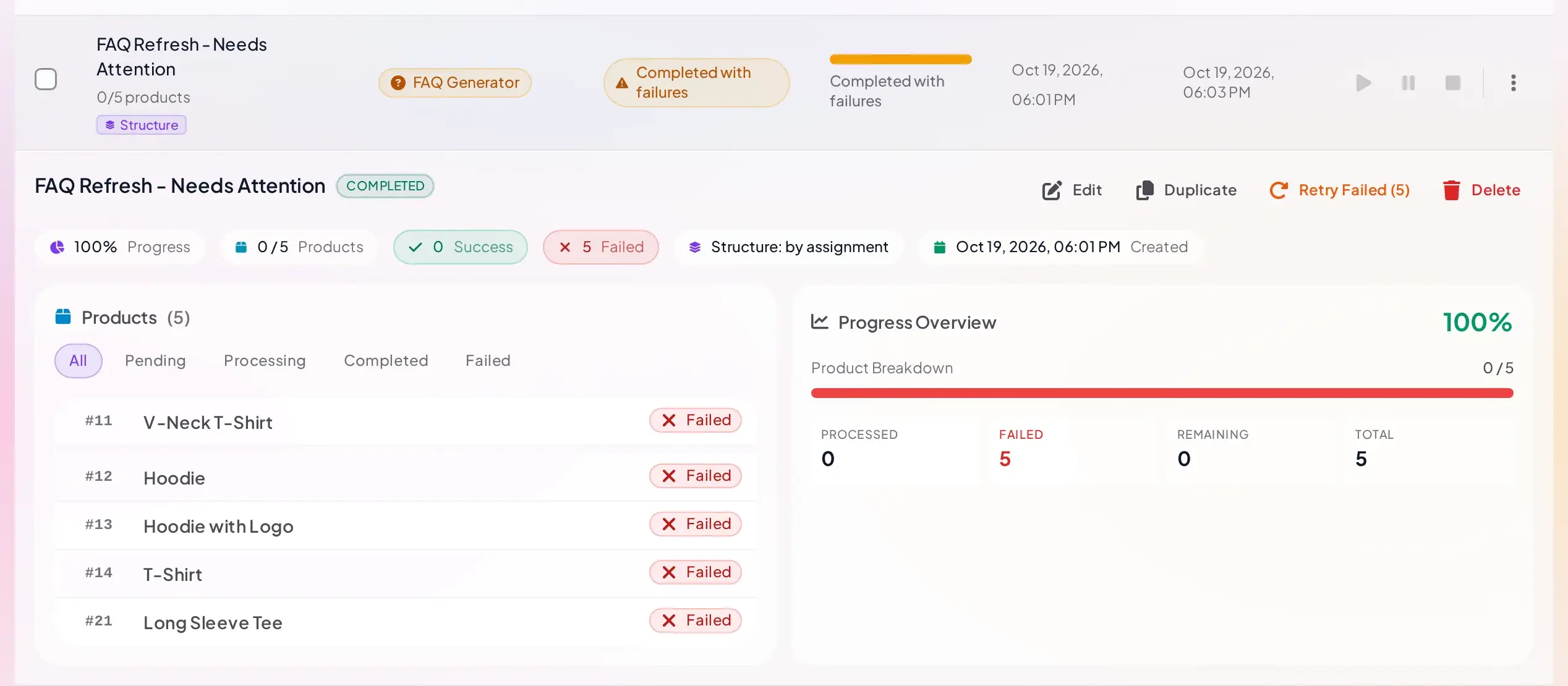
A job with an automatic trigger turned on is treated differently, because it can keep enqueuing new work completely unattended (a product publishing, or a catch-up sweep finding new products) even while your provider is rate-limiting every call. For that case only, the plugin counts repeated rate-limit failures across that job's runs, and after 5 of them in a row, it pauses the job automatically, even though a rate limit alone would otherwise just keep retrying:
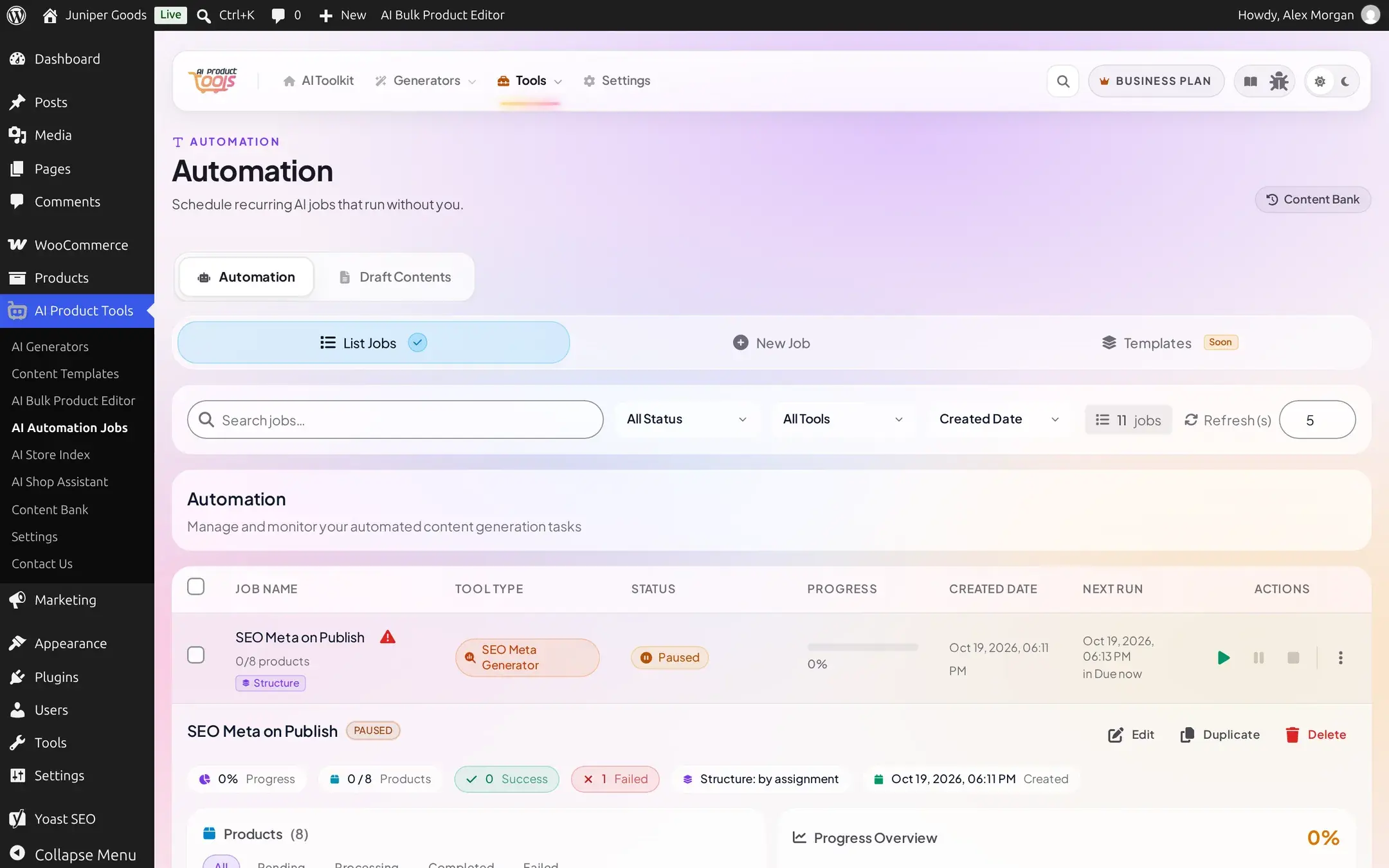
Resume clears the count and lets the job keep going from where it stopped; a success on the job resets the streak back to zero, so an occasional rate limit never adds up over time.

Why this only applies to automatic triggers
A scheduled or one-time job without a trigger always has a definite end: it works through the products you chose and stops. An automatic trigger does not, by design, since new work can keep arriving on its own. The extra pause exists specifically so a provider outage cannot turn an unattended trigger into an unattended, repeated spend against your own connected quota.
Free vs Business
| Capability | Free | Business |
|---|---|---|
| Content History capture before every write | Yes | Yes |
| Stage for Review | No; Replace Live Content only | Yes |
| Draft Content review (apply, reject, delete) | No | Yes |
| Restoring a value a job overwrote | No | Yes, see Restore |
| Immediate pause on a permanent provider problem | Yes | Yes |
| Automatic-trigger pause after repeated rate limits | Not applicable; triggers are Business only | Yes |