
Behavior and Language
Control product cards, how long replies are, when products show up, and which language the widget speaks.
The Behavior tab decides what the assistant's replies look like, product cards, length, and when to recommend at all. The Language tab decides what language it replies in and lets Business stores override any piece of UI text. Both live on AI Product Tools > AI Shop Assistant.
Before you start
Set up the assistant and build an AI Store Index first; product cards have nothing to show without one.
Behavior
Choose what a product card shows
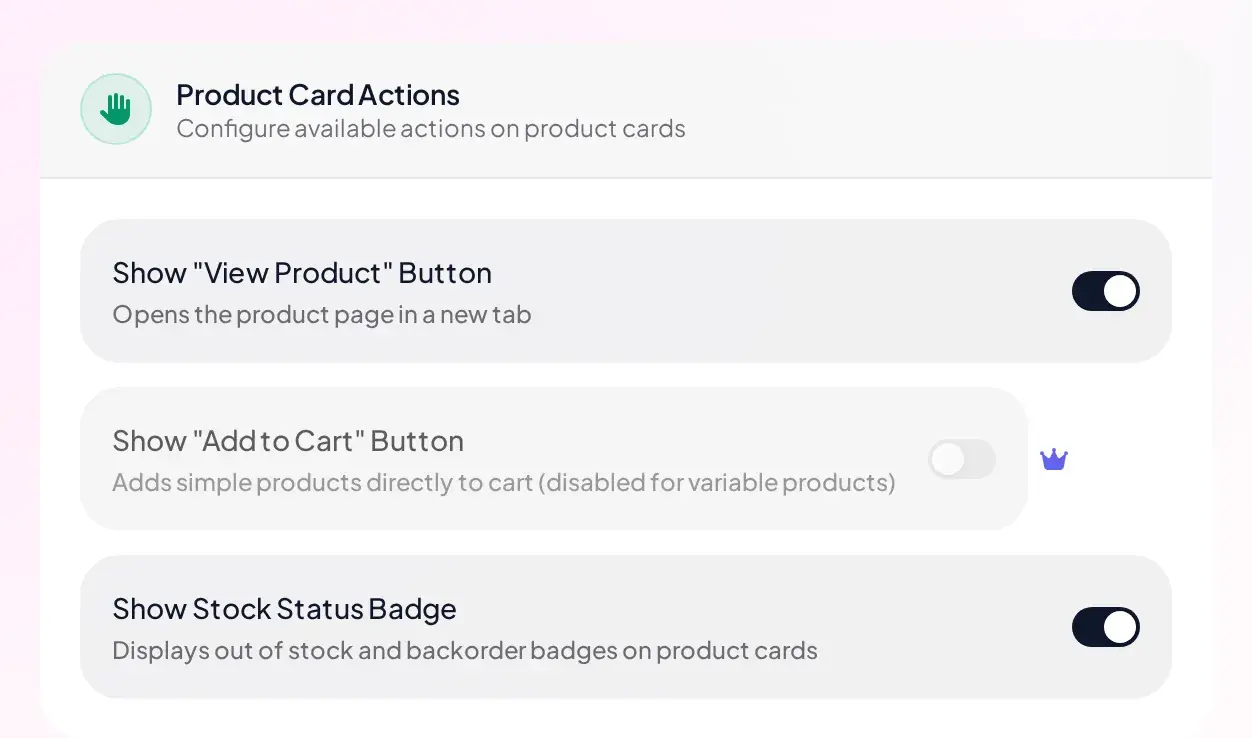
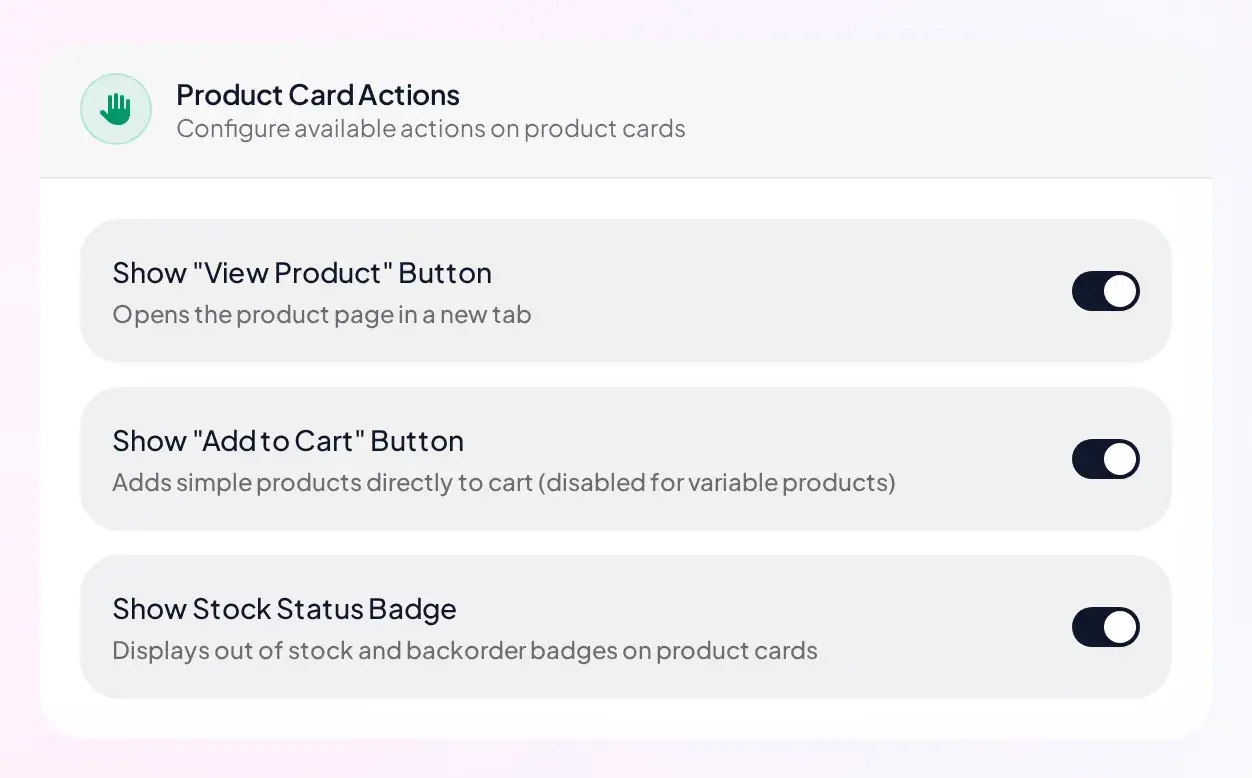
Three toggles control each product card the assistant can show: "View Product" button (on by default), Stock Status Badge (on by default, shows Out of Stock or Backorder), and "Add to Cart" button.
Add to Cart is off and locked. Help text explains why it is worth having: "Adds simple products directly to cart (disabled for variable products)."
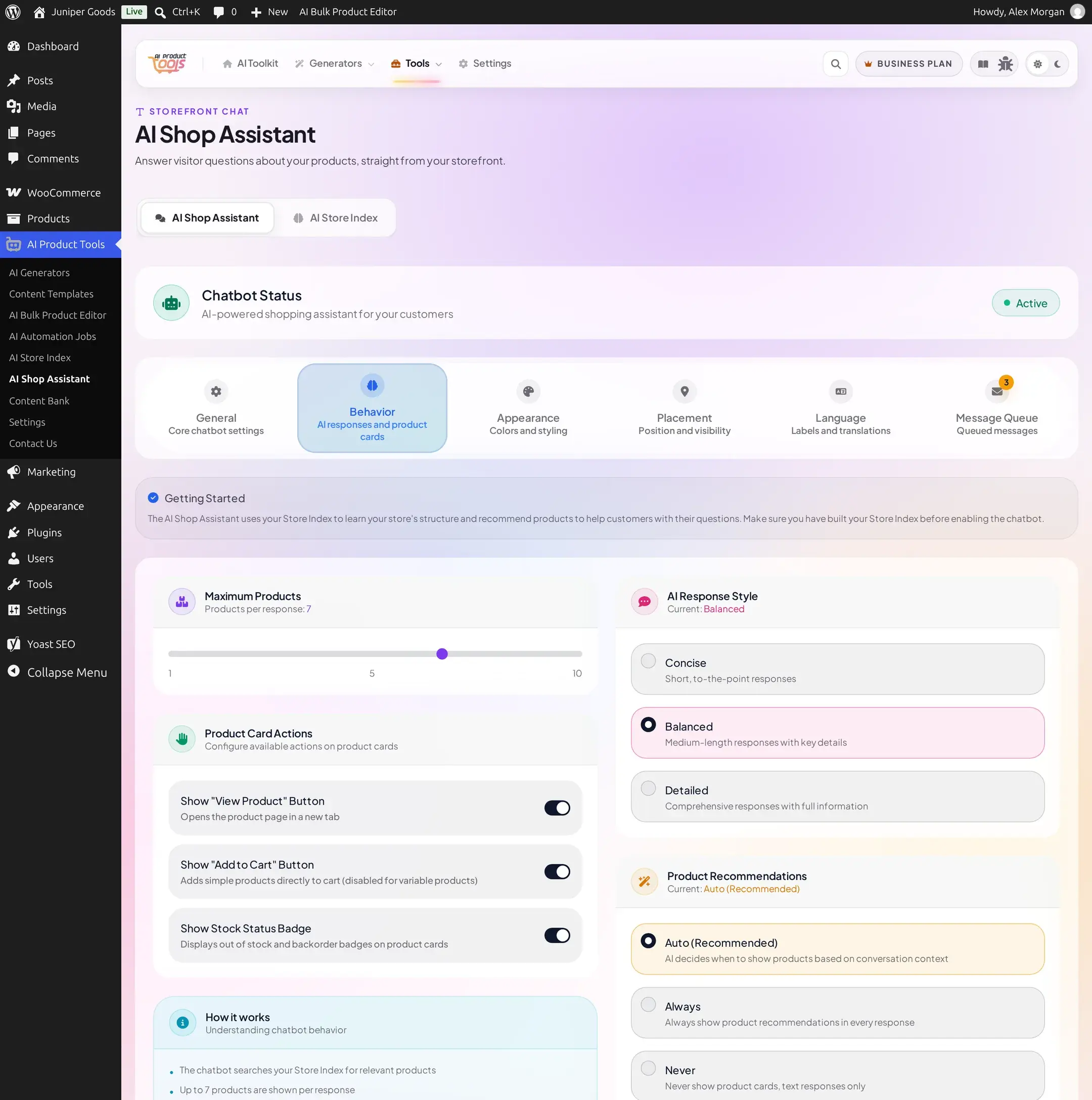
Add to Cart becomes a normal toggle. Turning it on affects simple, in-stock products only, variable, grouped, and external products still redirect to the product page.
Set how many products show per reply
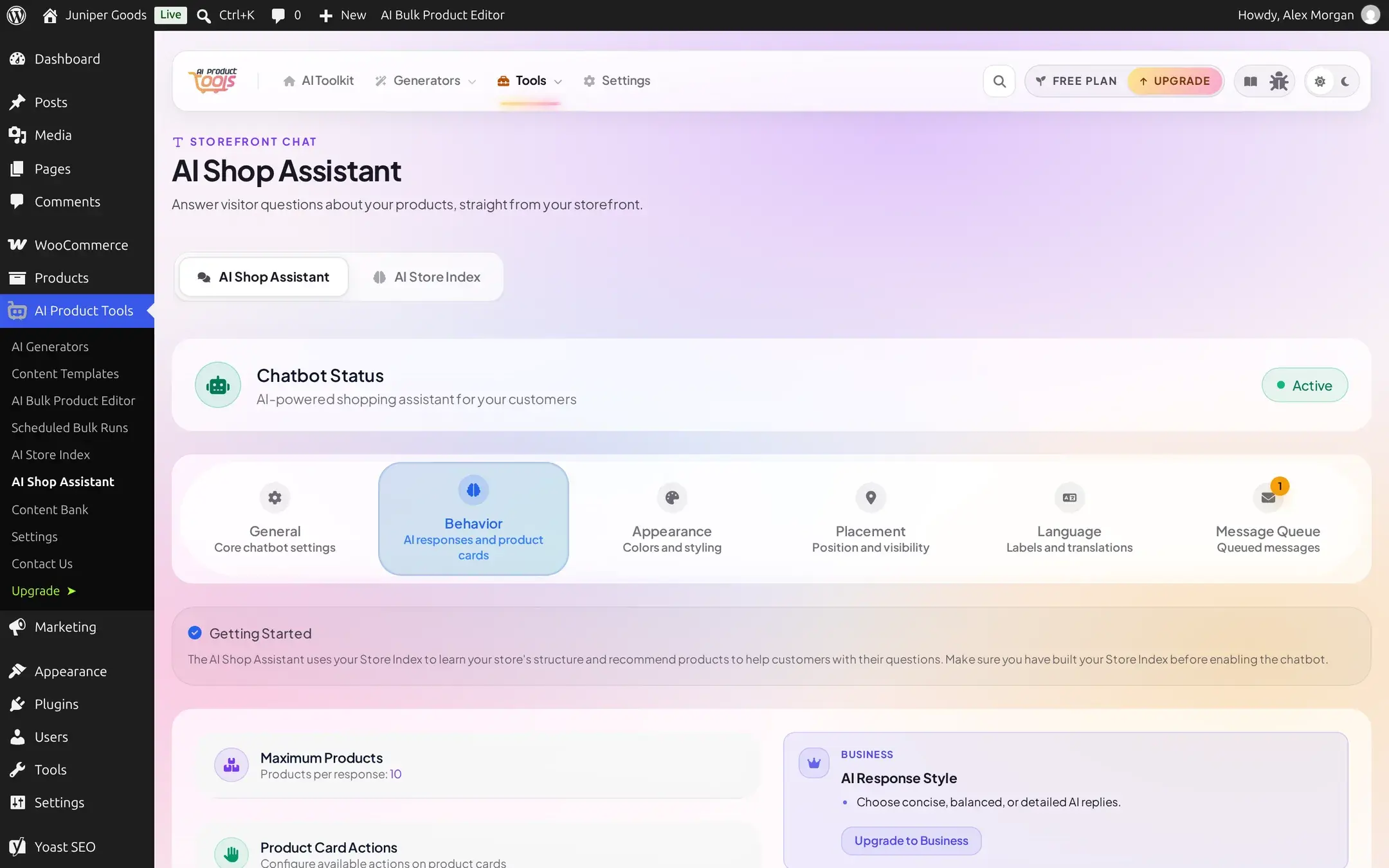
Fixed at 10, shown as plain text ("Products per response: 10"), no slider at all.
A slider from 1 to 10. Business does not raise the ceiling past 10, it only makes the 1-10 range adjustable.
Pick a response style and recommendation mode (Business)
AI Response Style (Concise, Balanced, Detailed) and Product Recommendation mode (Auto, Always, Never) are full radio groups on Business. On Free, both cards are replaced entirely by a teaser: recommendations stay Auto (AI-decided), and response style stays at its shipped default, Balanced, since Free has no control to change it.
A one-off exception in how the Free clamp works
Everywhere else in this plugin, a Free site's shipped default and its Free-plan value are the same setting. Response style is the one exception: it ships as Balanced, but the Free value a save clamps back to is Concise. A new Free site simply keeps Balanced forever, since there is no control to change it. The clamp only matters if a Business plan once set this to something else and access later lapses, in that case it settles on Concise, not Balanced.
Auto is the mode to keep
In Auto, the model decides per message whether to show products based on what was actually asked, the same logic behind the no-match fallback described in What shoppers see. Always and Never force the decision regardless of the question, useful for special cases, but a knowledge question (shipping, sizing) answered under Always will still include its no-products marker text in the sentence rather than cleanly suppressing it.
Language
Set the fallback and auto-detection
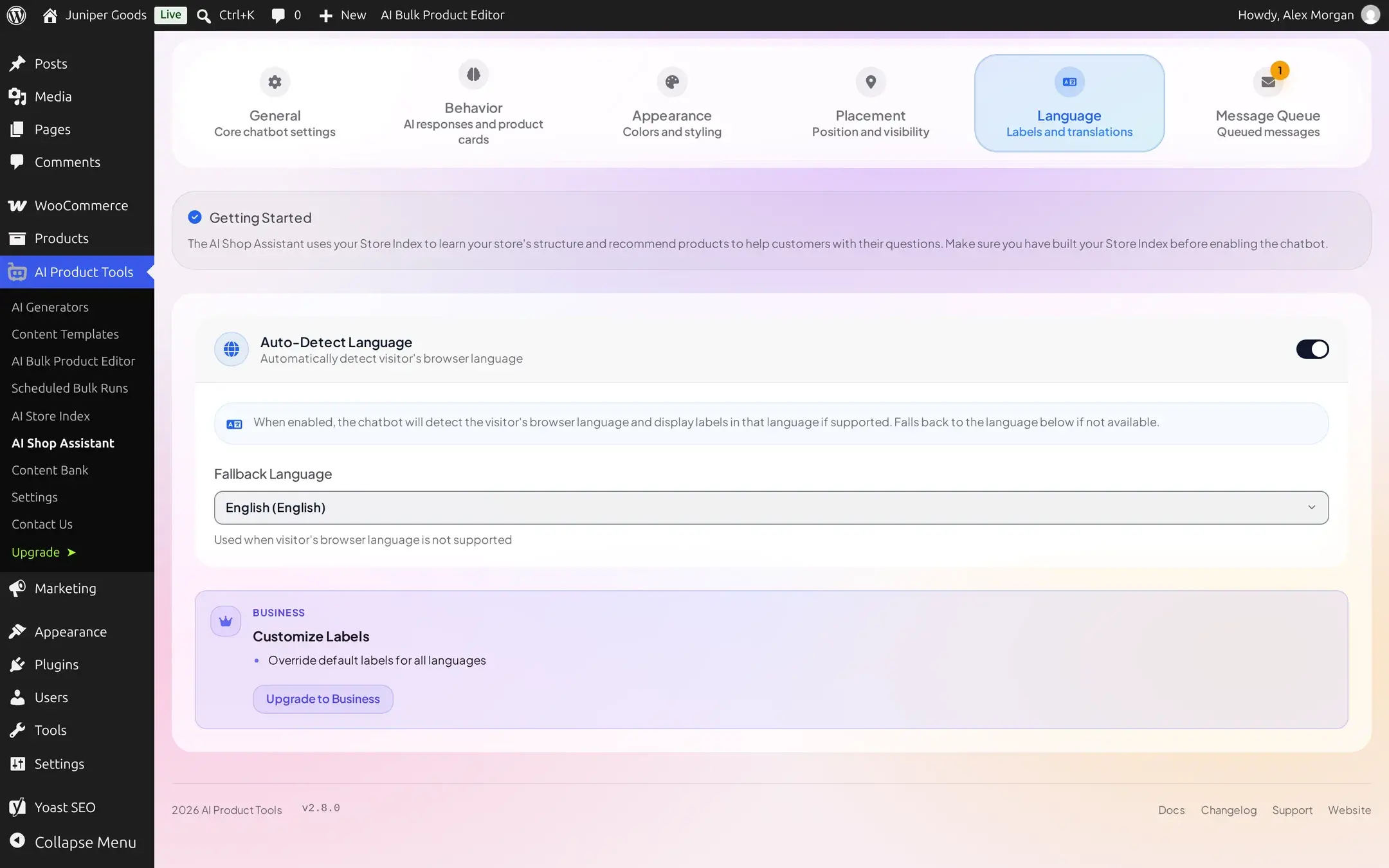
Auto-Detect Language (on by default) reads the shopper's browser language and replies in it when supported. Fallback Language (default English) is used whenever detection fails or lands on one of the 42 supported codes without a better match.
Right-to-left languages work automatically
For Arabic, Hebrew, Persian, and other right-to-left languages, the widget reads the direction straight from your site's <html> tag and mirrors its own layout to match, the launcher, message bubbles, and the product carousel all flip sides. There is nothing to configure for this, it follows whatever direction your site (and theme) already use.
Override UI text (Business)
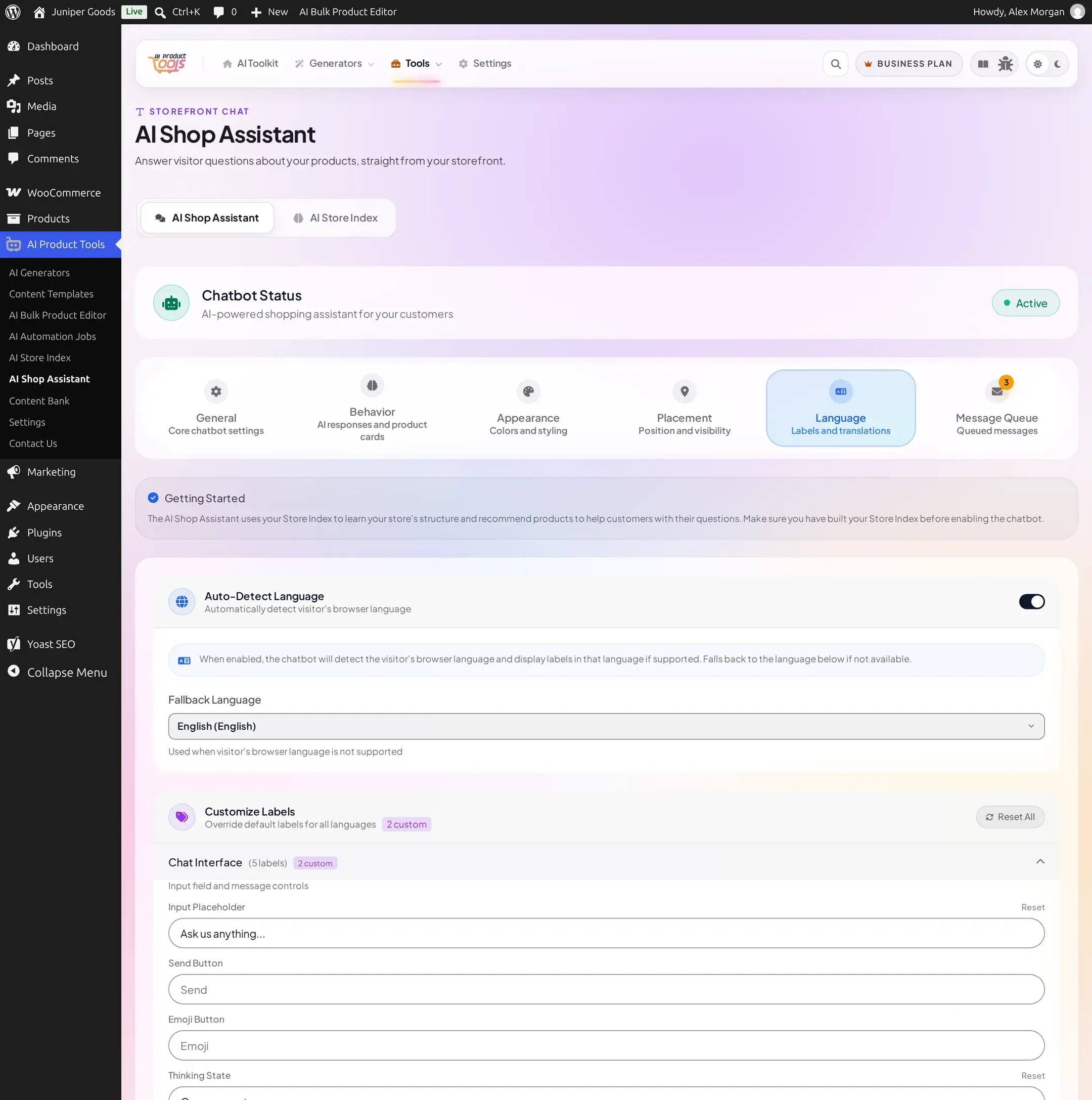
Customize Labels lets you rewrite any of the widget's 42 built-in strings, grouped into 7 categories: Chat Interface (5), Header & Status (5), Pre-Chat Form (17), Product Cards (8), Messages (3), Date & Time (2), and Footer (2). Expand a category, type a replacement for any field, and a per-field "custom" badge count shows how many you have overridden. Reset one field at a time, or use the page-level "Reset All".
Reference
| Setting | Free | Business |
|---|---|---|
| View Product button | on, togglable | same |
| Stock Status Badge | on, togglable | same |
| Add to Cart button | off, locked | togglable, simple in-stock products only |
| Maximum Products | fixed 10, no slider | slider, 1-10 |
| AI Response Style | fixed at Balanced, the shipped default (settles on Concise instead if a Business plan had changed it and access later lapsed) | Concise / Balanced / Detailed |
| Product Recommendation mode | auto only | Auto / Always / Never |
| Auto-Detect Language, Fallback Language | full | full |
| Customize Labels | teaser | full, 7 categories, 42 strings |
Troubleshooting
Related pages
Appearance and Placement
Match the widget to your brand with colors, icons, and typography, then control exactly where and when it appears.
Knowledge, Consent, and Contact Options
Teach the assistant from your own pages, collect shopper contact details with consent, and give shoppers a way to reach you directly.